I have a two host setup that has been working fine.
Yesterday I tried to create a Bonded network that failed - I eneded up needing to do an emergency network reset on both hosts to get back connectivity. That worked and I’ve abandoned creating bonds for now.
Today I wanted to pass-through VGA pci controller on a Windows11 VM - when I click the slider on the host to pass through the PCI - the host goes into maintenance mode and this error shows in the logs:
{
  "pcis": [
    "db8de2dc-066b-4437-d8b8-aa86ba5e781d"
  ],
  "disable": true
}
{
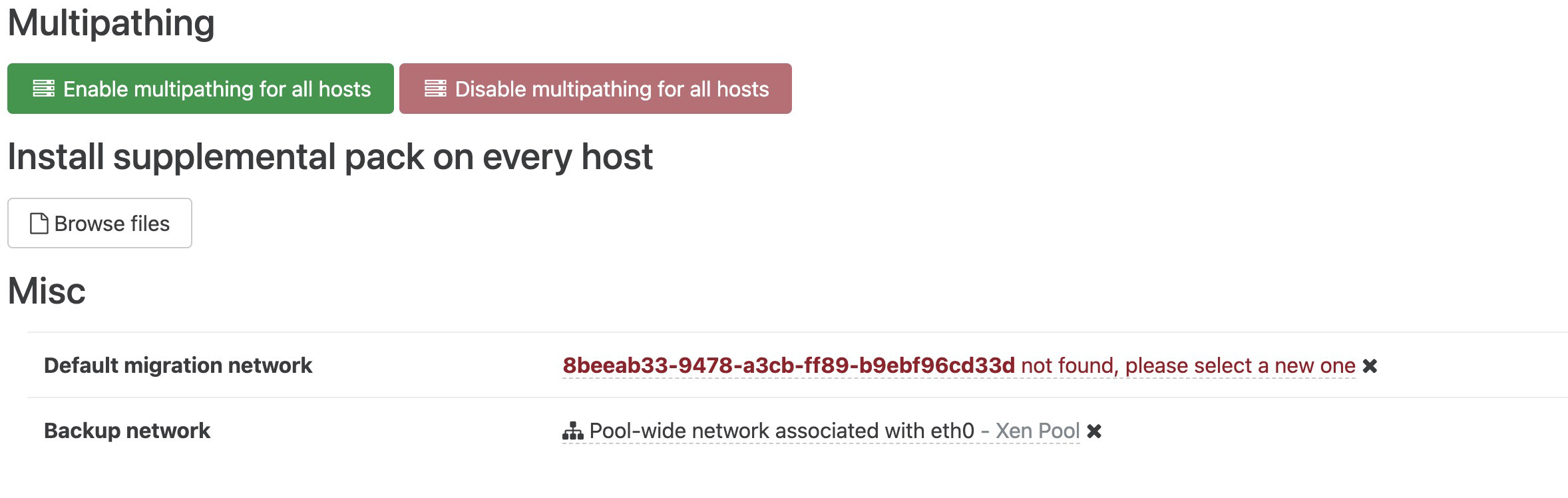
  "message": "could not find migration network 8beeab33-9478-a3cb-ff89-b9ebf96cd33d",
The uuid 8beeab33-9478-a3cb-ff89-b9ebf96cd33d doesn’t exist in any PIFs in my network and a xe pif-forget for that uuid fails.
Any clues on how I can overcome this please? Thanks