I am having some problems searching for what I need, because I don’t know what they are called.
What I am looking for is a way to use my phone as temporary internet connection, by enabling a hotspot on it, and then have a device connect to that, and provide internet access over ethernet.
Any suggestions to such a device?
And more importantly, what are they actually called?
I’m not sure of a formal name for this, but basically what you’re looking for a router with a wireless WAN capability. I know, for example, that the GL-iNet travel routers I have expose this feature (https://www.gl-inet.com/).
if you have any interest in cutting out the phone part, there are also routers that have a direct cellular WAN. I keep an older Netgear 4G model (like the previous generation of this one: Netgear Nighthawk 5G MR5100 Mobile Hotspot Black AT&T Cellular Router | eBay ) with a pay-as-you-go SIM card at my office as a backup in case the fiber goes down.
The device you are looking for is called a repeater. You can do this in a couple of ways. You can take an existing home WiFi router and flash openWRT on it to turn it into a repeater. Or you can go on Amazon and search for WiFi repeater. I know TP-link will be tempting to buy, but you should stay away from any of their products.
Some normal residential routers also can be placed in bridge or client mode, either out of the box or by flashing them with something like OpenWrt. But you have to look up if the Wifi chip has the ability to act as a client or repeater.
Also if you have an old spare laptop laying around that has an Ethernet port you have DYI options: Linux, OPNSense, PfSense.
Looks like the cheap GL-SFT1200 would be able to solve the problem.
Outages are luckily very rare, but they are always at an inconvenient time.
The reason I want to use the hotspot on my phone, is because I got unlimited data on it, and the pay as you go options here are pretty expensive, so just using my phone would be using something I already got.
Totally makes sense. In case you haven’t tried it yet, make sure your phone service allows tethering to a router. I’ve heard stories of some services messing with or monitoring packets’ TTLs and so you can only connect a single device without some extra preparation.
Many of these routers allow USB tethering if your phone allows this, more reliable than using half the WiFi to “receive” from the phone and the other half to “supply” to your clients.
The GL-inet devices will definitely do what you want, but not always do it well. USB tethering would be better.
(edit) another thought, I wonder if you could use a USB the rj45 Ethernet adapter and the phone as the wan connection???
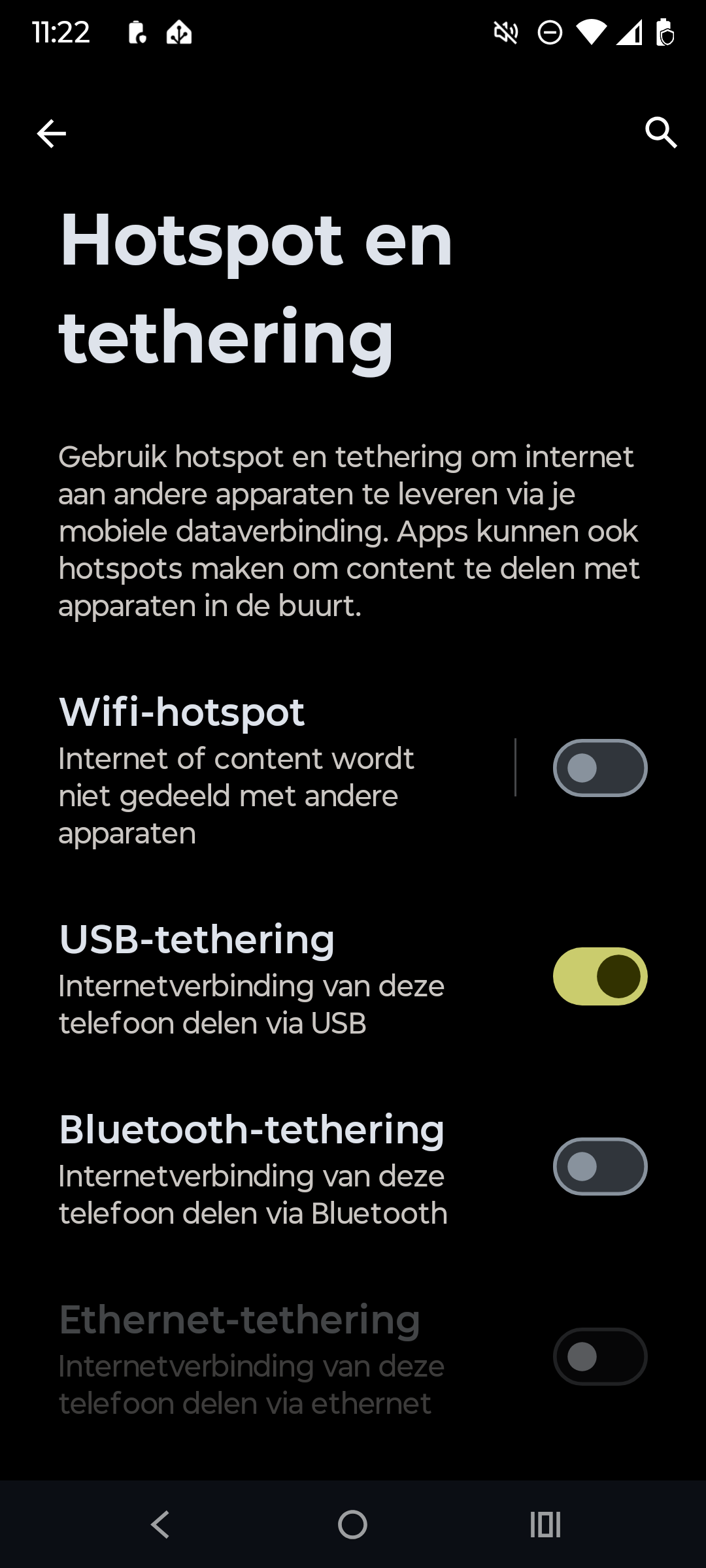
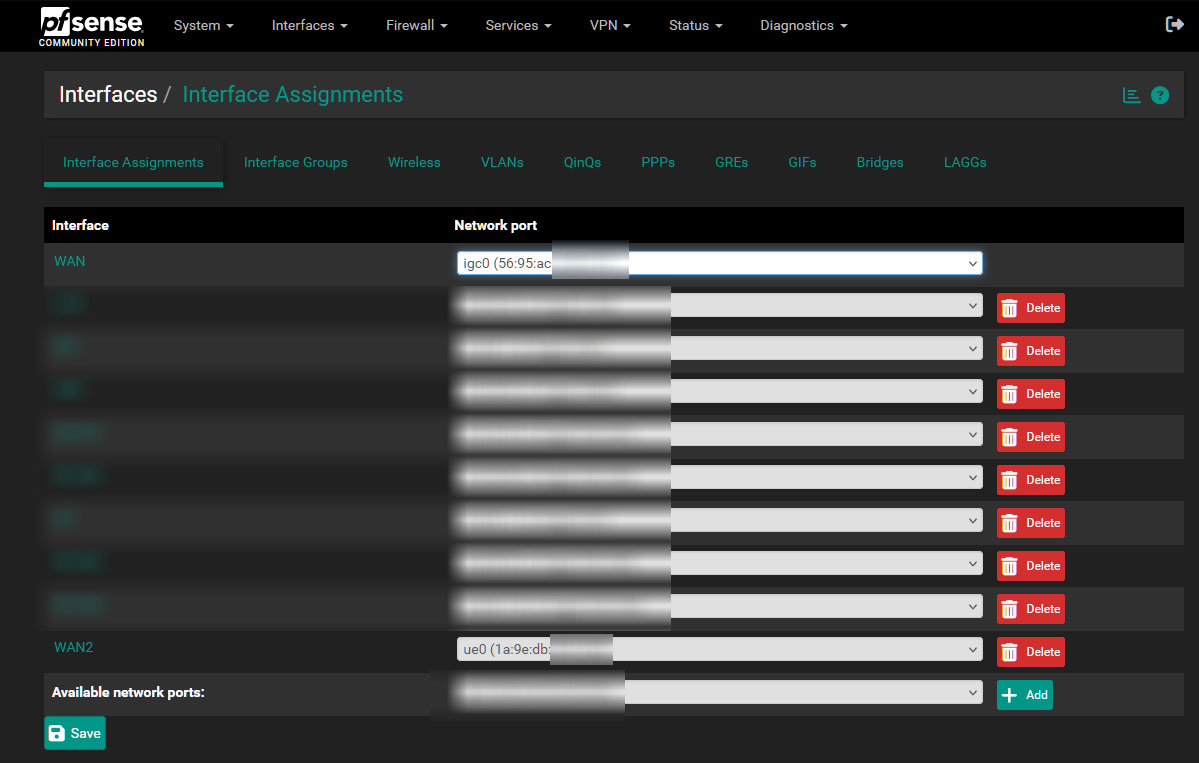
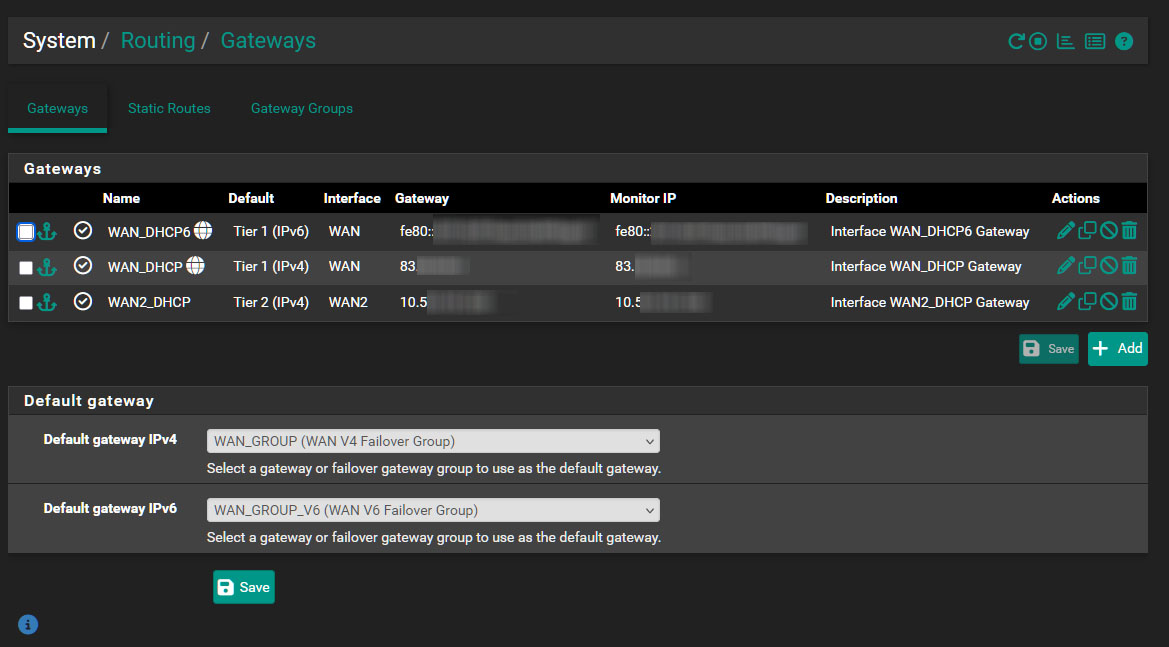
I have a pfSense router with a cable Internet connection (WAN1). I have then connected a mobile phone with usb to the pfsense box (WAN2) and enabled USB tethering. Then configured a second WAN and setup a router failover for if and when my cable internet would drop my LTE WAN kicks in.
TP-Link N300 or IOGEAR GWU-637, config this to connect to your cellular wifi (phone tether)
-then plug this into a secondary WAN port on your firewall (becomes a wifi bridge to your phone tether), setup your rules accordingly to switch over traffic when your primary is offline