Hi guys,
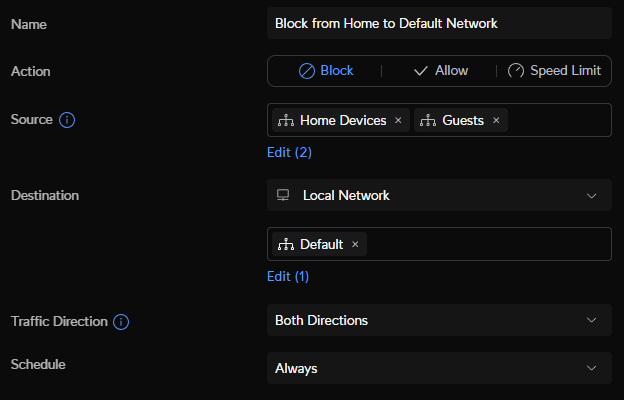
On my new Cloud Gateway Max i have added two rules
And the two network that are suppose to get blocked are guests and home devices .
Now when i connect my pc to the home device network (wifi) and try to access say the gateway 192.168.1.1, the access is blocked as it suppose to but when i do the same test with my mobile i can still access the address 192.168.1.1
I can also see the rules apply to the mobile.
Not sure with my fw rule i need the “Isolate network” checkbox but even if i turn this on still the mobile can access the gateway.
So the question is why doesn’t the firewall rule block the traffic as it should?
I been testing allot and can’t figure it out sadly.
More images (cant add more than one as new user  )
)
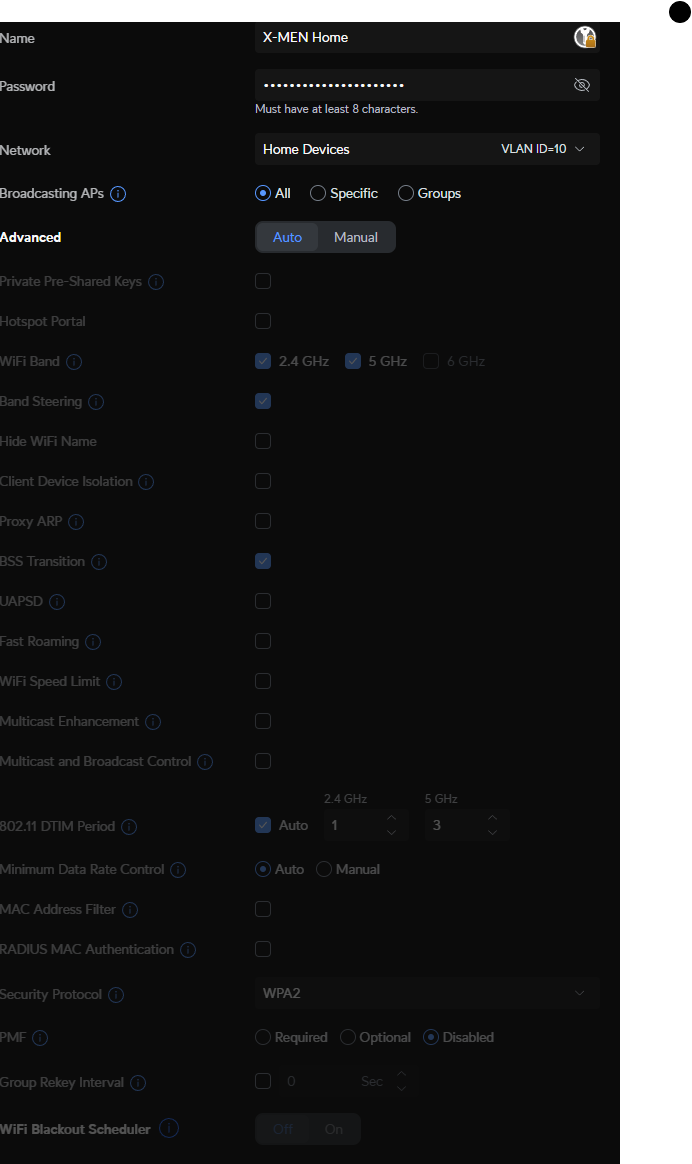
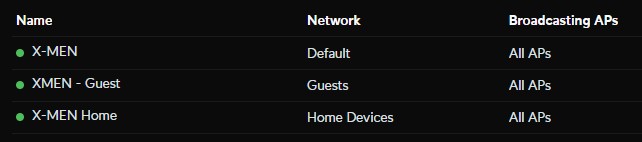
The Wifi network looks like this:
Under “Advanced” If you set the network type as “Guest Network” it will automatically create the rules needed to block the other networks.
Hi, is this the page your refering to?
The issue is the X-MEN Home (using VLAN 10) that can access the Default network.
I want VLAN 10 devices to be able to communicate in between but not outside of VLAN 10 and with default network.
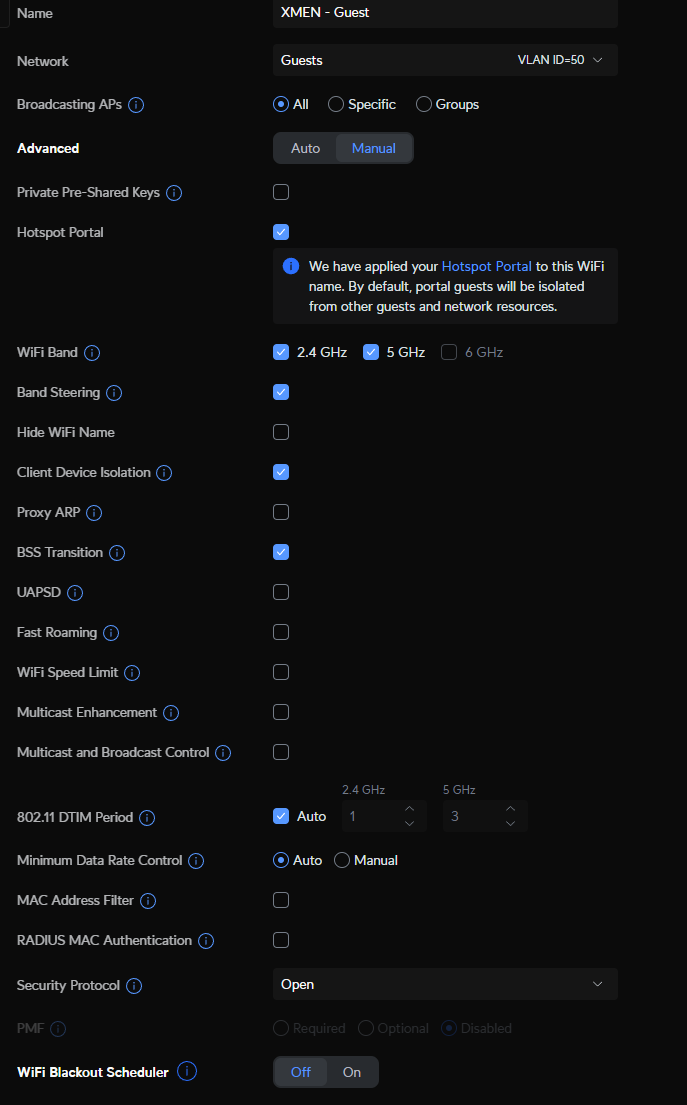
For guest network i have enabled the portal for easy access using just simple password. I choose this as isolated network as well.
And this is the X-MEN Home network
Anyone?
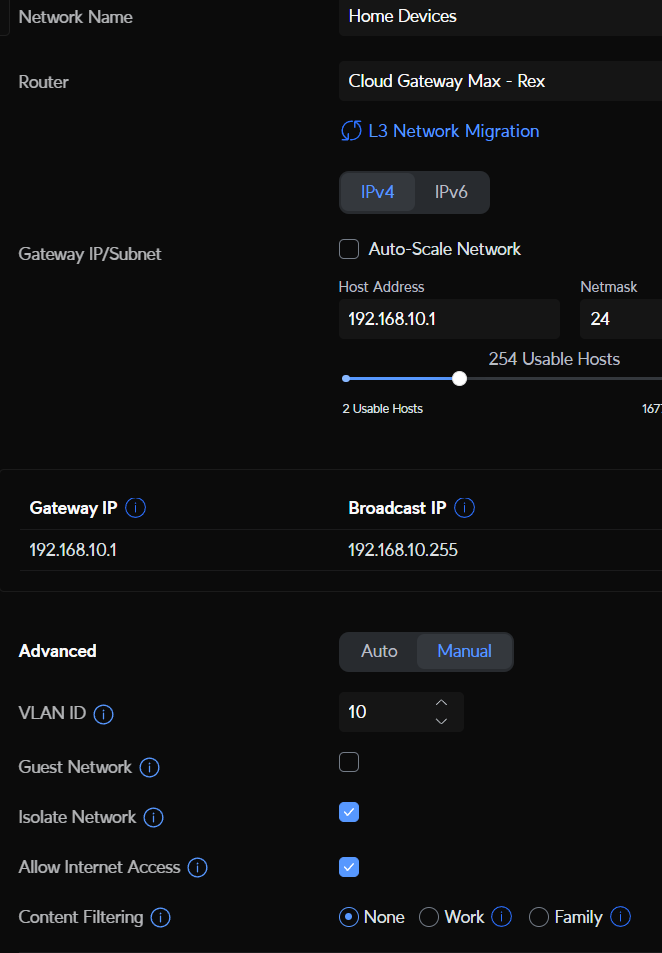
I even have Isolate network enabled for “Home Devices”
So how can this network still access my Default network which is on anothe VLAN?
In your last post, you can check the gust box.
Techno Tim has a video on setting up the firewall rules here
I do have a guest network already (on VLAN50) so VLAN 10 is for another purpose.
Will watch the video but not sure it will solve the issue here. Thanks.
Not trying to insult you, but are you 100% sure your mobile is connected to the home network, have you flushed the connection and reestablished it on your mobile device. If your laptop is blocked the mobile device should also be blocked. I have a similar setup on my pfsense box and it took me a few tries to get it all isolated and blocked. Several times I was accidentally connected to the wrong network while on my phone while testing and mucked up the settings. I found it helpful to turn off “automatic reconnect” on all my devices.
No worry mate.
I tried on both macbook and mobile and both can access 192.168.1.1 even if i’m connected to Home (which is on VLAN 10).
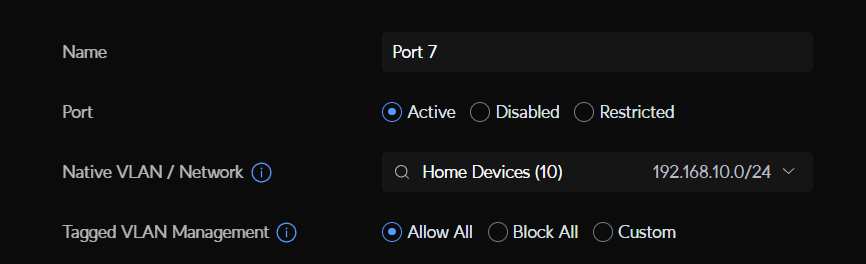
And yes i’m 100% sure. I even disabled data roaming for the sim. And for the macbook i configure the port to go on VLAN 10 (i think this is how you do it anyway)
I watch the video as well and there is nothing more i learned from it.
I get a feeling that the 192.168.1.1 is somehow connected to https://unifi.ui.com …
Good thing is it seems everything else is isolated so i can’t for ex ping my pc which is on Default (VLAN 1).