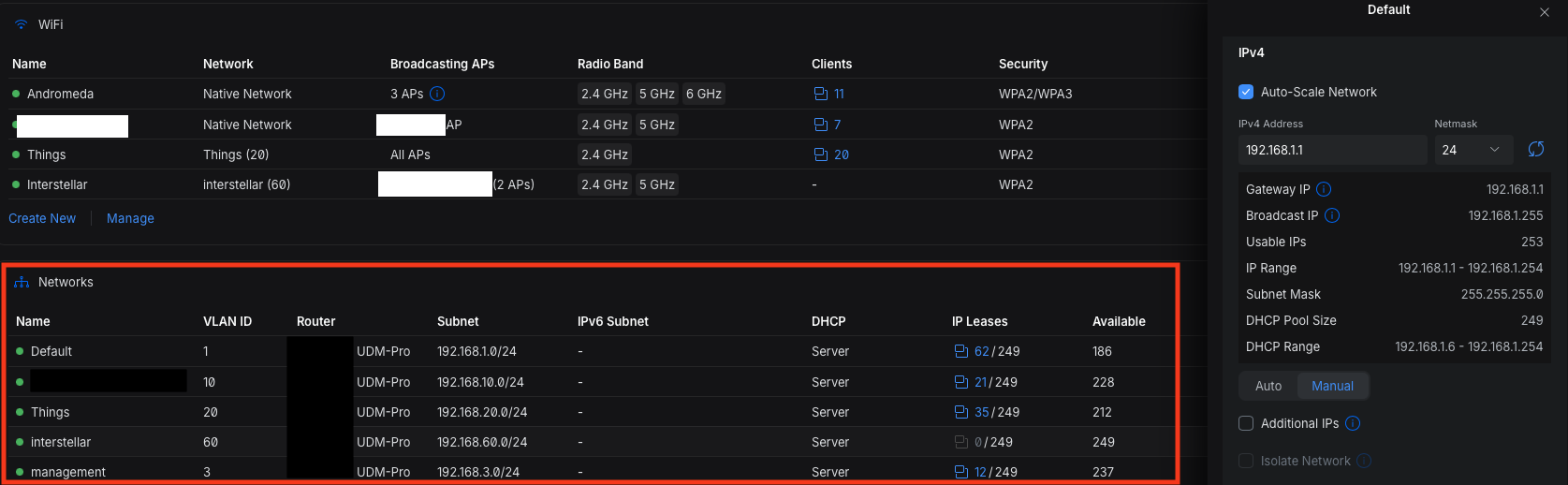
I have a Unifi deployment with a UDM-Pro with 5 VLANs. The DHCP server (hosted on the UDM Pro) has progressively stopped working on all but 1 VLAN. The setup has been working fine for well over a year and since it only started to be apparent when new devices joined, I don’t know exactly at what point it started failing.
- Devices that have had an existing IP address and maintained connectivity still work fine.
- New devices joining the network fail and get a self assigned IP.
- Manually configuring IP addresses on the clients works fine.
- Seems to be impacting Unifi device adoption now, as rebooting a switch which was adopted before, now results in a failed adoption.
I have checked the following, but I cannot seem to get the DHCP to give IP addresses.
- Confirmed via packet capture that clients are sending DHCP requests to the gateway.
listening on wlp192s0, link-type EN10MB (Ethernet), snapshot length 262144 bytes
22:14:19.960781 IP 0.0.0.0.bootpc > 255.255.255.255.bootps: BOOTP/DHCP, Request from 8e:46:3d:0f:d4:da, length 286
22:14:22.053263 IP 0.0.0.0.bootpc > 255.255.255.255.bootps: BOOTP/DHCP, Request from 8e:46:3d:0f:d4:da, length 286
-
Confirmed via packet capture on the UDM-Pro that the requests are being received, but the gateway is not replying.
listening on br0, link-type EN10MB (Ethernet), snapshot length 262144 bytes
15:23:48.023411 IP 0.0.0.0.68 > 255.255.255.255.67: BOOTP/DHCP, Request from fa:2d:6f:fd:5b:ab, length 300
15:23:56.207157 IP 0.0.0.0.68 > 255.255.255.255.67: BOOTP/DHCP, Request from fa:2d:6f:fd:5b:ab, length 300 -
Confirmed the DHCP server is running on the UDM Pro, but getting “No Address Available” errors.
2026-03-20T18:44:49-04:00 UDM-Pro dnsmasq-dhcp[1817854]: DHCPDISCOVER(br0) ae:db:93:61:af:5c no address available -
Confirmed addresses should be available, at least according to the Unifi UI.
-
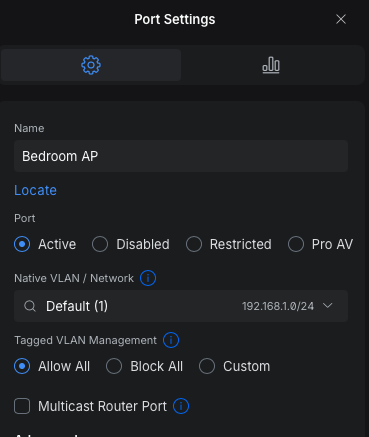
Confirmed the switch ports are allowing all VLANs.
Also confirmed that the ports on the netgear switch have VLAN 1 as the untagged and all other VLANs tagged (for the ports going to the Unifi Switch and AP at least). I am not using any port profiles.Example:
-
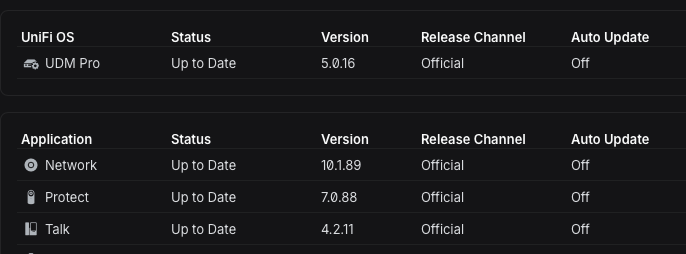
Device firmware is up to date
-
DHCP lease time is set to 1 Day (86400s).
Topology
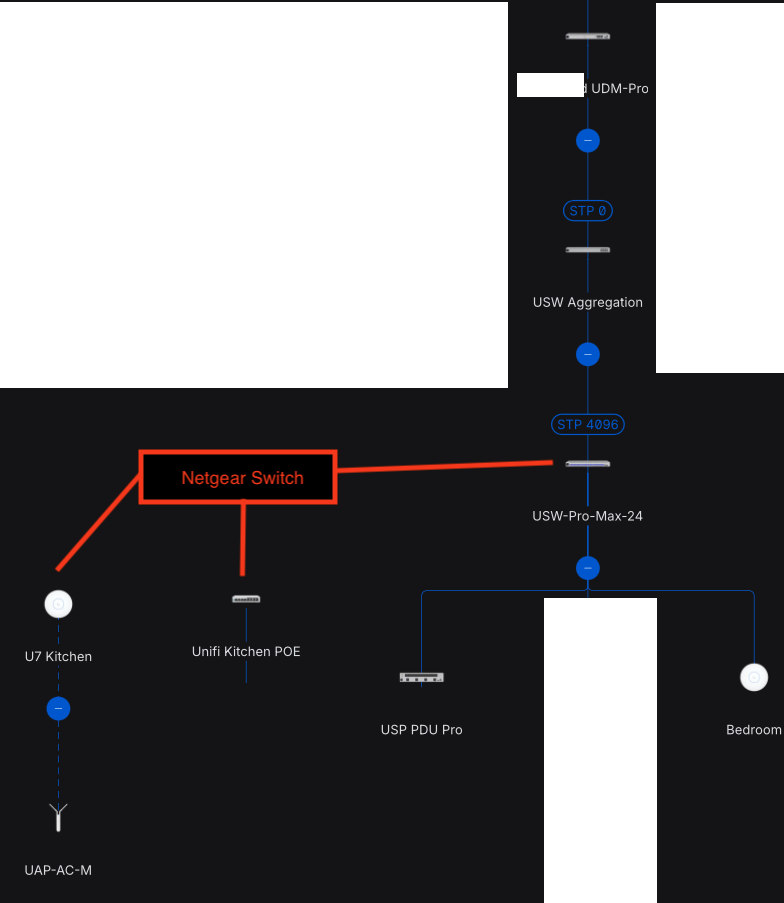
UDM Pro is connected to an Aggregation switch (STP0) which has a Pro Max Switch (STP4096) and a Netgear switch (STP4096) attached. There is one more Unifi switch connected to to the Netgear switch with an STP of 8195. I specify the STP, as this is the last thing I remember playing with before I noticed problems. But I don’t see any STP blocking issues, and the settings seem valid based on Unifi’s documentation.
Any further ideas to help debug ?