I have been contemplating on moving away from pfsense now unifi has added some really nice features. I was looking at the price between UDM Pro and netgate 2100… Why in the world would anyone spend roughly the same price for less? both of them are in the range of $350-380 price tag and I don’t even get SFP+ 10G networking on the netgate?! Not to mention having the ability to add cameras in an all-in-one package on the unifi?
Unifi has really positioned themselves very well in this space. Netgate is pretty much letting me down. I have been a pfsense user for over 12 years. Even placed them in over 20 business. I have bought a license to support them in the project and have been active in the bug reports.
I’m pretty disappointed. At that price point I get SO much more throughput, better performance, better connectivity options and the ability to run the entire unifi suite. IDK… Am I crazy or am I missing the mark here?
I’m in the same boat as you. While I’m not particularly skilled at bug reporting, I’ve set up many of my own sites using pfSense. Right now, I’m planning to upgrade the firewall for my small business. For me, it’s essentially just a hardware upgrade for pfSense. Currently, I’m running pfSense on a small dual-core CPU, but I plan to upgrade it to a Core i5 14400 processor 16 GB RAM. I know some might say it’s overkill, but I have a setup with 3-4 WANs, so I’m sticking with this specs.
However, with UniFi releasing version 9.3 today, I’ve started to reconsider and think about just buying a UDM-Pro and sticking with that.
My usage isn’t huge—around 100 users combined between WiFi and wired. But it’s still something that’s been bothering me, and I can’t help but keep thinking about it.
I’ve also considered the 2100 like you, but I’m doubtful it will perform at the level I need.
I’m not sure if you’d be able to give me advice, but should I stick with a custom pfSense system build, or just go for the UDM-Pro?
Here’s my current setup for context:
3-4 WANs (Can compromise with 2)
100 users (WiFi + wired)
8-10 VLANs with Inter-VLAN routing
IDS/IPS running on guest WiFi and a few other VLANs
pfBlocker
NAT Rules
WireGuard tunnel as a gateway for certain services
All of your requirements should be met by switching to UDM pro. One thing you might check is the multiple WAN. I think they had a recent update that allows users to take other ports and make them into WAN ports. yeah, the performance is WAY better than the 2100 for the price. I am going to get a UDM pro when my pfsense plus license is coming to an end.
If I can have more than two WAN connections, I might just order the UDM-PRO. I’m also planning to upgrade my NVR. Currently, I have a Dahua NVR, but I’m leaning towards the Unifi NVR. My plan is to test my current cameras with the UDM-PRO first, and then gradually purchase the UNVR. I have a small camera setup with around 40-50 cameras, all HD.
Have to agree Unifi software has been improved massively recently and the new release has added extra functions
Only issues I can see currently, Unifi does not allow you to finetune the vpn settings - where pfsense does - also you can not have 2FA on vpn access on Unifi
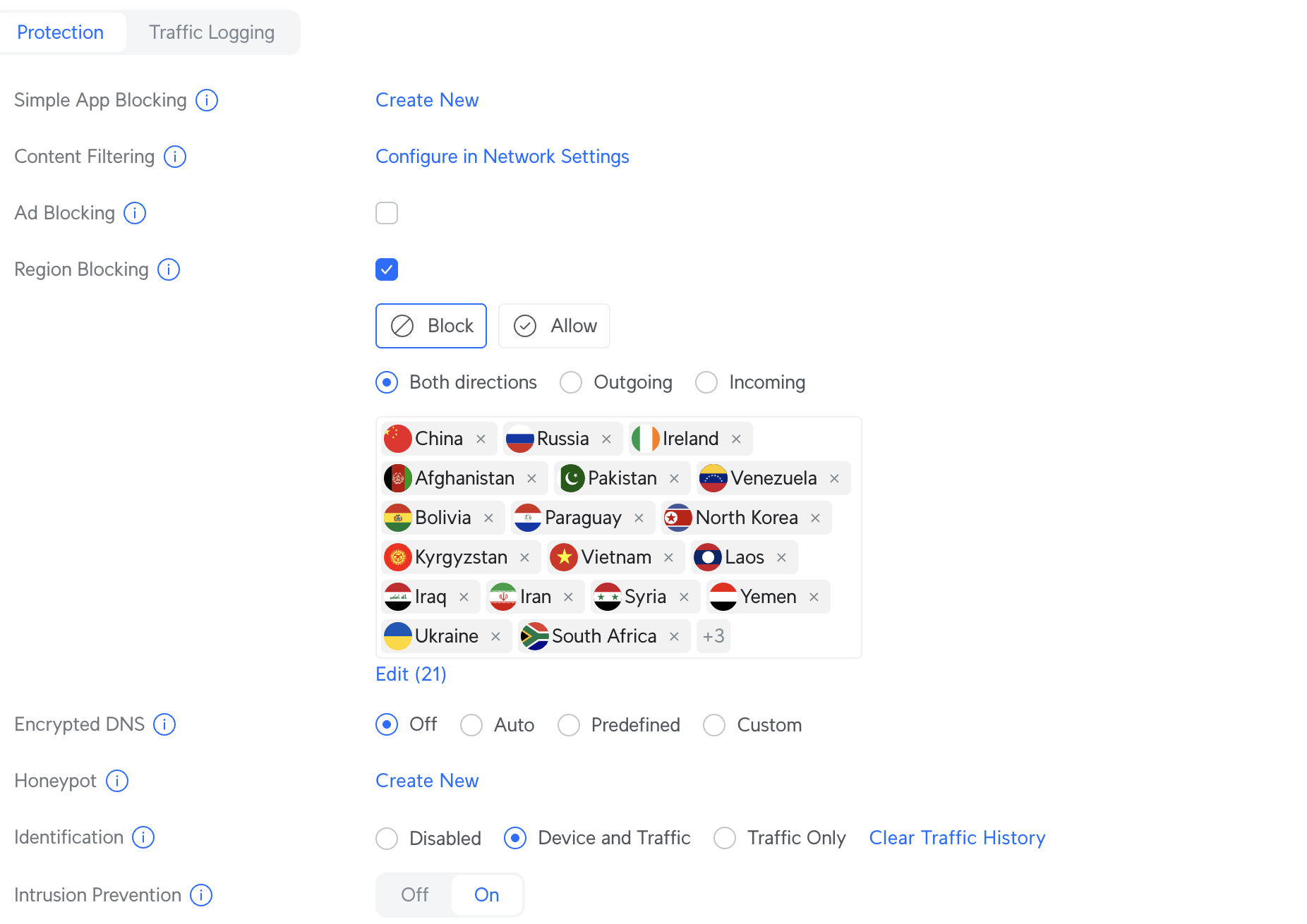
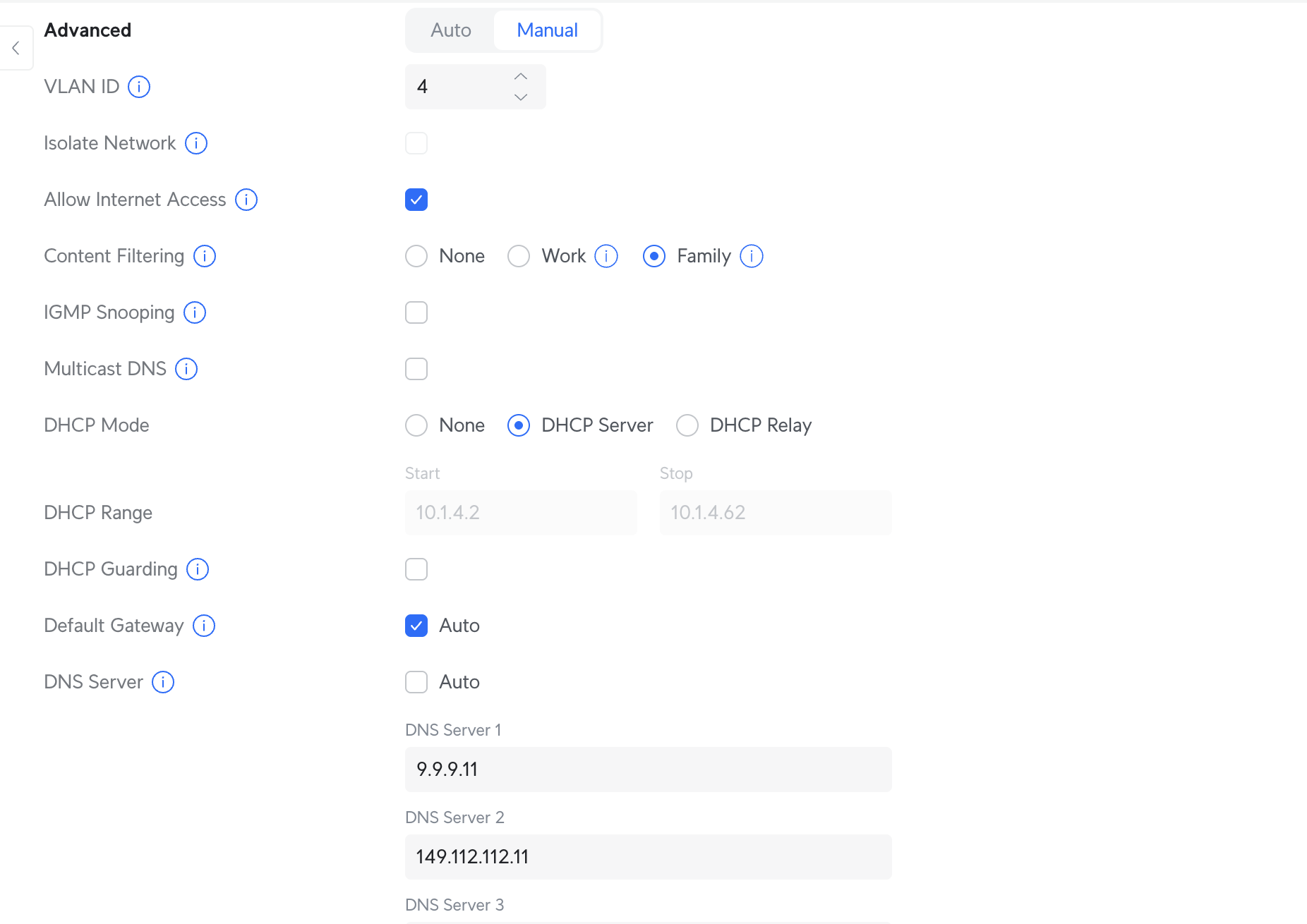
Just to let you know, I also have a UCG-Ultra at home. I recently updated to version 9.3, and the update broke the content filtering feature.
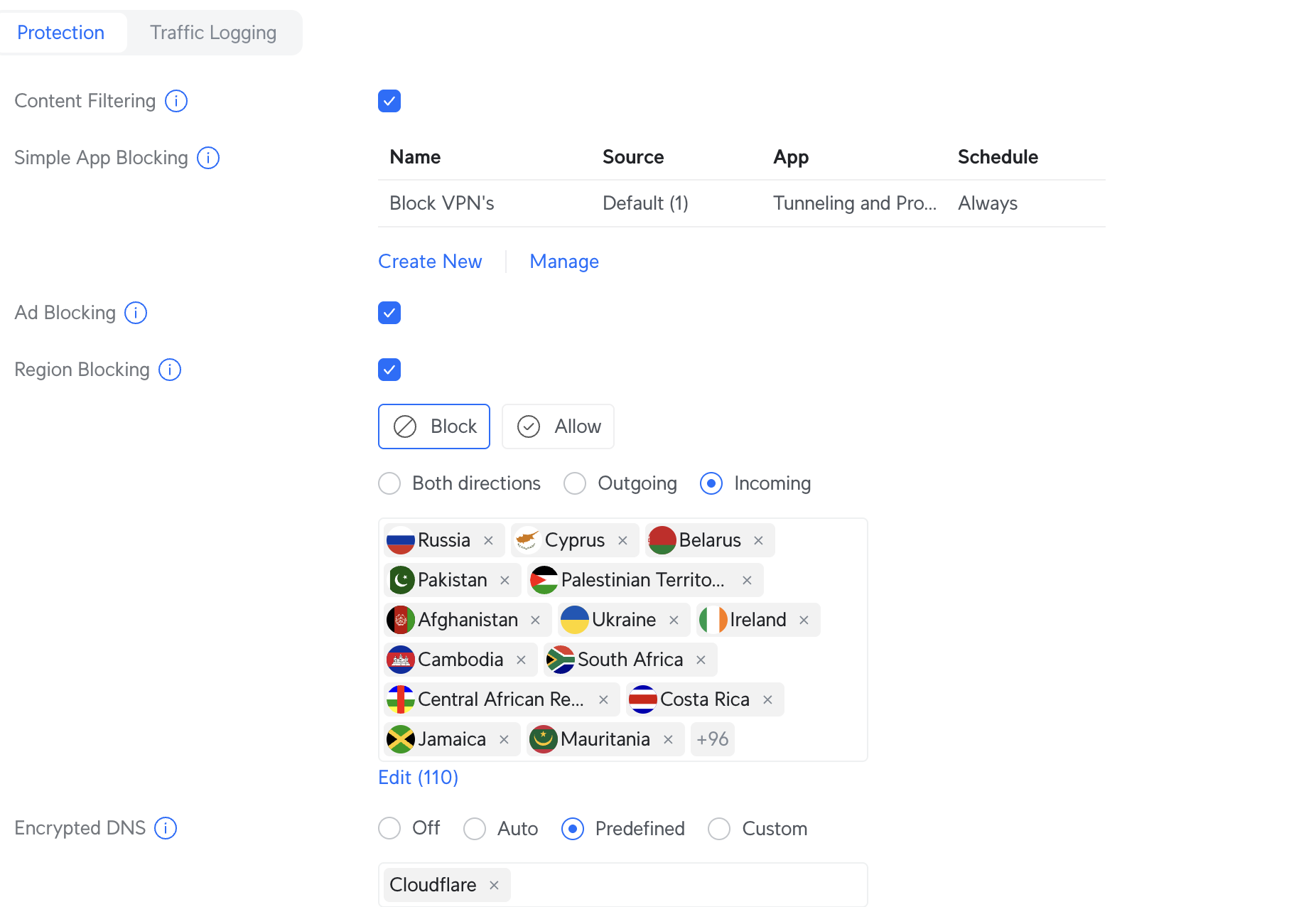
Previously, there was a simple option to apply content filters like “Family” or “Work,” and it worked very well. After the update, that option has been removed. Now, we’re expected to manually create rules to block specific content, which is far less convenient.
Also, in version 9.2, DNS services like iCloud Private Relay and others were automatically blocked. That no longer happens in 9.3.
I’m attaching screenshots for reference—one from version 9.2 and the other from 9.3.
Looks like instead of selecting family or work you have more granular control over the content filtering. And I would think it would be simple enough to create a rule to block iCloud relay and others. For me, those wouldn’t be deal breakers, but it might be for you? Not sure. Still a nice addition than what pfsense offers currently.
It looks like we now need a Cyberpoint subscription for more advanced filtering. For me, everything worked perfectly fine in version 9.2 without a subscription. That said, I can’t make any definitive comments without setting up proper rules and testing them. I did try to create a rule to block VPNs, but it didn’t work. I’ll try to set aside some time to experiment further with the new version and see how it performs without the subscription.
With switch your to unifi NVR, as long as you know you will need to power cameras by another switch, unlike Dahua NVR which have POE switch built into them, that would be a problem if you internd to try and use your duahua cameras, as some of them may not have standard poe
I tried to connect my Dahua camera, but no luck. One thing I still need to test is putting the camera on the default VLAN and then trying again. I attempted to add the camera to Protect while keeping it on the CAMERA VLAN. I also tried connecting two different brands, but neither worked.