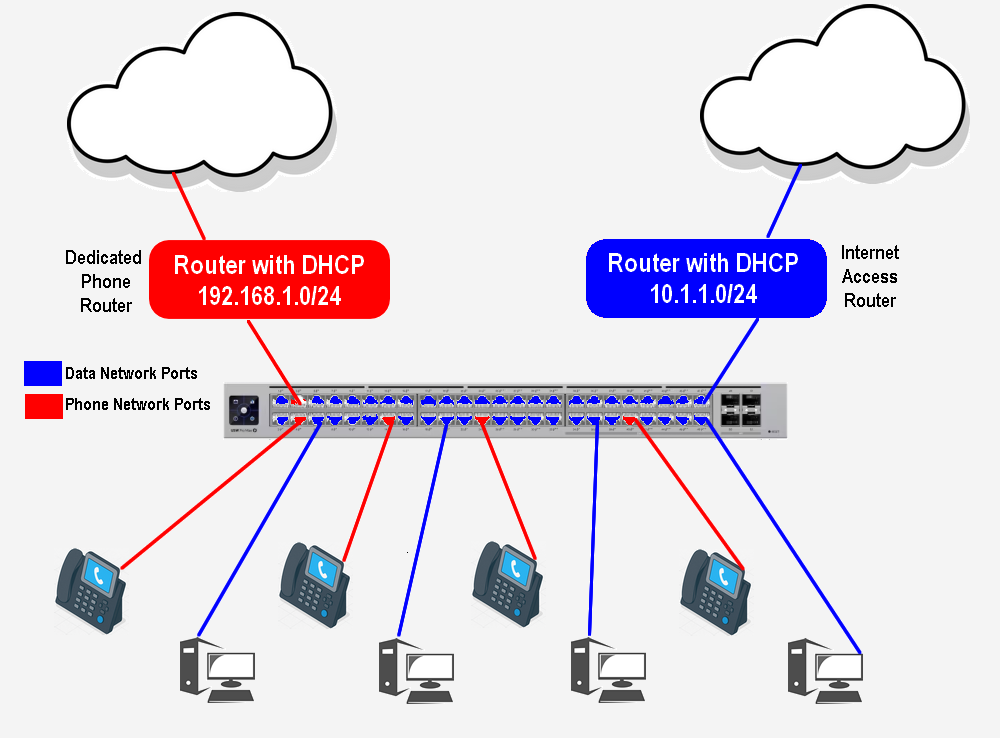
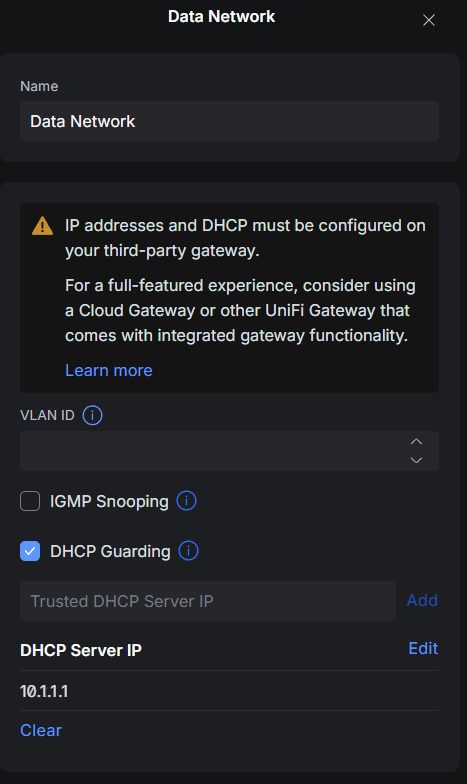
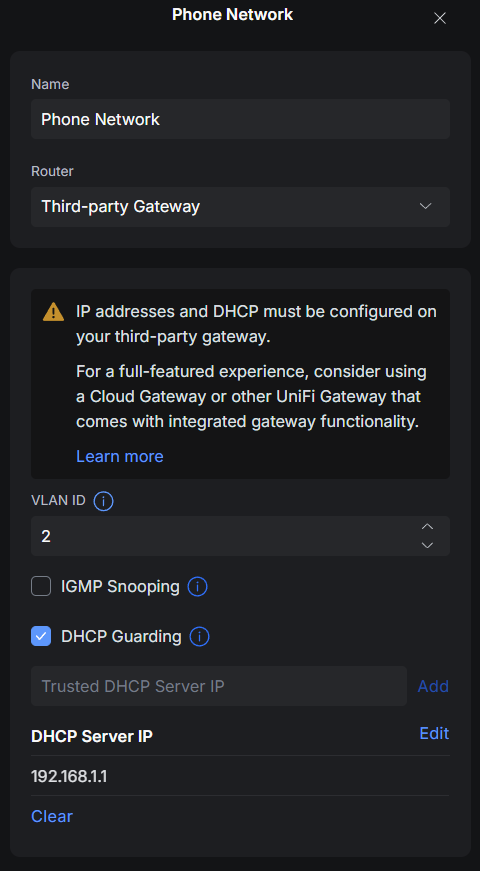
I am setting up a network that has a firewall upstream that provides IP addresses for client machines. I also have a separate dedicated phone network router that provides IP addresses to phones only (connected to the internet, but only provides VoIP, no other traffic). I have created two networks in my unifi controller, Data (Default) and Phones. Both of these DHCP servers currently are connected to the same switch (USW-Pro-Max-48-PoE) using port 2 for the Phone Network and port 47 for the Data Network. I set all the ports on the switch to the Data network, except for those ports which have phones connected and they are set to the Phone network.
The issue I am having is the users on the Data network keep getting ip addresses from the phone dhcp server and can’t access the internet.
What am I doing wrong?
I am a little confused on the topology. But it sounds like a typical race for DHCP reply to me. If I understand you correctly, you have 2 different DHCP servers and you created 2 networks on your controller. How did you go about doing this though?
What I would have done is created a VLAN for the VoIP network then set the native VLAN to the port that is connected to your server and then set the native VLAN to be on all of the phones. Maybe this is what you are saying that you did?
1 Like
Maybe pictures would better illustrate:
Im not entirely sure how you are getting the 192 network on the data network. VLAN’s logically separate the traffic completely. Somehow the broadcast of DHCP is leaking into the other VLAN. What does the port configuration look like on one of the data network? Do you only allow that native vlan and not have it as a trunk port or allow VLAN?
It would be helpful to get a packet capture on the data network to see if both DHCP servers.
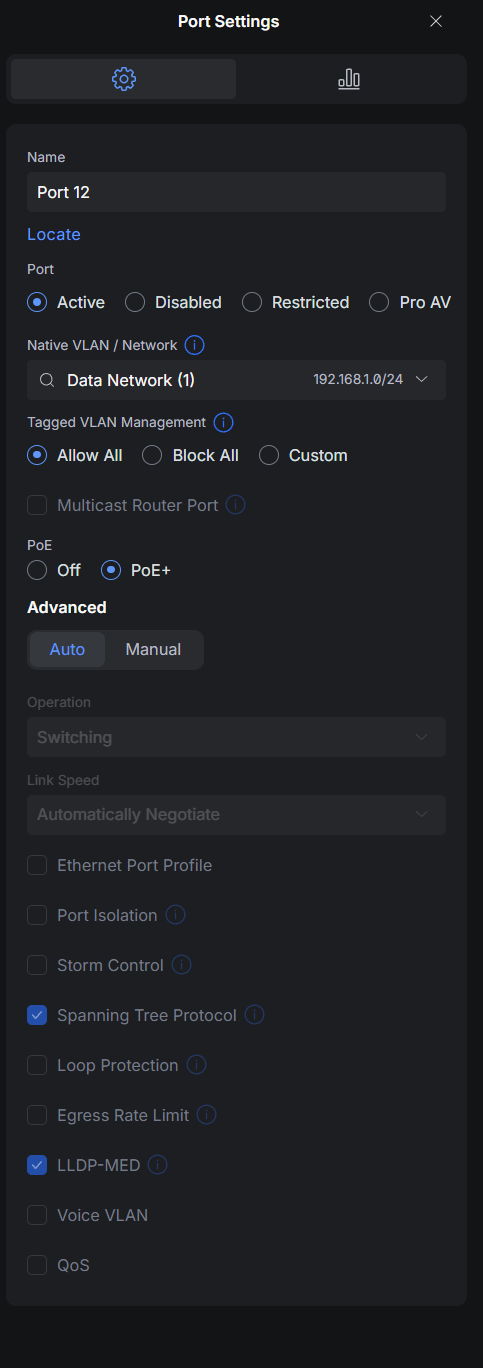
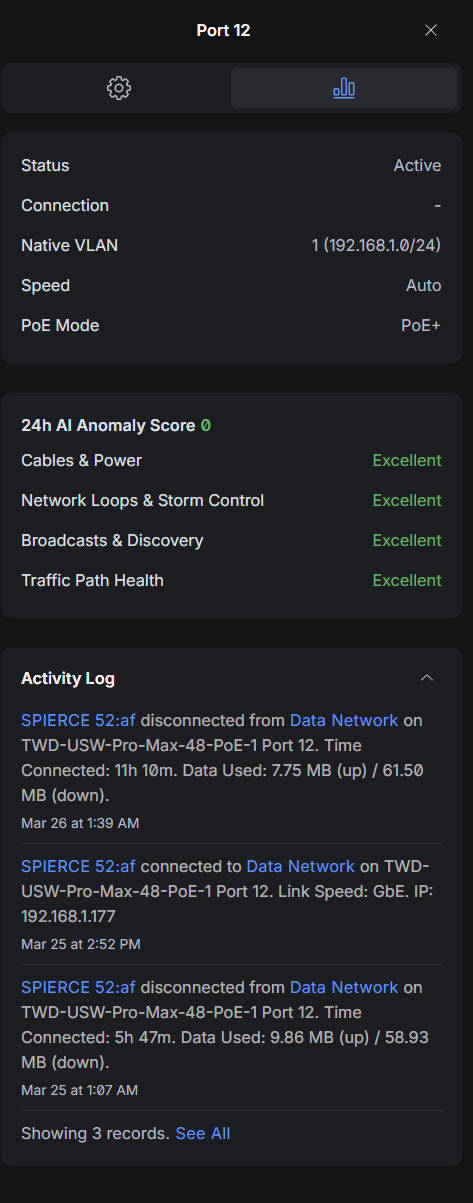
Here is one of the port configurations for the data network:
You can see even though its on the data network, a device is getting a 192.168.1.177 address.
Is it a possibility since the default network is assigned 192.168.1.0/24 by Unifi and isn’t editable, this is causing my issue. Do I flip it around and make my phone network the default network instead.
The phone router is a black box and doesn’t give me much configuration options so I have to stick with that network.
No, because UniFi is not the DHCP server. Right now you have that port as a trunk port. Under the “tagged VLAN management” you should set to disable. This should also be true on all the ports. You should only be setting the native VLAN. I would go ahead and turn off DHCP guarding just for testing.
My personal advice is never to use the default VLAN (usually PVID 1) for anything but generic broadcast traffic by vendors (think CDP). If it’s not too late, I’d recommend changing the VLAN tag number from 1 to another unique ID, then making sure like @xMAXIMUSx says, only making your ports to the individual routers access ports, not trunks.
1 Like
OK, I made that change and it looks like DHCP is getting handed out properly now. Should I turn DHCP guarding back on later today when it’s clear all is well?
Thanks so much for the assistance to the both of you!!
DHCP guarding shouldn’t be needed. This is only good to set just in case somehow another DHCP server on the same network is broadcasting. But because you have 2 different VLANs the traffic is contained.
1 Like