can I start with I’m happy to do the reading, but have 60 or 70 hours on this I’m kind of going round in circles.
I’m happy that there are different ways to skin a cat, what i represent here is just where i’m up to with this “project”
So I’ve go a side quest to look into TrueNAS as an iSCSI Store for VMs (currently this is Hyper-V (dont ask) but looking at migrations to XCP-NG)
The TrueNAS box is a HP DL380 G10 2 x and 256Gb RAM, 4 x 1Gb (1 in use for management) and 2 x 40Gb connected to a 40Gb Switch (MTU9000 through out)
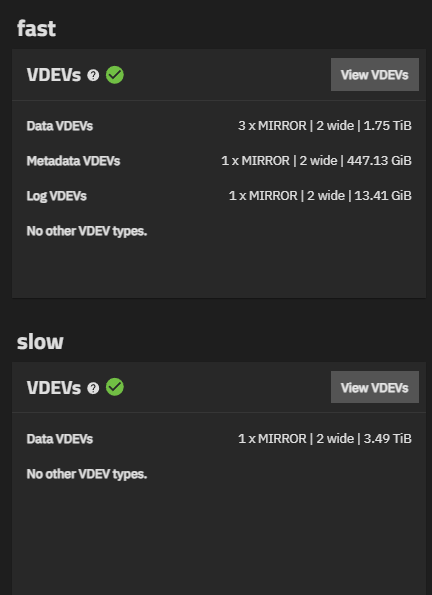
we have been through a number of test scenarios but all have hit similar issues, the current layout is 4 x Mirror | 2 Wide 1.6Tb NVME Drives (official HP MU)
ok local dd gets over 4GBs write etc…
the moment we mount via iSCSI (via Dedicated 40Gb Storage Network) this drops to around 700MBs
this isn’t what we expected, but reading up this seems to be something to do with Single Thread Performance with ZFS, is this correct.
any resources, help or advice is welcome, we are relatively knew to TrueNAS / ZFS and are coming from looking at the next stages of S2D thinking TrueNAS (whilst very different strategy for storage might be a little more cost sensitive)
can it truly be we have to MPIO 4 x 10Gb connections to get “expected” thru-put rather than a 40Gb network ?
ZFS processes synchronous writes serially per zvol. iSCSI workloads (especially from Hyper-V/XCP-NG with guest VMs) generate predominantly synchronous writes (the guest OS demands write acknowledgment before proceeding). ZFS honors this with a commit to the ZFS intent log (ZIL) before acknowledging. And that pipeline is serialized. No matter how wide your network pipe is, you’re draining it through a single-lane toll booth per LUN.
To address this, you can do a couple of things
Add a dedicated Separate Intent Log (SLOG) vdev. A SLOG offloads ZIL writes to a very low-latency device. Optane/3D XPoint is the gold standard here, but any enterprise NVMe with power-loss protection works.
Horizontal scaling. Set up multiple zvols for multiple LUNs. The serialization is per zvol. The fix for aggregate throughput across multiple VMs is to not put all VMs on one LUN. Each zvol gets its own write pipeline.
Dataset/zvol tuning. Set the block size to 8K or 16K for database and random workloads, set the block size to 128K or higher for workloads with large sequential writes.
Try increasing the the iSCSI initiator’s queue depth. You may also want to increase “MaxRequestHoldTime” and “LinkDownTime”
A good SLOG, correct zvol block sizes, and multiple LUNs should be the biggest hitters.
One thing you could try if your network cards supports it is try to run iscsi over RDMA and see if you are getting the appropriate speed. There is a level 1 techs post about it here.
this may of been a bad idea in the first place, we’ll start looking at alternatives as TrueNAS doesn’t have a roll your own enterprise license to my knowledge.
we might need to go back to S2D which we were trying to avoid with the costs of everything at the moment
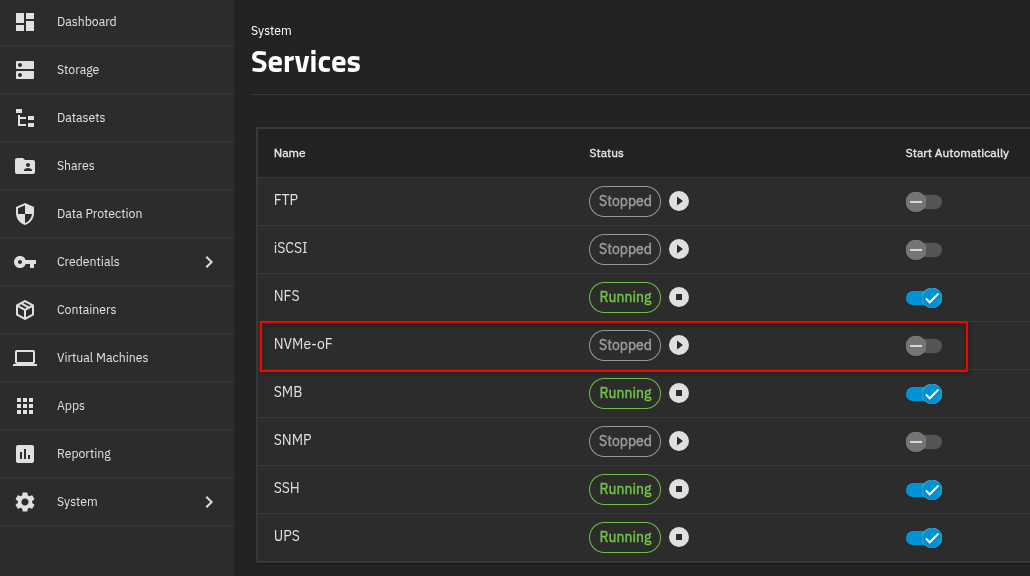
Hold up. You can use NVMe-oF. You can turn this on under System > Services. From what I have read it looks like hyper-v supports this on Windows server 2025. I don’t know what version you are on.
I’m curious what happens when only ZFS ARC caching is involved but not the back-end storage devices.
On the client (initiator) system try running your benchmark 100% sequential read with a small testfile (say 16MB). The target system will read the same 16MB over and over from the ARC cache – which is exactly the point. Then try similar with 100% sequential write (turn sync off for this).
It’s not a real-world test but more of an isolation exercise. Trying to cut your server’s “below ZFS” storage stack out of the loop.
RDMA and NVMe-oF are great but shouldn’t be necessary to hit better numbers. In the above diagnostic I see ~3.3Gb/s, likely bottlenecked by the client system’s PCI 3.0 x4 slot. On the latency side I see 18k-22k 4k random Q1T1 IOPS which is the best I can squeeze out of this setup (again, iterating over a 16MB testfile). No RDMA.
 ),
),