I have - i think - two silly questions about TrueNAS.
1 folder / dataset deletion
I have this test structure shared on SMB \\data-01\comuni\prova-0\prova-1
on TrueNAS is /mnt/mr.radar/smb-ad/comuni/prova-0/prova-1
the share is set on the dataset comuni.
(it is structured like so because I will have more shares on smb-ad and I will want to take snapshots on the child dataset with different times).
This dataset as well as prova-0 have ACL set as: allow read, no-Inherit for the group Utenti-AD. prova-1 instead, is set with ACL: allow modify, Inherit for the group Utenti-AD.
With these settings all users on this group can add and delete files inside of “prova-1” and this is ok, but they can also delete the folder itself! and, since prova-1 is a dataset TrueNAS will recreate it but empty.
Is it possible to avoid this behaviour? So the users can modify only the data inside of the folder?
2 encrypting at the pool level dataset or not.
I want to use replication task to daily backup to a second pool.
But, if both, the source and destination, are encrypted, I will have some sort of nesting encryption on the destination pool.
Is it bad? or it is just “ugly” to see? bad for performance (because double or triple encryption)? could create problem on restore? etc. etc.
These are the NAS pools:
mr.radar (the main rz2 4x8tb encrypted)
mr.coffee (backup rz2 4x16tb encrypted)
I mean, if I send /mnt/mr.radar/smb-ad to mr.coffee, I will have the encryption on the destination + the encryption from mr.radar for smb-ad and its nested datasets.
Is it ok? or could be better to leave everything unencrypted but the important datasets (like smb-ad, docker data, etc.) so to have only 1 key for dataset on all pools?
The ability to delete the folder prova-1 comes from the permissions you’ve given them on prova-0 and comuni and also if you applied the ownership and permissions recursively when you’ve created them and also the order you apply them in is important. I’m assuming you’re using NFSv4 ACLs, this likely won’t work with Posix ACLs.
So you have your structure, and now first you remove the DELETE_CHILD permission on the comuni dataset, and apply it recursively so it is set to prova-0\prova-1 as a folder. You can keep the other permissions like create, traverse, read and so on. And then you set the permissions on the prova-1 dataset to all permissions and again, apply them recursively if you already have data in it. This should do the trick they way you want I think. However sharing both the root and the embedded datasets can lead to all sorts of baffling complications and ideally you’d like to keep things straight and avoid it.
When replicating it doesn’t really matter if the destination dataset is encrypted, there won’t ever be double encryption afaik. What matters if you set the “send raw” bit on or off. With send raw, the original encrypted dataset is copied raw as a binary blob, and not re-encrypted. It will preserve it’s own original encryption. If the “send raw” bit is off, then it will get decrypted when sent, and re-encrypted on destination with the destination key. At least that’s my understanding of it.
I created the datasets structure at first with generic (so root as owner and the default stuff) and then I applied the ACL starting from comune with read and no inherit + recursive unchecked.
Same for prova-0.
Then I moved to prova-01 and I set the preset modify + inherit + recusive
As I understood during these tests, the option modify includes delete so, if I leave like so, the user can delete the folder prova-01.
This is what happens by set / unset the delete children and delete options
delete children
delete
prova-1 del
del files / folder in prova-1 created by same group
del files / folder in prova-1 created by other group
set
unset
no
yes
yes
unset
set
yes
yes
yes
unset
unset
no
yes
no
set
set
yes
yes
yes
for the replication task instead I followed this old video from @LTS_Tom where he uses the encrypted dataset for source and destination.
As you can see, on the destination the data replicated will be accessible only with the key of the source. So on destination you will need dataset-pool key + replicated-dataset key
I think that to access the data replicated the sw will have to decode 2 times and could this affect performance or something?
Yes that’s what I said in the previous message if the replicated dataset was sent raw it will use the source encryption, not the destination one. So you will need the source key to be able to see the files. It is not double encrypted as the dataset isn’t decrypted or decompressed (if you have that feature enabled) during replication. It will still have the original encryption so you will need the original key to decrypt it.
The way I understood it that’s what send raw option does. It will ensure a 1:1 bit copy of the dataset on the destination, overriding any options on the target dataset. It will have the exactly same options as the source dataset it was replicated from.
However, if you do not have the raw option set during replication, the data will be decrypted with the original key before being sent, sent decrypted over the wire, and then re-encrypted with the destination key before being written. Again, no double encryption. But now the resulting dataset will have the destination options, not the source ones.
In summary it all depends on the send raw option which key is being used on the destination, however in either case there is no double encryption.
my fear was that to access the files the system should have to decrypt the data two times.
the first one to access the data on the destination dataset and the second one to access the replicated data.
(like accessing a file into a zip inside of another zip, if you can pass me the example)
@LTS_Tom
thank you Tom, I watched both but - don’t get me wrong - I think that the old videos are more - how to say - easy to understand (at least to me.. since I am not english native …I don’t know, maybe it is because I watched them undred of times or maybe in those videos you speak a little bit to slower and I can better understand.. anyway it is my thing don’t worry about that ) or maybe it is like a nostalgia that comes like - the old days
I started the replication task and it worked but when I want to unlock the data on the destination I get all red marks and this error if I press continue on the bottom.
I chose the json file downloaded from the original pool but it is not working, instead if select the option “Provided keys/passphrases manually” and I manually paste in each dataset the key it works..
Is there some kind of bug or do I missed something?
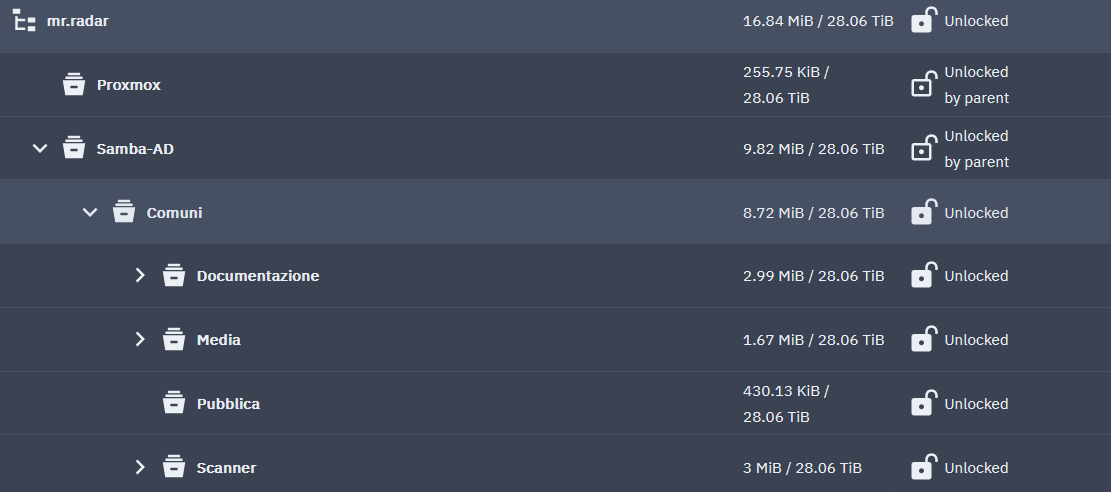
Data has been replicated from Mr.Radar to mr.radar (I know.. I am still defining the naming scheme during the test)
 I am using TN Goldeye community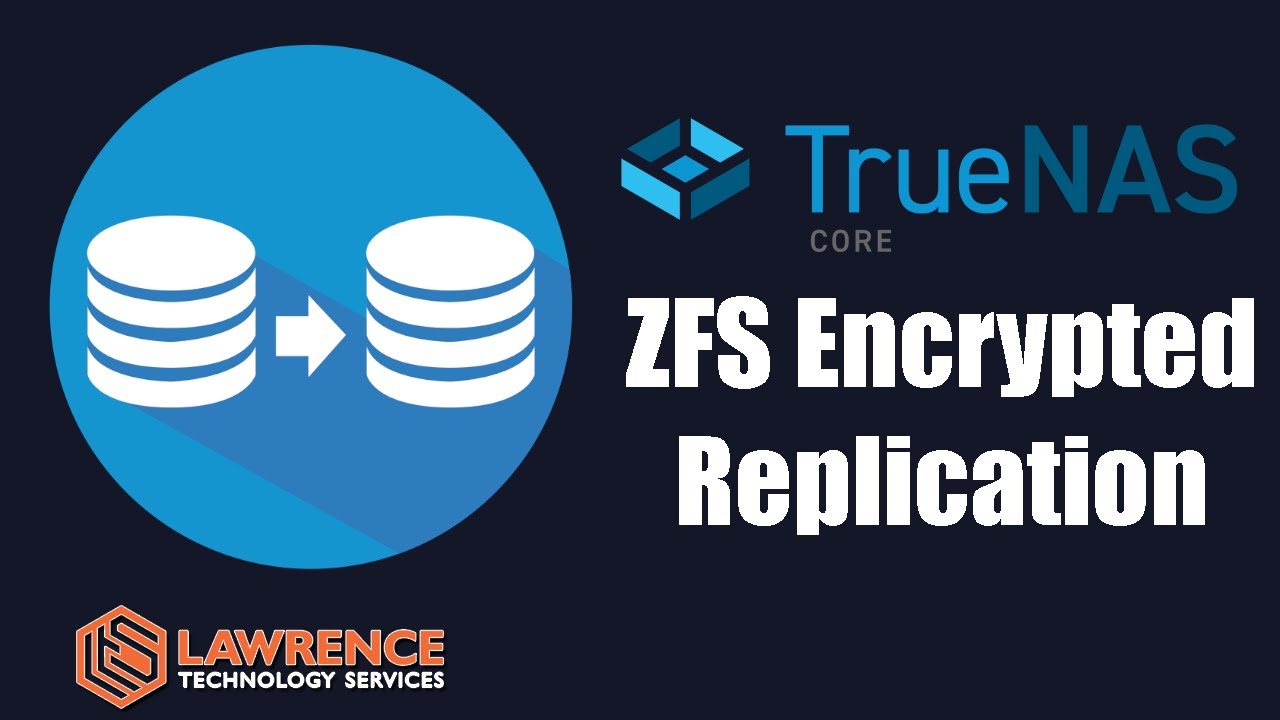

 (at least to me.. since I am not english native …I don’t know, maybe it is because I watched them undred of times
  or maybe in those videos you speak a little bit to slower and I can better understand.. anyway it is my thing don’t worry about that