Slow Syncthing Connection Across US

Hello,

My brother and I have successfully connected our NAS’ together using Syncthing. I’m using a TrueNAS mini, and he’s using an old Dell enterprise server w/ Proxmox and ZFS pools. He’s on the East Cost, I’m on the West Coast (of the US). Using Tom’s various Syncthing videos, we’re using a “direct link,” by unchecking the various relay options in our settings, and forwarding Syncthing’s tcp port 22000.
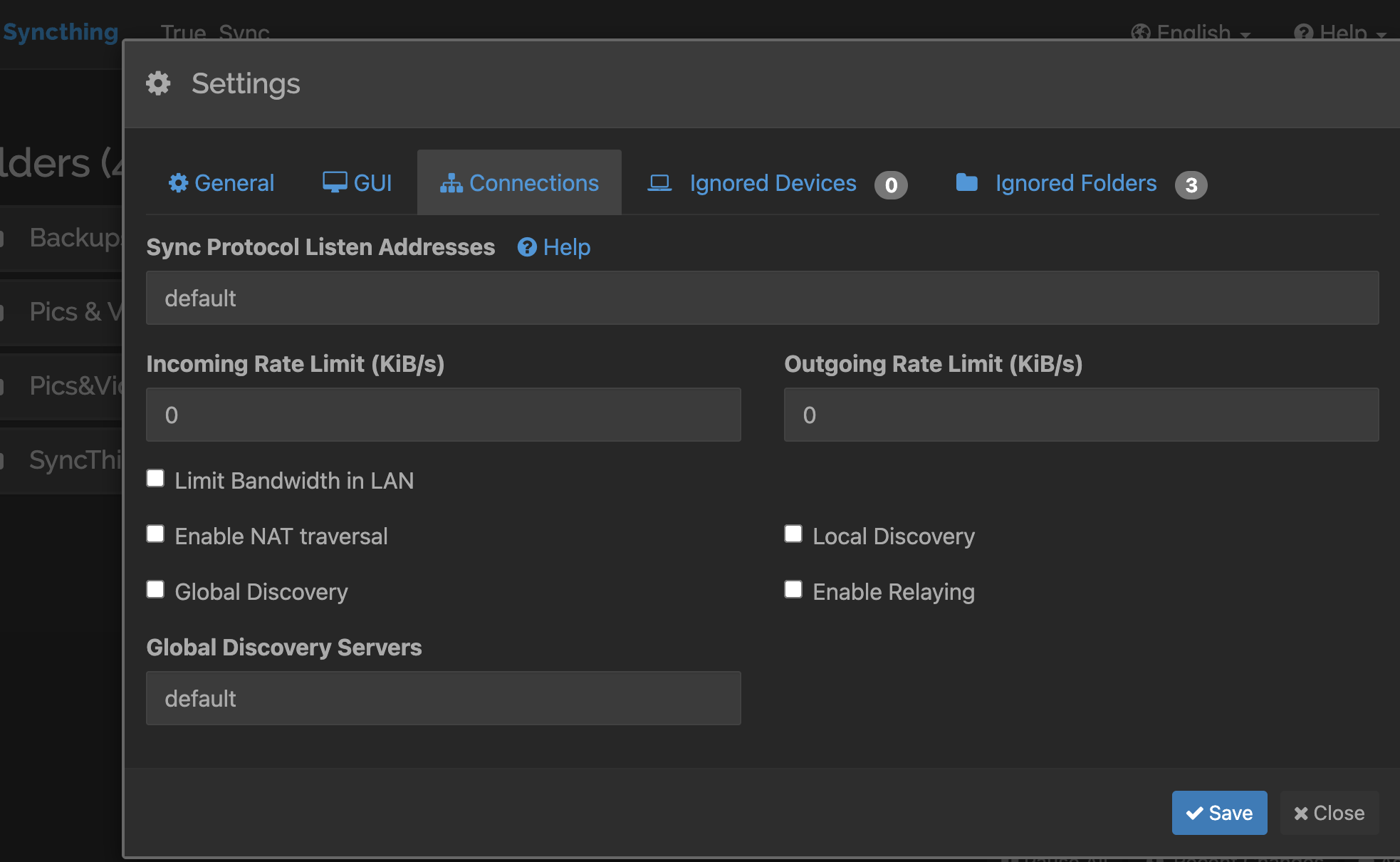
It’s taken about 4-5 days to sync 1.89 TBs of data thus far (Syncthing reported anywhere from 5 MiB/s to 14 MiB/s upload speeds). Are these speeds typical for our current setup? From what I’ve read, it might be.

However, further tests, such as trying to ping each other’s public IPs and using traceroute have yielded some peculiar results, which lead us to think we may not be getting the speeds we should. Regarding pings, neither of us get a response. None. 100% packet loss. Running a regular traceroute on my end yields the following:
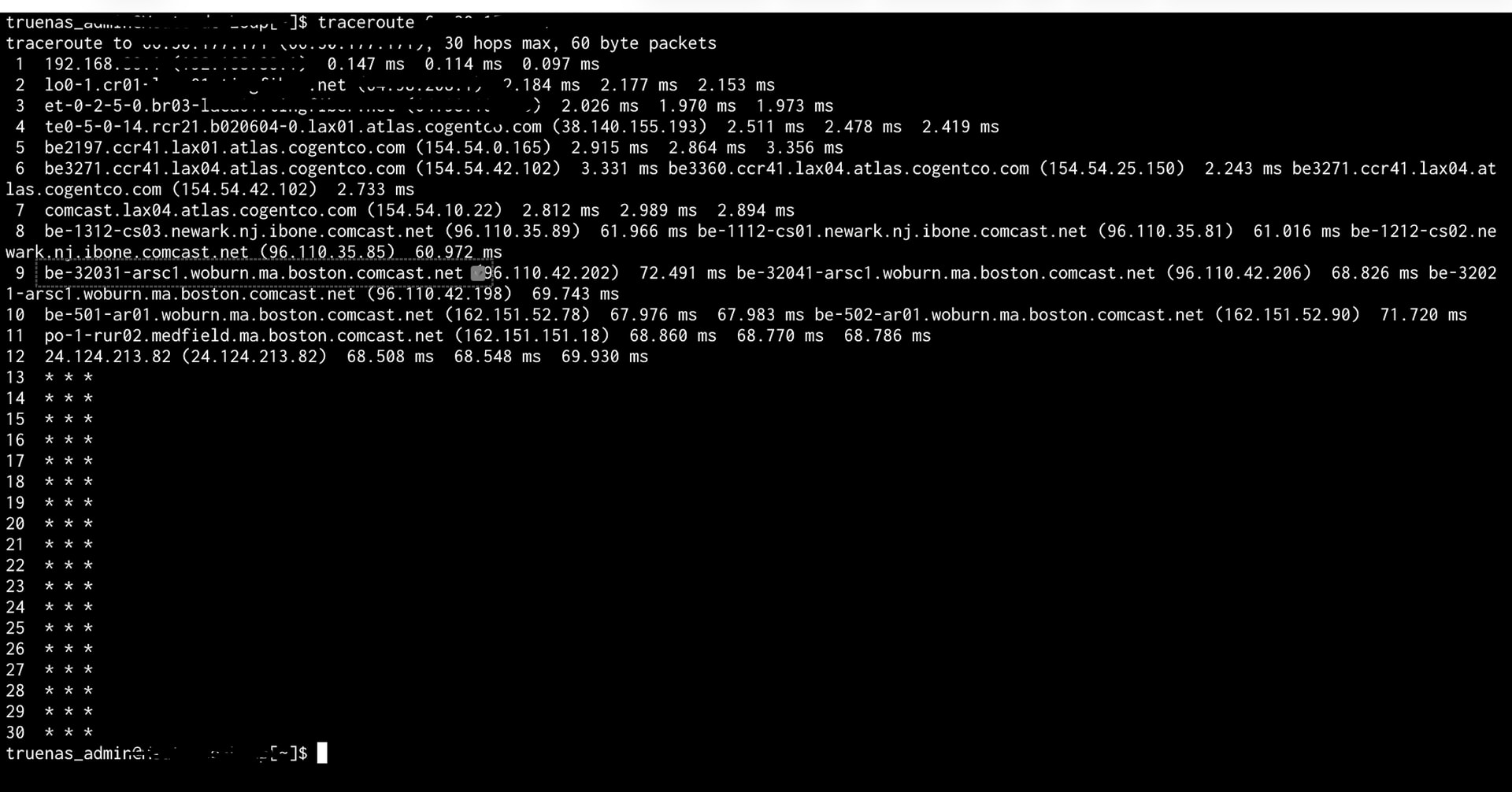
When I run a traceroute -T <Brother’s Public IP> though, I get the following result:
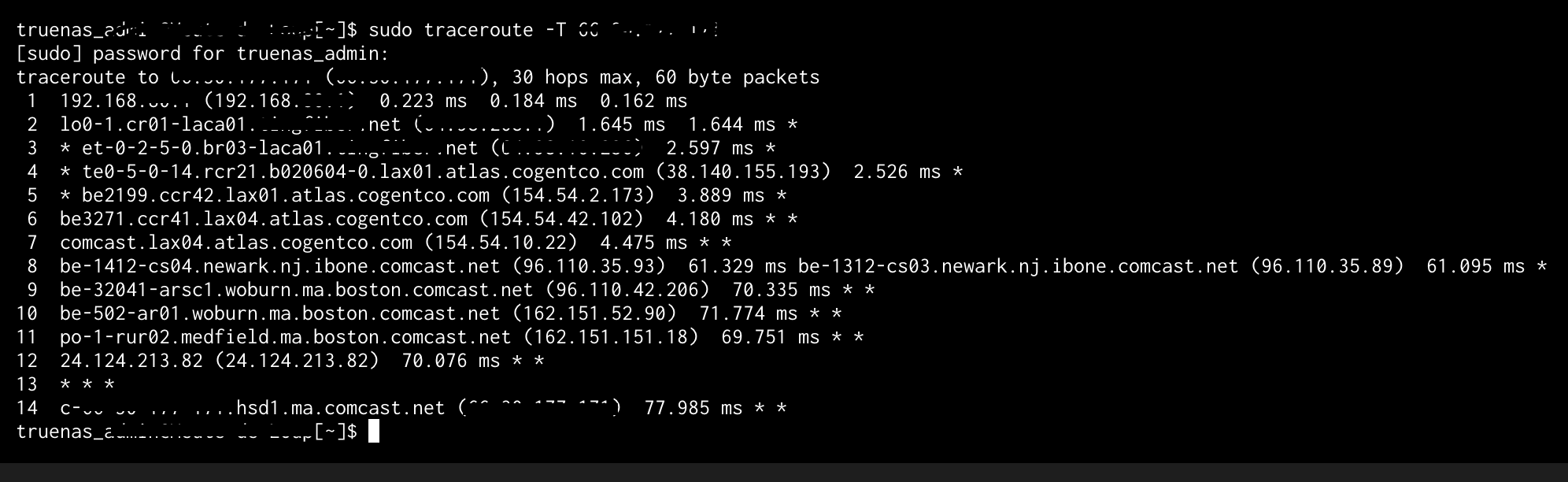
When my brother runs a traceroute, his path takes him through Sweden six times before ending up on the West Coast, but then, disappears into the abyss of, “***’s.” For what it’s worth, extending the traceroute to 100 hops doesn’t yield an end either. My brother does web design and programming, so not an expert in networking. I’m not in IT, and only know what I’ve read and seen online in various YouTube videos. We were going to begin utilizing other troubleshooting methods, but kids and other familial duties keep getting in the way. Hence, why I figured it’s time to reach out and ask for your insight and assistance.

The data we’re sharing are primarily backups of our systems and various media files (family movies, videos, photos and the like). I would appreciate hearing any advice or feedback on what might be going on with our setup; and, if anything can be done to speed things up.

Thank you!!

A few questions

  • First, what’s the speed for each site?
  • Does speed tests show you are getting that speed?
  • Have you tried using something like iperf to test connection between sites?

I would recommend using a direct VPN such as Wireguard if possible between the site or an overlay such as https://netbird.io/ or https://tailscale.com/ and see how much better the connection gets. Also, posting formatted text is easier to read than screen shots for numbers and stats.

Thank you @LTS_Tom for the reply. I have fiber at home w/ gigabit internet. The last time I tested it (a couple years ago), it was about 995 down and 990 up. I’m visiting the E coast currently, but connected to my home network via Wireguard. The speed results I just ran were 268 Mbps down and 23 Mbps up, which seems more like my parents ISP speed, than mine. My brother’s internet’s supposed to be gigabit, but has only been getting about 300 Mbps down an 25 Mbps up. Because he hasn’t been able to reach a real person at his ISP, he changed his plan to a lower tier to correspond better w/ his speed tests (300 Mbps down and 25 Mbps up).

Regarding iperf, funny you mention it, as we were going to try it, but got distracted while I was at his house the other day. Good to know we were headed down the right path w/ that strategy.

We did try a while ago to connect via Wireguard, but kept running into problems. For example, the Wireguard app on TrueNAS was too simple, in that, I wasn’t able to configure it appropriately. PfSense also gave me problems trying to connect to my brother’s site as well. Finding out we could connect “directly” within Syncthing seemed like a better option. But that seems to have backfired as well.

That aside, thank you for the other options. I will talk w/ my bro about retrying Wireguard, or seeing if an overlay network would be a better/easier option. Then we’ll go from there.

Thank you again. I sincerely appreciate your help.

1 Like

Hello,

I wanted to provide an update and ask a follow up question in an effort to get some resolution. My brother and I have done a ton of testing of the network in between our home networks, as well as testing transfer times/speeds of files within our own home networks. All things seem to point to my HDDs as being the bottleneck in the connection. I haven’t tried setting up an overlay network yet, for fear the overhead might slow things down even more.

A lot of what I’ve come across seems to say there’s not much we can do to increase the slow speeds we’ve been getting. However, after doing more research, Brave’s AI game me the following info:

No, 6 MiB/sec is not typical for sequential reads on this setup and indicates a severe performance bottleneck.

  • Expected Performance: A single 14 TB HDD typically achieves 150–200 MB/s in sequential reads.
    Since a ZFS mirror does not parallelize sequential reads, the pool should deliver speeds close to one drive’s maximum, roughly 150–200 MB/s, not 6 MiB/sec.

  • Root Cause: This extremely low speed (6 MiB/sec ≈ 6.3 MB/s) is likely caused by SyncThing**'s single-threaded, small-block I/O pattern**, not the ZFS mirror. SyncThing processes files in small chunks, creating a random I/O workload that forces the HDDs to constantly seek, which is their slowest operation.

  • The Bottleneck: The mechanical drives are spending almost all their time seeking to new locations rather than streaming data. This is a common issue when using file synchronization tools with large files on HDDs.

Is this accurate? Is Syncthing not the best tool for creating/syncing backups (of around 8-16 TB) between two servers? If, God forbid, we ever need to restore out computers, or data to our NAS after a disaster, it’d be nice if we didn’t have to wait a Month to get the data transferred. I’ve come across other options such as Aspera, Signiant, and rsync. Are these “better” options? Aspera and Signiant seem like paid services for big companies, which might be out of our price range. Swapping out my HDDs for SSDs is also not financially possible because of the absurdly high prices of anything more than 4 TB. Any advice or insight would be greatly appreciated.

Thank you so much!

Matt

The Brave AI answer is roughly correct. Syncthing’s chunked I/O isn’t optimized for bulk sequential transfer. For initial seeding of multi-TB datasets, it’s not going to be great. It’s designed for ongoing sync of active files, not one-time mass data movement. The best tool for doing this would be ZFS replication as it’s block level, rsync would work as well but if you have a high file count it would also struggle while indexing those files prepping for transfer.

I have never done ZFS replication between TrueNAS and Proxmox but that would probably be the best and more efficient way.

Thank you @LTS_Tom. You read my mind. I was going to ask about ZFS Replication, and the use of mbuffer and/or Zrepl. I’ve been begrudgingly using AI more, though I still don’t like it (I’ve watched the Terminator films too many times). Both Brave’s AI and Proton’s AI, “Lumo,” also suggested using it.

Regardless, it’s good to know we’re headed down a better track for the purpose at hand. I also had my brother look into ZFS Replication, and he likes the idea as well. He understands more of the how it’d work too (he’s more familiar w/ SSH and programming). It’s even motivated him to possibly create another TrueNAS VM on Proxmox so we can create a, “TrueNAS Cluster.” I have since forwarded him your videos on virtualizing TrueNAS and using ProxMox w/ TrueNAS. But we still have to talk more about it and draw it out. Wish us luck…

Thank you again for your help!

1 Like