I’ve been running the cloud hosted version of Screenconnect for years on my Pop_os linux machine. It’s been rock solid and never had any issues.
That was until yesterday morning when I tried to connect to a machine like I have done thousands of times before. The .jnlp file no longer gets downloaded. I have always used the SystemProfiles/Default option and the Web Iced Tea program would launch and connect.
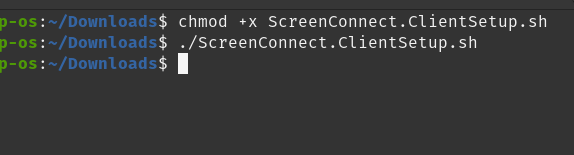
The problem appears to be that the .jnlp file is no longer being generated by Screenconnect. I can connect by chosing one of the other profiles (linux-firefox) for example but that involves downloading a .sh file and running it from the command line which is painful.
I’ve read that the Iced Tea program is no longer being maintained. Connectwise support have mentioned that both Firefox and Chrome have dropped NPAPI support. When I quized the support agent about this last night, he said that happened a few years ago. I’m running the latest version of Firefox/Chromium (I even tried Chrome) but none work.
I’m just wondering if anyone else has come across this issue or maybe has a workaround?
Java based applications with JNLP extensions have been deprecated for years now. Massive security issues with it and no more development going into it. I’m surprised anyone is still using it after all these years.
I have looked at RustDesk previously but there hasn’t been a code review (that I can see). I’m using this for work and even though Screenconnect has had security issues, I get some comfort knowing that the issues have been patched on the cloud hosted version relatively quickly.
I’m not discarding the RustDesk. Connectwise have come back to me and said that they were able to replicate the problem and although (officially) they support PoP OS they seem to think that there is a similar issue on Ubuntu (funny that). It could take some time to get a solution.
I love my PoP OS. Maybe I’ll have to reluctantly use a Windows VM for support ugh.
That does work but not the most user friendly option since it creates a new file appending a number every time.
But hey ho…..I guess that’s the way it will have to be.
I wish NinjaOne would hurry up and get their NinjaRemote working for linux. Although, I do like to have 2 remote options if one service should experience an outage.
I have the same issue. That was the only option that worked for me. When I try to download ScreenConnect.ClientSetup.sh this file and change permissions to run it just doesn’t do anything. Do I use bash or just .\ in front of it? Nothing works for me. I am on PopOS
Wow I got it working.. How come it is always when you are fed up and reach out to forums and support that you finally figure it out.
I decided to just install the access agent on my PC as a deb package, clicked to remote into a PC and it opened right up.. Thanks for the help!
so never mind..
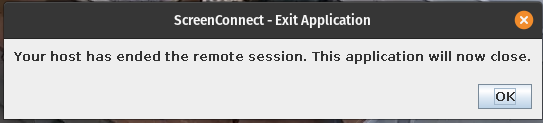
Tom the way you connect does it this open source java ? This icon won’t go away and like every 10 minutes I get a pop up on my screen about a disconnected session.
I ending up opening that .deb package and uninstalling it, then tried using screenconnect for fun and to my surprise it opened up without that icon and without errors. ConnectWise support said that they removed that jnlp option on accident and would put it back in a future release. So that’s good more options for Linux users.
I could do with some assistance here - Ive just installed fedora 43.
I cannot get SC to work no matter what, i get given the .sh file but it does nothing even after chmod +x and executing it… I dont get the .jnlp file either (although this was working it does not any more) so i am at a loss of what else I can try.
OK somehow I got the .sh to install now when I launch a session in SC, It says im connected - I get the green bar that says im logged in but no windows pop-up/appear that shows me the remote side. Just the green bar in SC saying im connected.
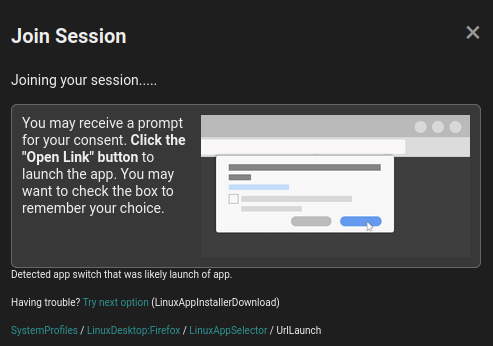
This is the option SC is logging in with when I click Join: