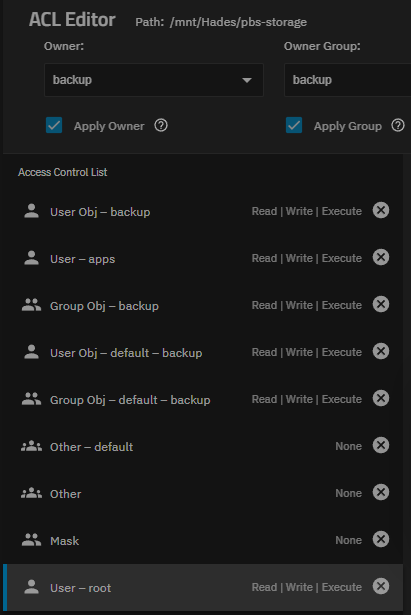
I just went through this write up and everything went smooth when I read all of the notes about the ACLs. The only outstanding question that I have is the use of bridges mentioned here. When I was building the container I saw the option to use MACVLAN so I choose that and everything seems to be fine. The container has it’s own IP address and transfer rates seem to be very good.
Bridge makes things easier if you do things like change an interface and I think (unless this has changed recently) that if you don’t use a bride the container can’t talk to the TrueNAS IP.
You are correct. I have been doing a little more reading and MACVLAN will not allow communication between the container and the host. But the devices that will be using this backup server are not on my TrueNAS server so that is not an issue. I have also ready that there is better performance with a MACLAN because the traffic does not pass through a software switch. I have not tested that.
Personally I think it might not work because of the container user that needs to be assigned.
Thanks,
Dennis
EDIT: I tried, it broke, now I fixed it again by restoring the old permissions and using:
setfacl -R -m u:2147000035:rwX,u:568:rwX,d:u:2147000035:rwx,d:u:568:rwx datastore1
Has anyone tried on 26-BETA1, I am building a system from scratch now and having trouble starting the container due to errors mounting the pbs-storage dataset.
I created the dataset, changed the ACL type to POSIX, ran the permissions commands from the truenas host and tried to mount the dataset to the container using the filesystem UI card.
Beta 26 - I had permissions problems launching the the container when the mount to the datastore was set. Quick AI told me to try privileged container and that worked.
The root cause is a libvirt_lxc startup-time access check that is stricter (or buggier) in 26-BETA1 for unprivileged containers, even when the ACL for truenas_container_unpriv_root (UID 2147000001) looks correct in getfacl.
Also, if you’re comfortable, you can report the behavior (works in privileged, fails in default even with correct ACL) on the TrueNAS forums — it helps iXsystems improve the new libvirt_lxc integration.
Thanks Tom for the write-up, and thanks to everyone contributing to the discussion. I’ve been running Proxmox Backup Server on my TrueNAS setup for a while now as well, and it’s been working flawlessly. In my case, it’s running inside a Docker container.
I do have a question regarding snapshots. How are you all managing snapshots for the dataset that stores PBS data? It feels somewhat redundant to snapshot it, since PBS is already handling backups (snapshots) of VMs and LXCs.
I tried to do it anyways but the space usage grows very quickly when snapshots are enabled. In my case, hourly snapshots over about 10 days take more than 500GB, while the actual dataset is under 500GB.
I have enough storage that I don’t mind doing snapshots, but the other option would be so setup another Proxmox Backup server and have it pull the data from the first one.
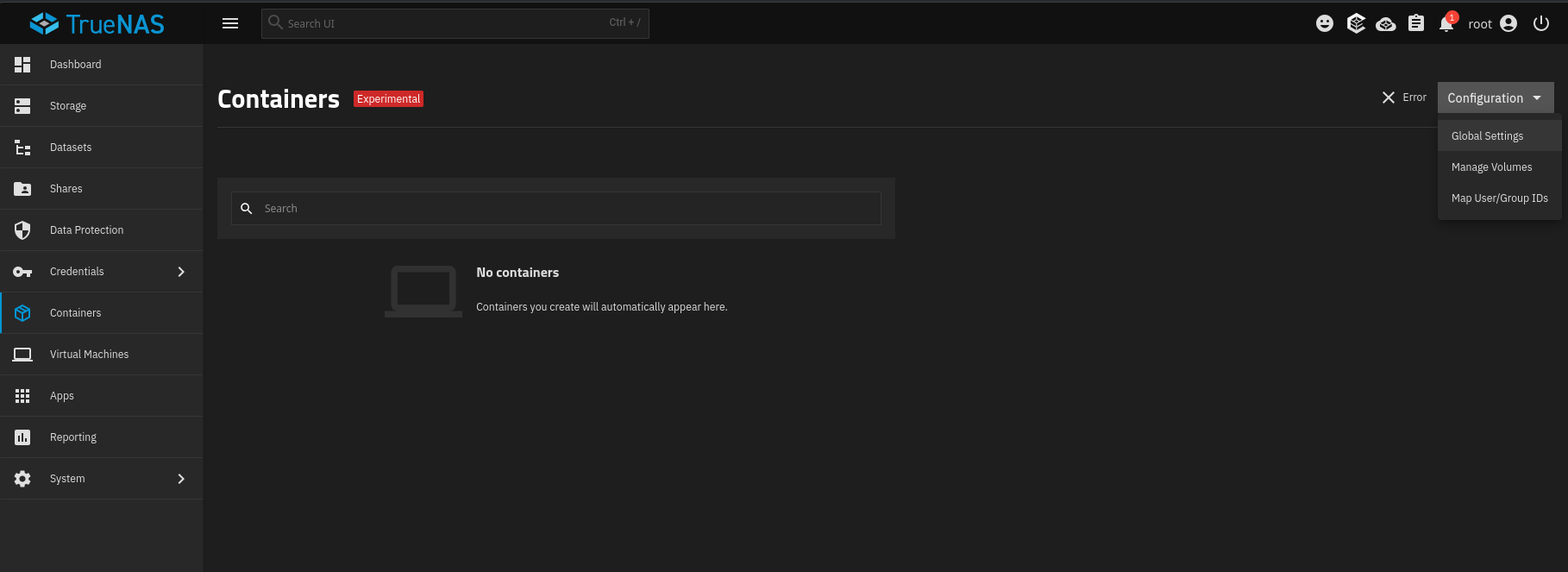
Well that’s odd. I updated from 25.2.1 to 25.3.1 the other day, and now my container is just gone. I took a backup before upgrading, but I’m wondering if upgrading to the new version where containers aren’t experimental would be better. Though, I can’t make another one now. I did a little searching but didn’t find anyone else with the issue, especially since no one’s said anything here. What to do..
I see I’m not the only one, but I too saw this vid, and “backed myself up” to your vid on setting up bridges in Truenas. I started w/ My Truenas having 3 network interfaces. Let’s call them 1, 2, and 3. 1 and 2 are not used, not physically connected to the network, and are 1 gig ethernet. 3 is a 10gig SFP+ port. Also, I’ve used pfsense to assign the IP of 192.168.60.15 to TrueNas, and for a variety of reasons, it NEEDS to stay that way. I wasn’t getting the “luck” @LTS_Tom was by deleting the IP, creating the bridge, and assigning the IP to the bridge. I did some reading (very difficult, no joke… I’m falling apart, in honest really bad shape medically)… but it appears linux takes the number 1 nic, regardless of which is being used, to duplicate the MAC to assign to the bridge. So, idk if that’s what’s going on, or it’s (also very likely) my shit ton of pain that makes it hard to concentrate… but I keep getting kicked out of my truenas gui and have to reset it (thank you IPMI). Any ideas on what I can do to troubleshoot? I’ve tried assigning both MAC addresses (for 1 and 3), but maybe I’m mis-remembering. Should I just stop assigning the static IP inside pfsense for Truenas? Any thoughts, please help.
see, once i did the process inside truenas, where i delete the ip from the nic, tell it not to do dhcp, and set up the bridge and assign the ip inside truenas (static)… the gui went away / kicked me out… took forever, was still showing the old ip of 60.15 (it’s a /22 subnet btw) for a while… then boom… look… it somehow got assigned a new ip, had to come from pfsense dhcp server, even though I told truenas i wanted a static ip. grrrr. also, btw, all unifi network gear.
well, i can’t find where the pic got saved… but the new ip for truenas DID GET CHANGED TO 192.168.63.100 (start of the DHCP range)… then suddenly disappeared.
…
update:
okay, this is the CLOSEST I can get… b/c (and I’ve seen this several times before, where debian / debian based systems ignore what i want and stick w/ the “old way” (generally DHCP, b/c that’s usually how they are initially set up on my network)…
Yes, that’s the 60.15 that the nic got from DHCP (NEEDS to be for windows shares, etc), and the 60.15 that I gave the bridge. Let me know if you have a better Idea. I might change the IP of the bridge, just so the two are different.
the ONLY way I was able to get back into my web UI was to use IMPI to go in and revert everything network wise… so remove the bridge, get the ip back to dhcp, etc etc etc.
Not sure if there is something special about my setup, but the container shell was flapping with the error Error: mkdir /var/empty/.config: operation not permitted. This corresponds to @8:11 in the video. My setup is TrueNAS scale, community edition Version: 25.10.4 - Goldeye.
My workaround was to get to the container shell via the truenas shell by running sudo HOME=/root incus exec <container-name> -- bash
which then dropped me into root@container-name
If anyone has suggestions on what to try so that the container shell works directly, drop a comment and I’ll give it a try.