I have Pfsense 2.8.1-RELEASE (amd 64) I can reach websites and ping other clients within the network on my workstation by IP but no Internet connection. From the console I can ping everything
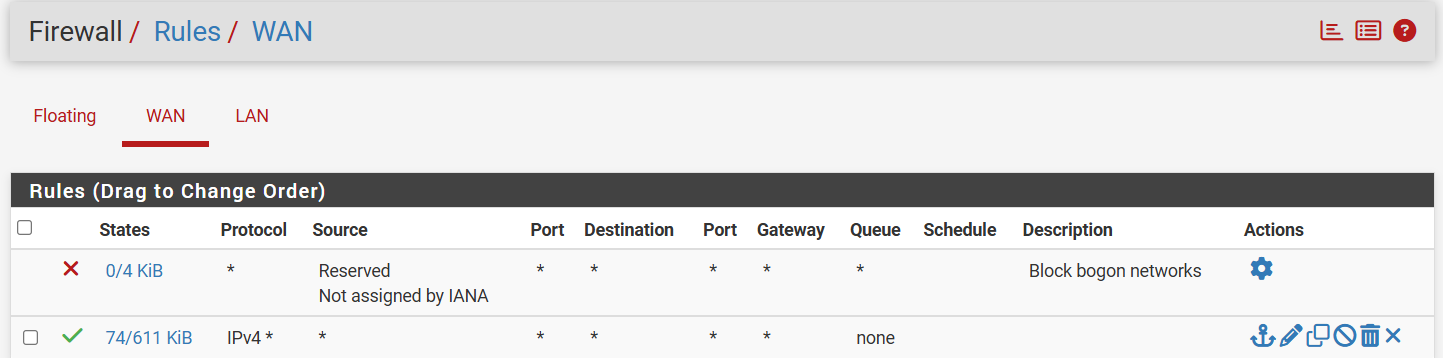
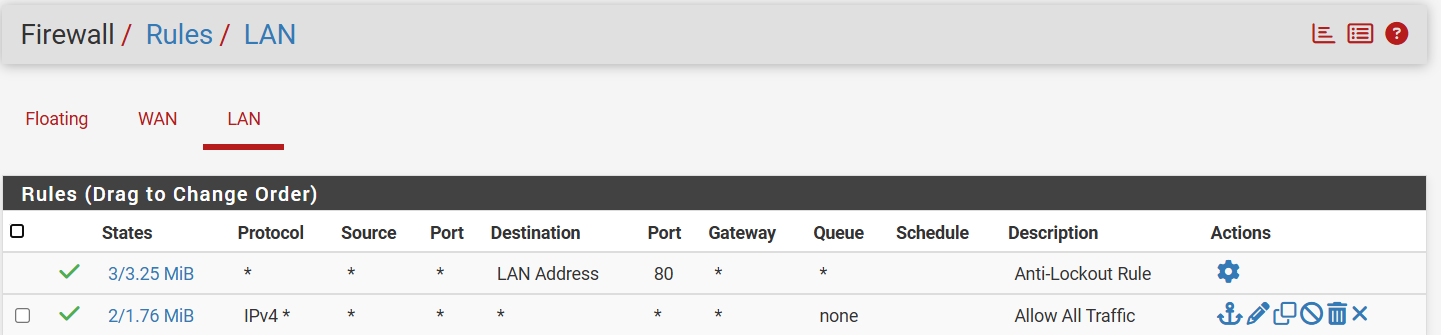
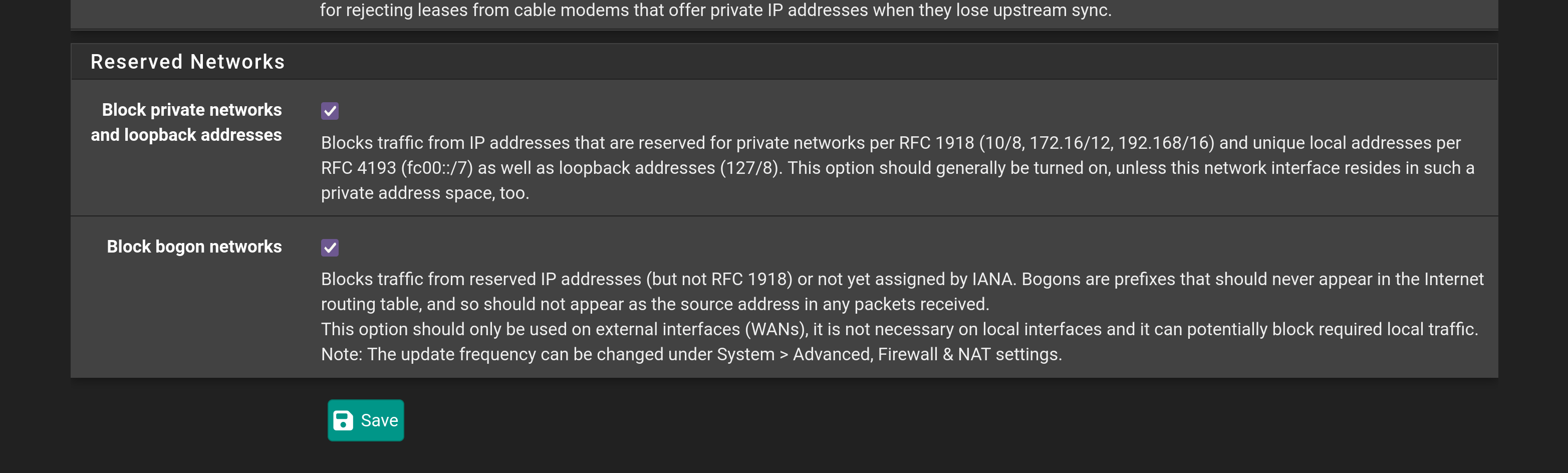
Other than the Block Bogon networks on WAN and Anti-lockout Rule on LAN
what should the standard rules for WAN and LAN to access the internet look like
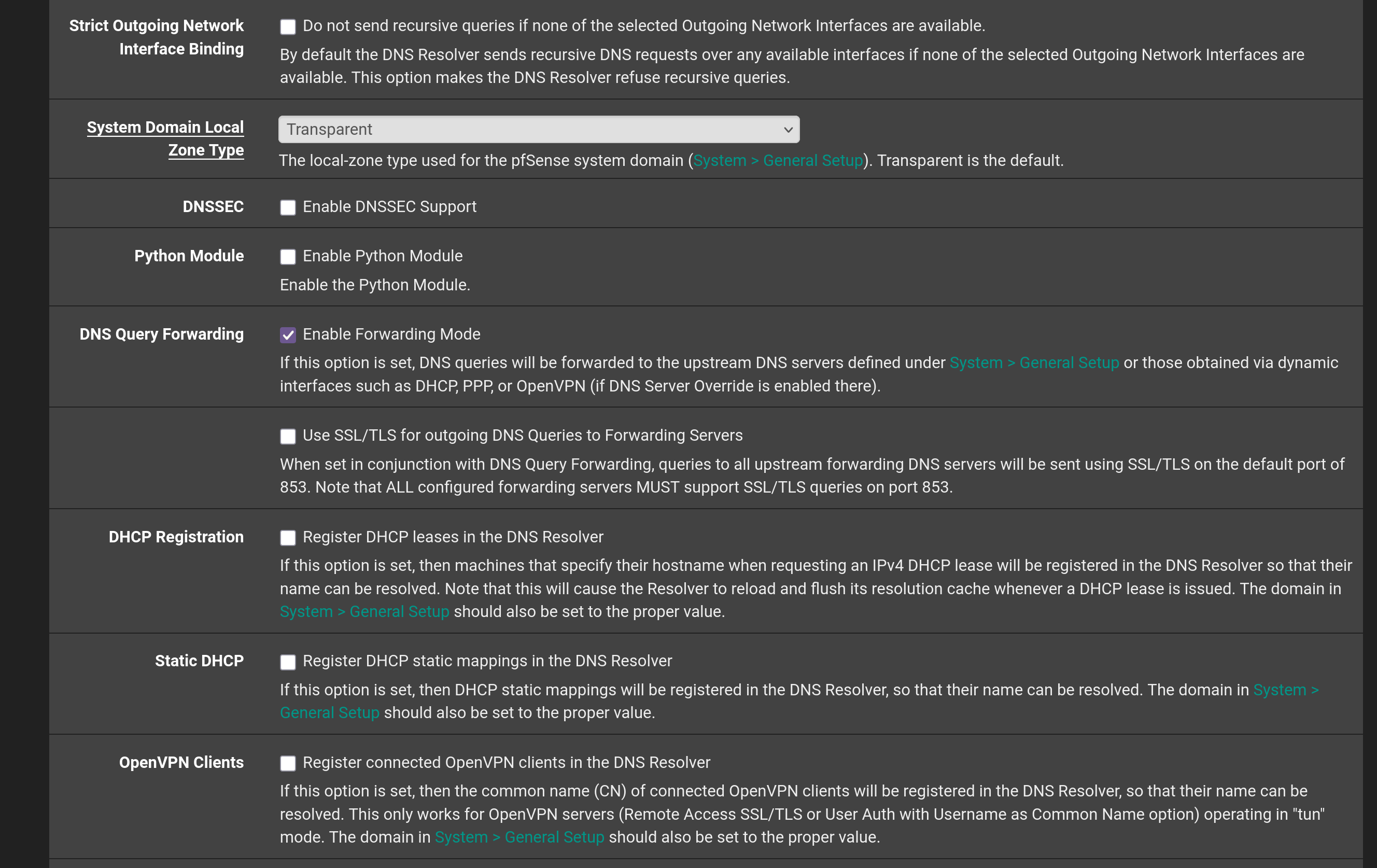
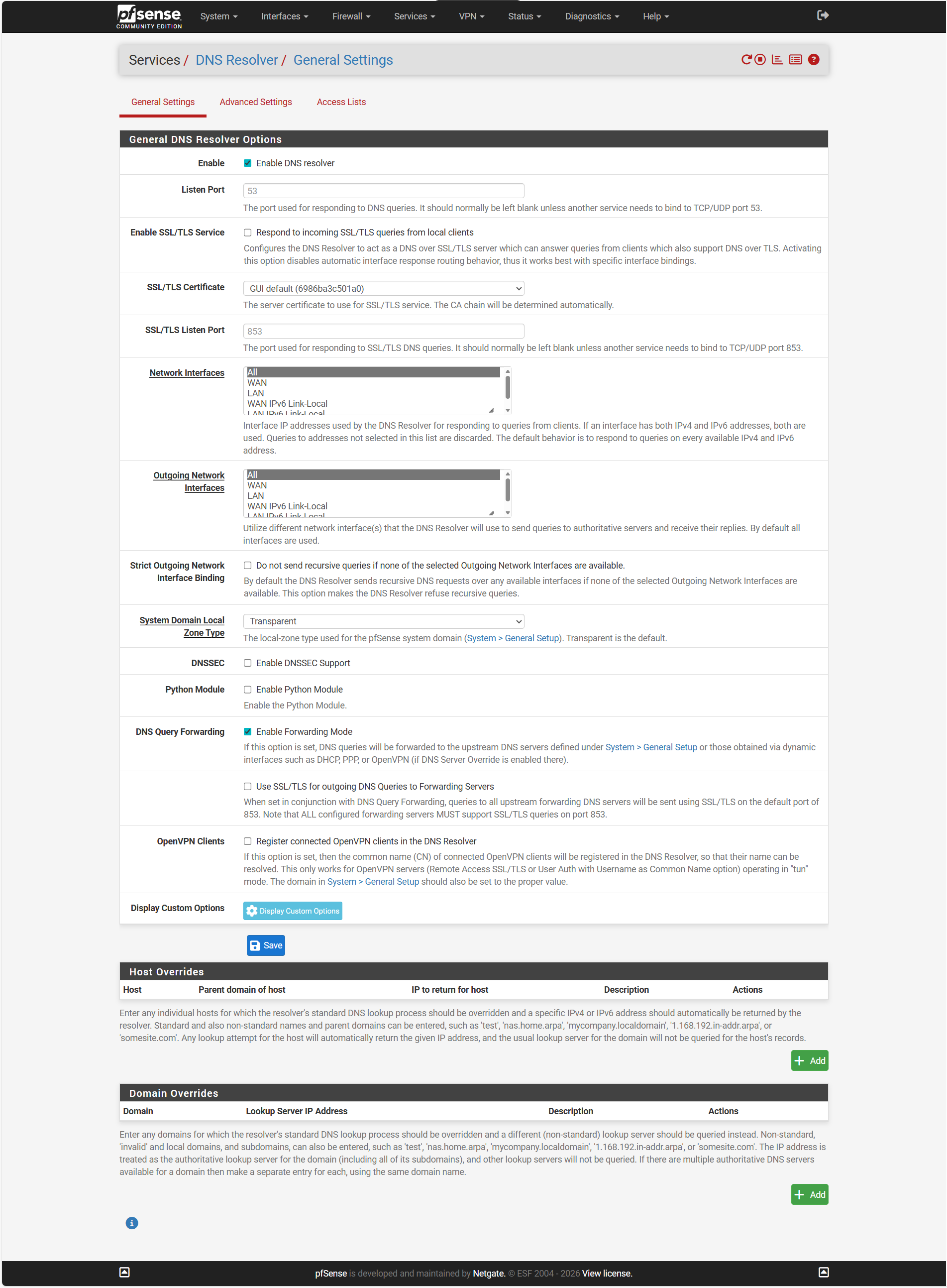
DNS Resolver is Enabled and a check to Enable DNSSEC Support is present
DHCP Server is enabled as Primar Node Role
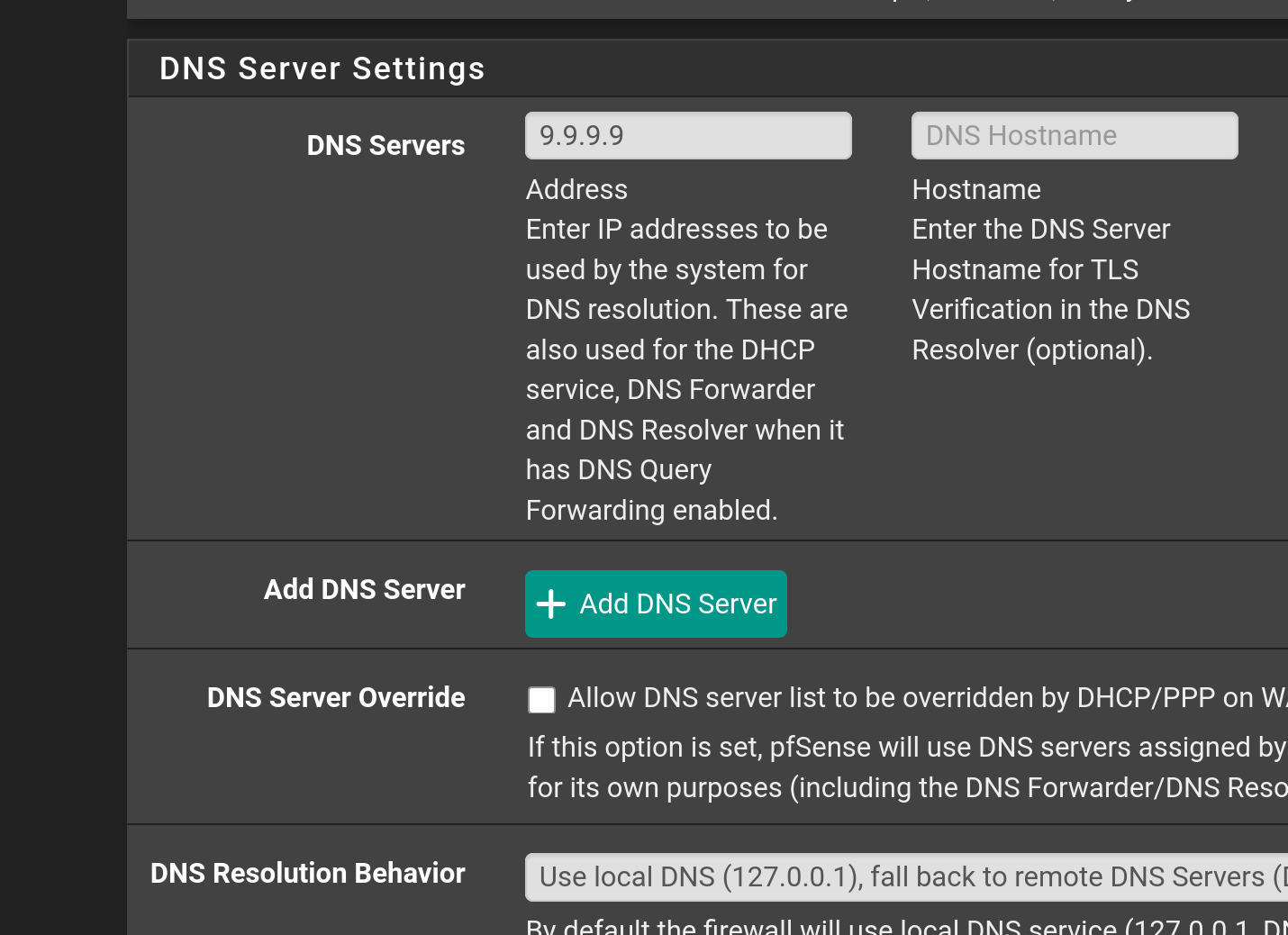
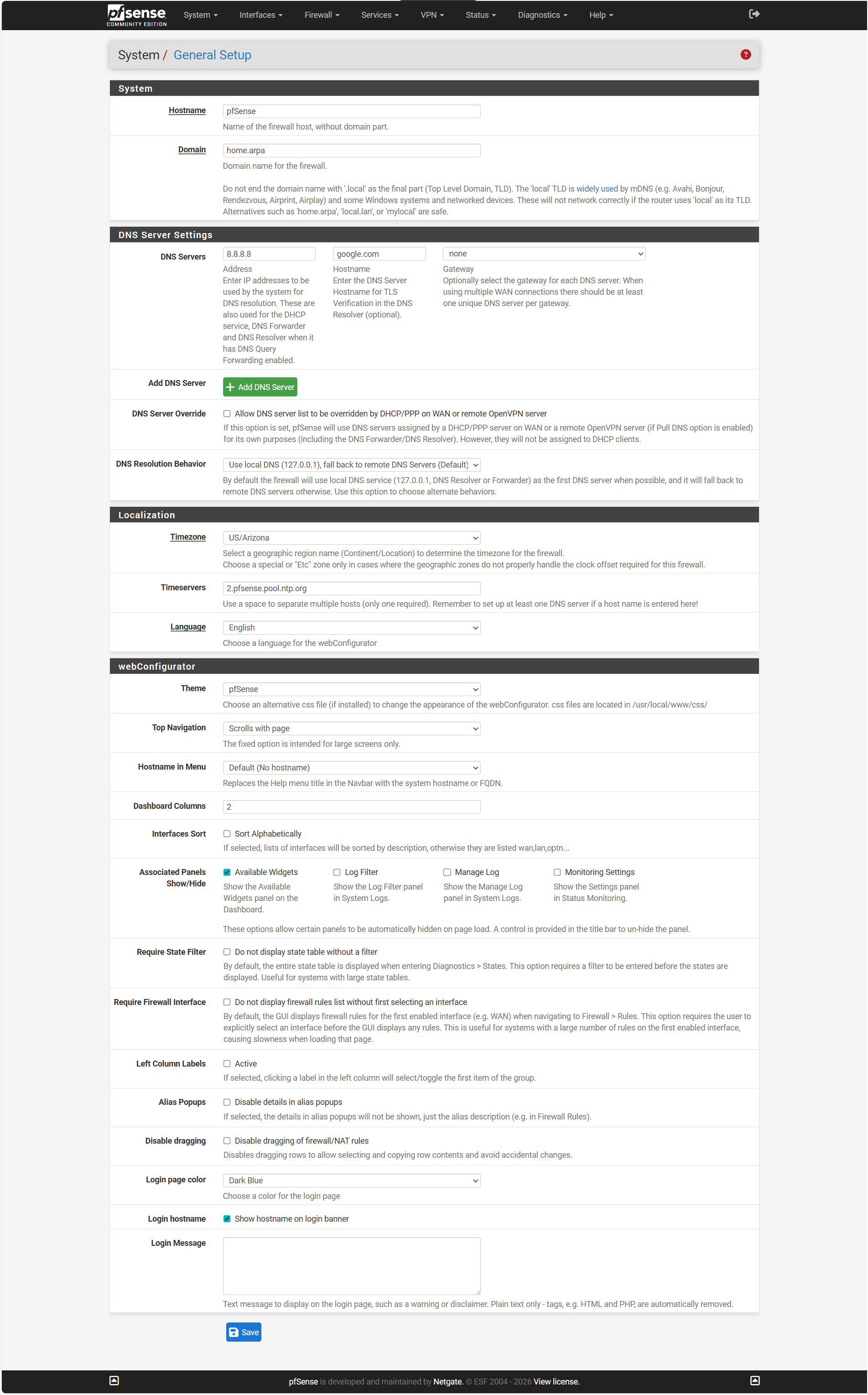
In the General Server setting I have 8.8.8.8 entered
What I find interesting is the ability to check for after checking returns “This system is on the latest version like it reached the internet
There is no need to enable DNSSEC in your DNS resolver settings. Google is doing that by default. Disable that. If you have DNS server defined under System / General Setup you need to enable DNS forwarding mode under Services / DNS Resolver / General Settings.
That is of no use to me because i dont have where to deply your xml file. Im currently testing VyOS in my home lab. Just upload screenshots of your firewall rules on LAN interface, your DNS resolver settings and your general settings. And let me know how is your pfsense box connected and where ? Are you using pfblockerng and what other pfsense packages you have installed ?
Your settings are completely wrong. Under System / General Setup you put the google.com but that setting is invalid. Change that to 9.9.9.9 and set dns.quad9.net Also make sure you enable “Use SSL/TLS for outgoing DNS Queries to Forwarding Servers” under Services / DNS Resolver / General Settings. If you want to use google DNS, remove google.com under System / General setup.
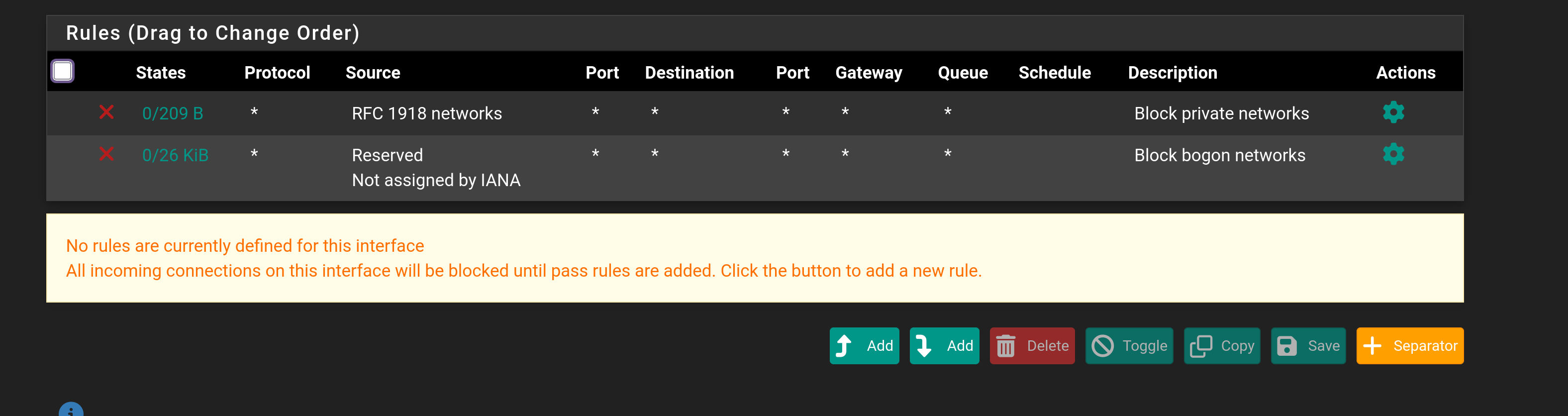
Your firewall rules are also messed up. You should not create any firewall rules on your WAN interface. They should look like this:
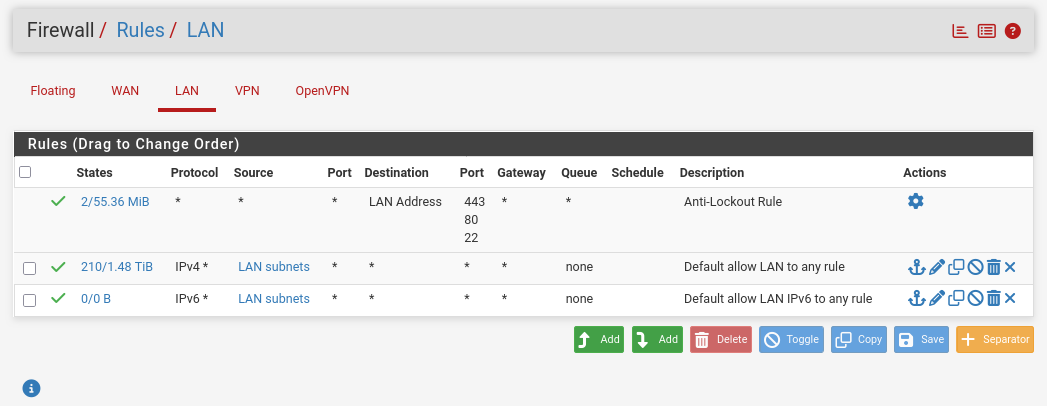
Do not fiddle with WAN rules unless you absolutely know what you are doing. This can be potentially dangerous. Your lan rules should be adjusted as well. Creating a rule that allows all in or out is not very smart. Create the LAN rule like @pavlos has on his LAN interface. I hope you havent played with your NAT rules. If you did, attach a screenshot so i can check.
I do not understand why you would do port forwarding. If you’re a newbie with pfsense, just do the basic configuration. Also, I noted your timezone is Arizona, I’m in Arizona, too. If you want we can talk over the phone and guide you through the pfsense setup steps. My network is: public ip WAN – pfsense – LAN – a bunch of pc’s.
These are not NAT rules. They are under Outbound tab. Your pfsense configuration is a complete mess. It looks like you tried to adjust every possible setting hoping something will make it work. If your DNS is miss configured, adjusting firewall and nat rules wont help. if this was the case, it would be much easier to reinstall pfsense and configure everything from scratch, otherwise you need to provide screenshots of every single option you touched.
Talking to people over the phone is same like exchanging knowledge via private messages. Its makes the forum pointless.
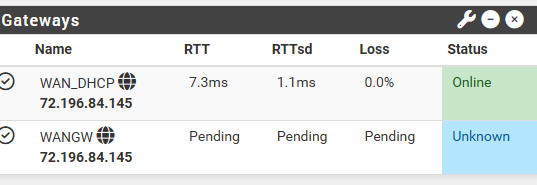
You dont need WANGW. Go to System / Routing / Gateways and remove it. You didnt provide any information on how your pfsense box is connected.
What makes you think it should not be static? You clearly got the ip from the dhcp running on your ISP modem. The other gateway may have been created by you manually, or its a leftover configuration. Or you have two cables from your modem attached to primary and secondary wan. Im only guessing here, because, again, i dont know how is your pfsense connected to your isp modem. Which cable goes where? What kind of device is pfsense running on? How many ports do you have on it?
I requested a static IP from Cox here in Phoenix and I assume that is what they gave me, as for the Gateway lol I would not know how to create another gateway, and I have only one Modem from Arris
My layout is Cox cable modem to WAN connection LAN Connection to a switch which has no VLANS created and then out to workstation and a TP-Link BE6500 wifi router in Access Point mode and not a DHCP Server
Gateways are getting created automatically as soon as you add WAN interface configured as DHCP client. In fact, if you remove all gateways, and click apply, they will be immediately recreated automatically.