Hi all-
Trying to setup a guest VLAN within my pfsense & unifi stack. It seems I have double checked everything against numerous forum posts & videos and yet still nothing. Any help is much appreciated.
Network Layout
pfSense —>
Unifi 8 port —>
- Unifi AP
- wired clients
(Unifi controller hosted via docker. no dumb switches or other APs)
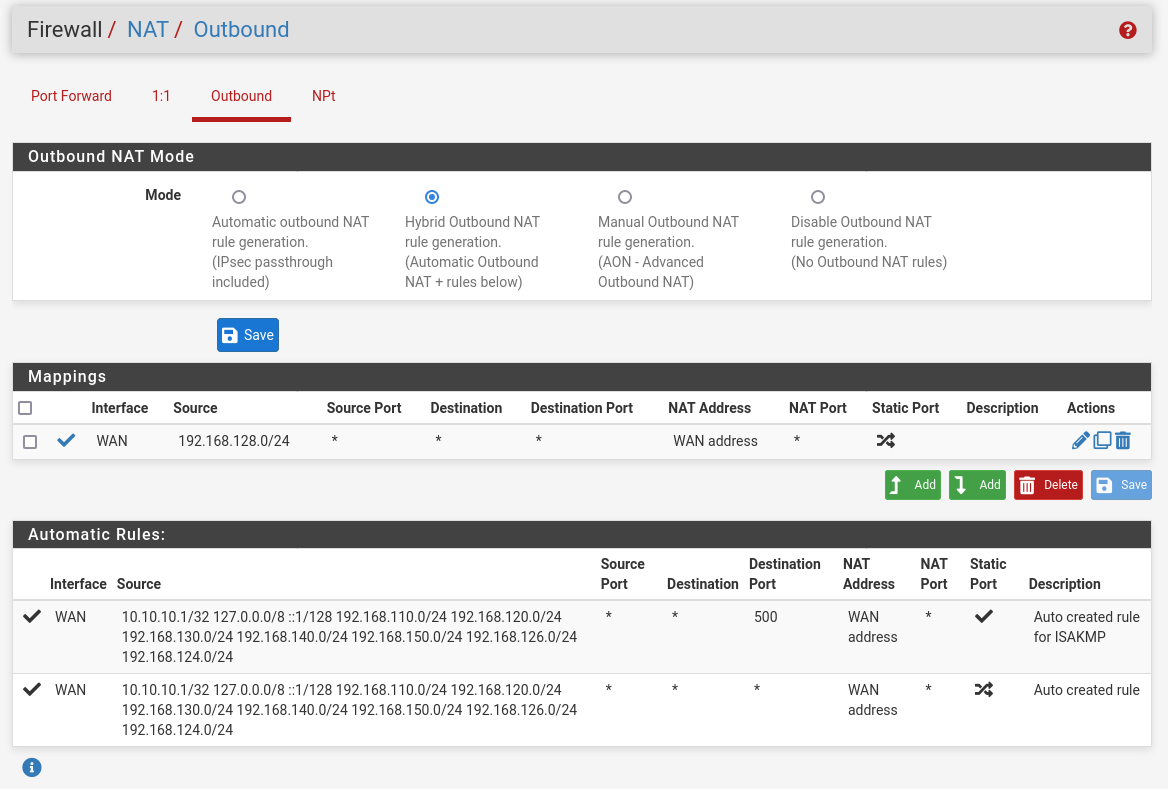
pfSense config:
-
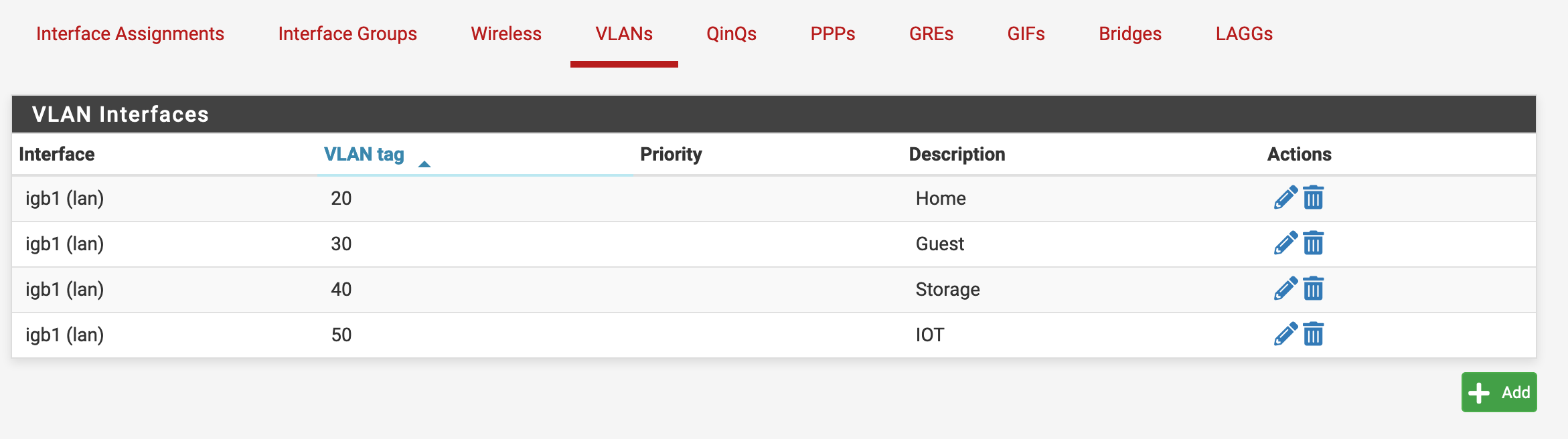
Here is my VLAN config:
4x VLANs - (None setup yet other than Guest) -
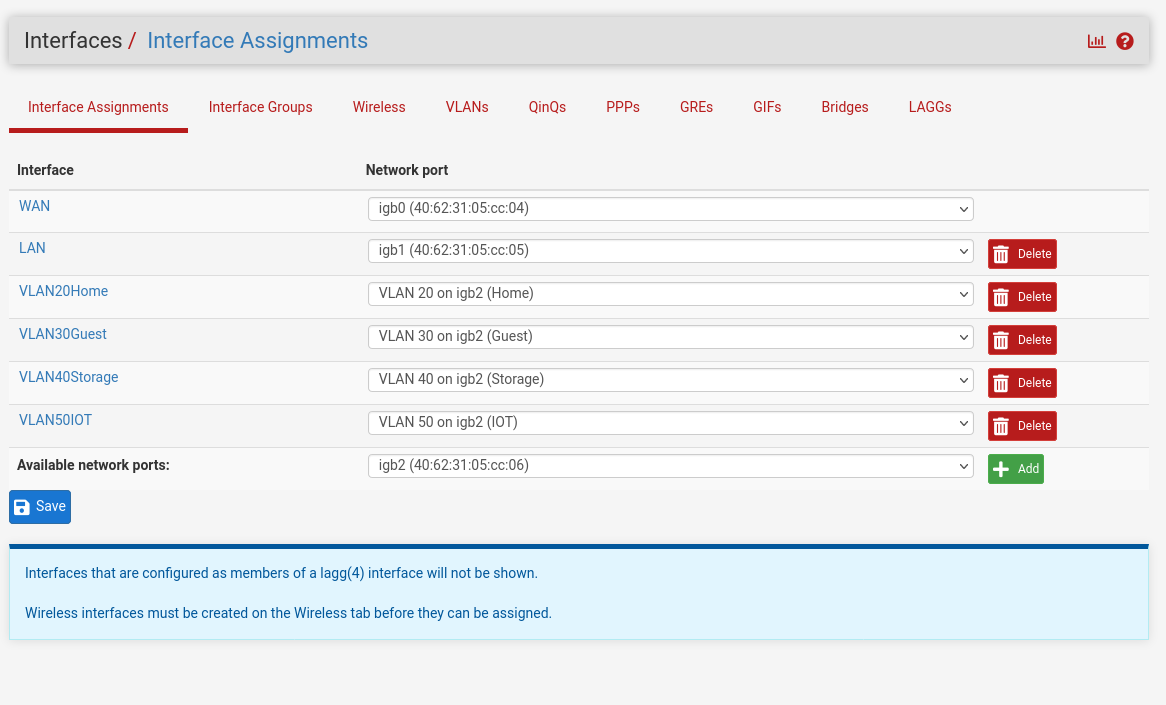
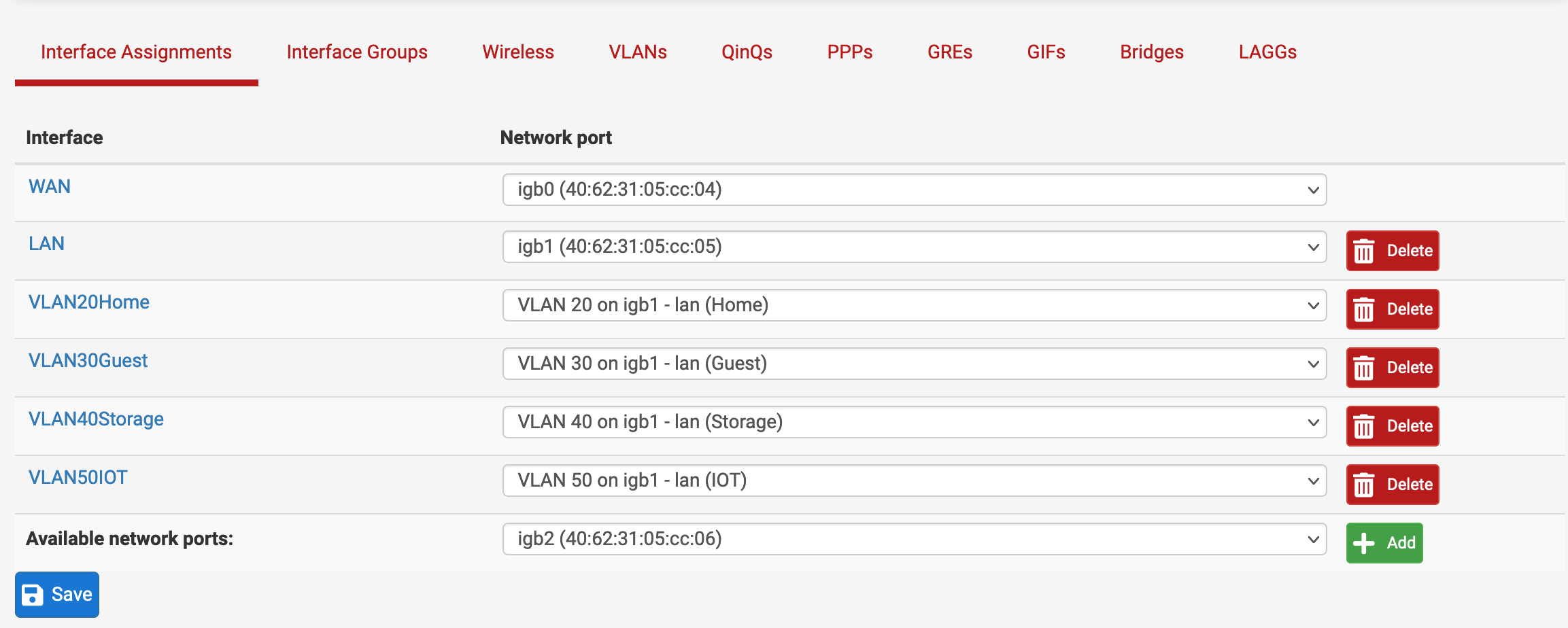
Here are my interfaces:
-
Here is the interface config for VLAN30:
-
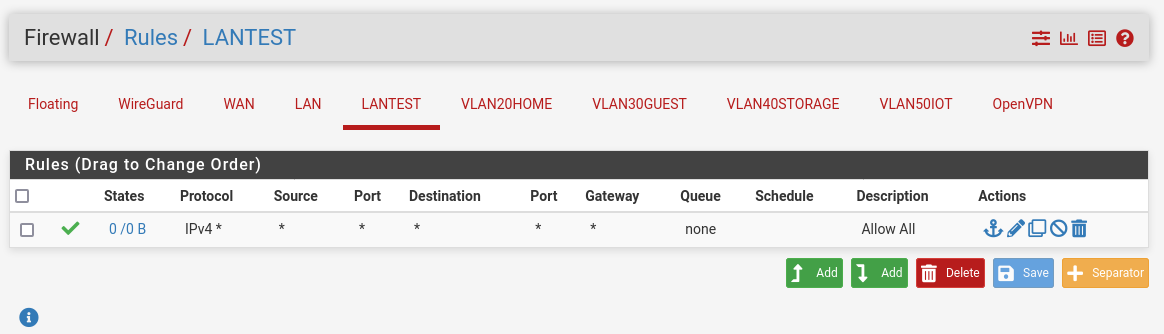
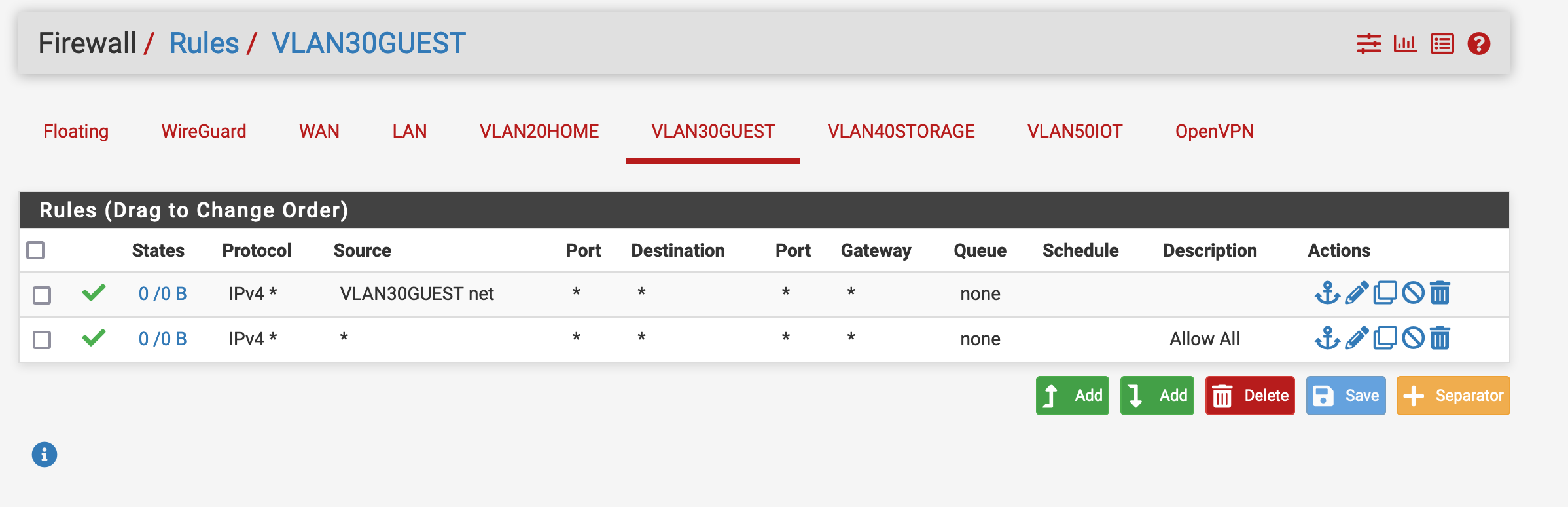
Here are my basic testing firewall rules: I’m aware these won’t isolate the guest vlan, but I’d like to first get it functional before I complicate things.
-
Here is the DCHP server config. At first I left the DNS empty to use the pfSense DNS resolver, but to reduce complexity for testing I tried using public dns.


Unifi setup
-
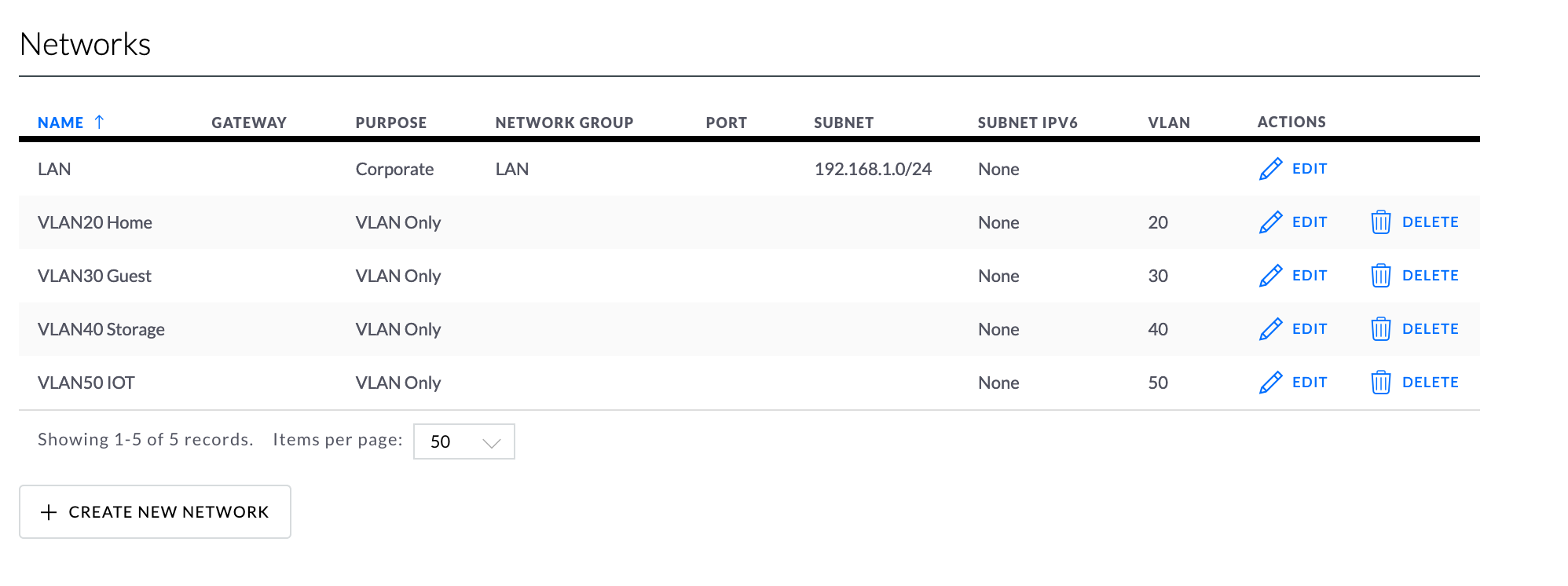
Here is my networks page on the Unifi controller where I have added a network w/ VLAN tag 30.
-
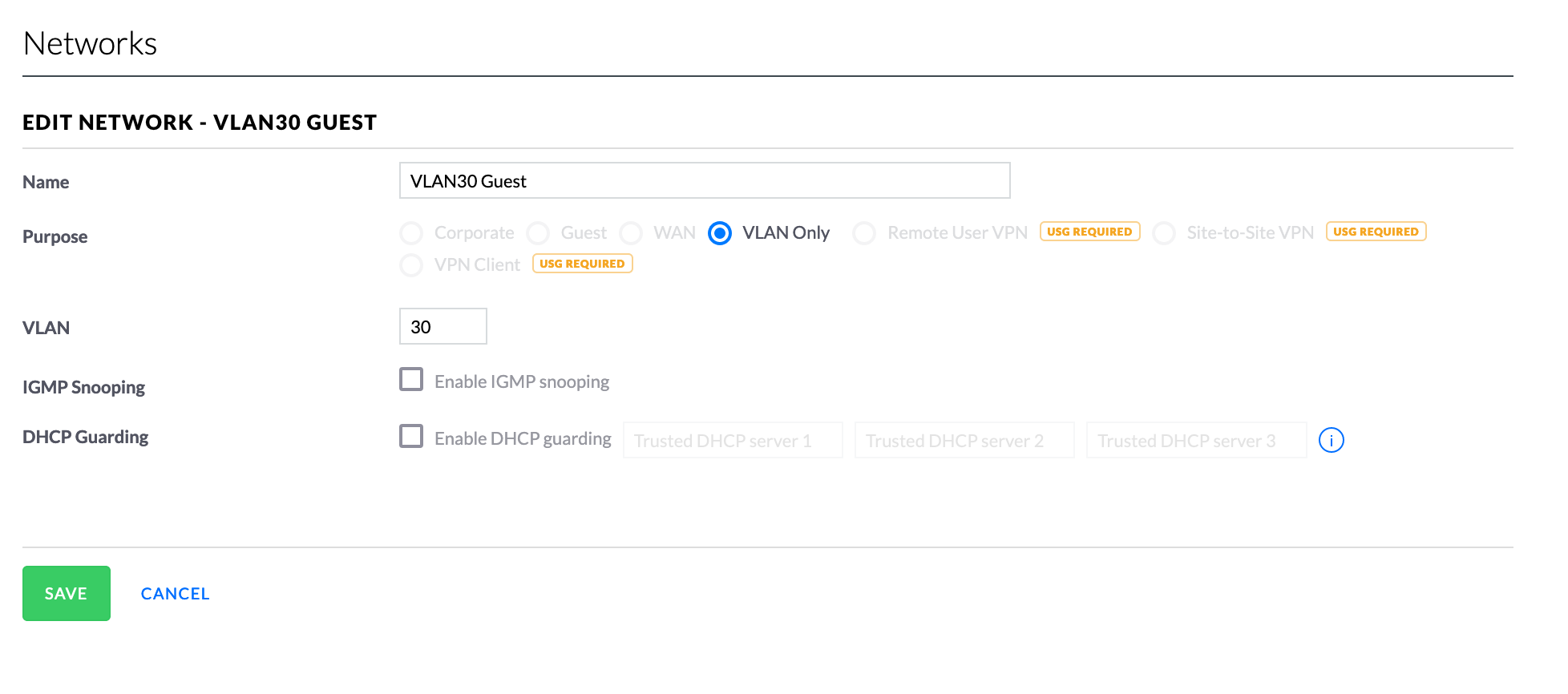
Here are the settings that are specific to VLAN 30 within the networks page:
-
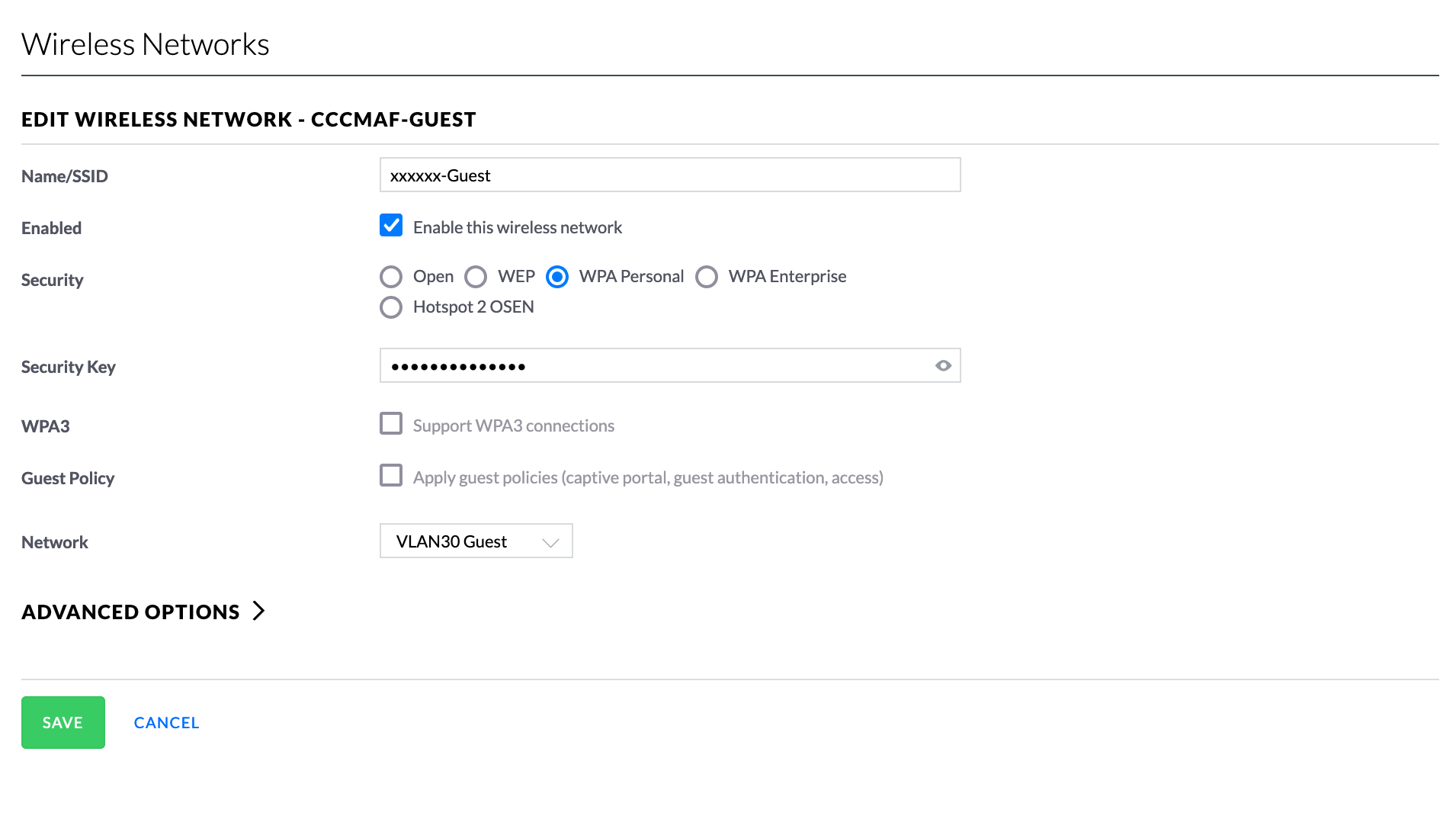
This is the guest wifi setup: (I have been testing the VLAN using wired and wifi, neither work)
-
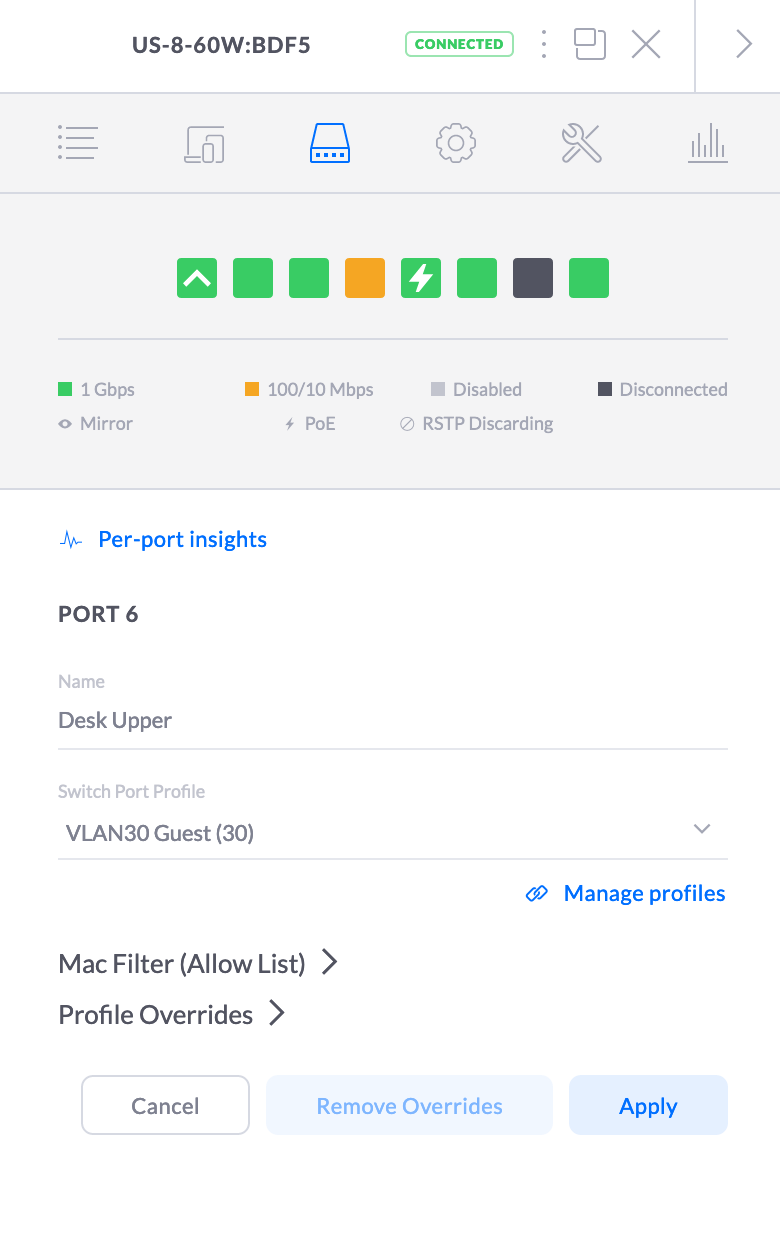
Here is my unifi switch config. I have tagged port 6 as VLAN30. I have an ubuntu laptop I am using to test this vlan and it is connected to port 6 here, (wifi shut off on laptop)
Testing
These tests are all performed from an Ubuntu laptop that is wired into VLAN30 with WiFi off. (Yes I plugged the laptop into a separate port back on the primary LAN to write this post)
Here is my config:
charles@thinkpad:~$ ifconfig
enp0s31f6: flags=4163<UP,BROADCAST,RUNNING,MULTICAST>  mtu 1500
        inet 192.168.130.10  netmask 255.255.255.0  broadcast 192.168.130.255
        inet6 fe80::ed7a:1e7e:bb86:3ed3  prefixlen 64  scopeid 0x20<link>
        ether 50:7b:9d:d7:0d:d6  txqueuelen 1000  (Ethernet)
        RX packets 116234657  bytes 128142988564 (128.1 GB)
        RX errors 0  dropped 260884  overruns 0  frame 0
        TX packets 124693873  bytes 154646716529 (154.6 GB)
        TX errors 0  dropped 0 overruns 0  carrier 0  collisions 0
        device interrupt 16  memory 0xf1400000-f1420000

lo: flags=73<UP,LOOPBACK,RUNNING>  mtu 65536
        inet 127.0.0.1  netmask 255.0.0.0
        inet6 ::1  prefixlen 128  scopeid 0x10<host>
        loop  txqueuelen 1000  (Local Loopback)
        RX packets 3583303  bytes 860917530 (860.9 MB)
        RX errors 0  dropped 0  overruns 0  frame 0
        TX packets 3583303  bytes 860917530 (860.9 MB)
        TX errors 0  dropped 0 overruns 0  carrier 0  collisions 0
Ping to the VLAN gateway:
charles@thinkpad:~$ ping 192.168.130.1
PING 192.168.130.1 (192.168.130.1) 56(84) bytes of data.

^C
--- 192.168.130.1 ping statistics ---
25 packets transmitted, 0 received, 100% packet loss, time 24582ms
Ping to the firewall LAN IP
charles@thinkpad:~$ ping 192.168.110.1
PING 192.168.110.1 (192.168.110.1) 56(84) bytes of data.
^C
--- 192.168.110.1 ping statistics ---
7 packets transmitted, 0 received, 100% packet loss, time 6145ms
Ping to public internet:
charles@thinkpad:~$ ping google.com
ping: google.com: Temporary failure in name resolution
charles@thinkpad:~$ ping 8.8.8.8
PING 8.8.8.8 (8.8.8.8) 56(84) bytes of data.
^C
--- 8.8.8.8 ping statistics ---
5 packets transmitted, 0 received, 100% packet loss, time 4100ms
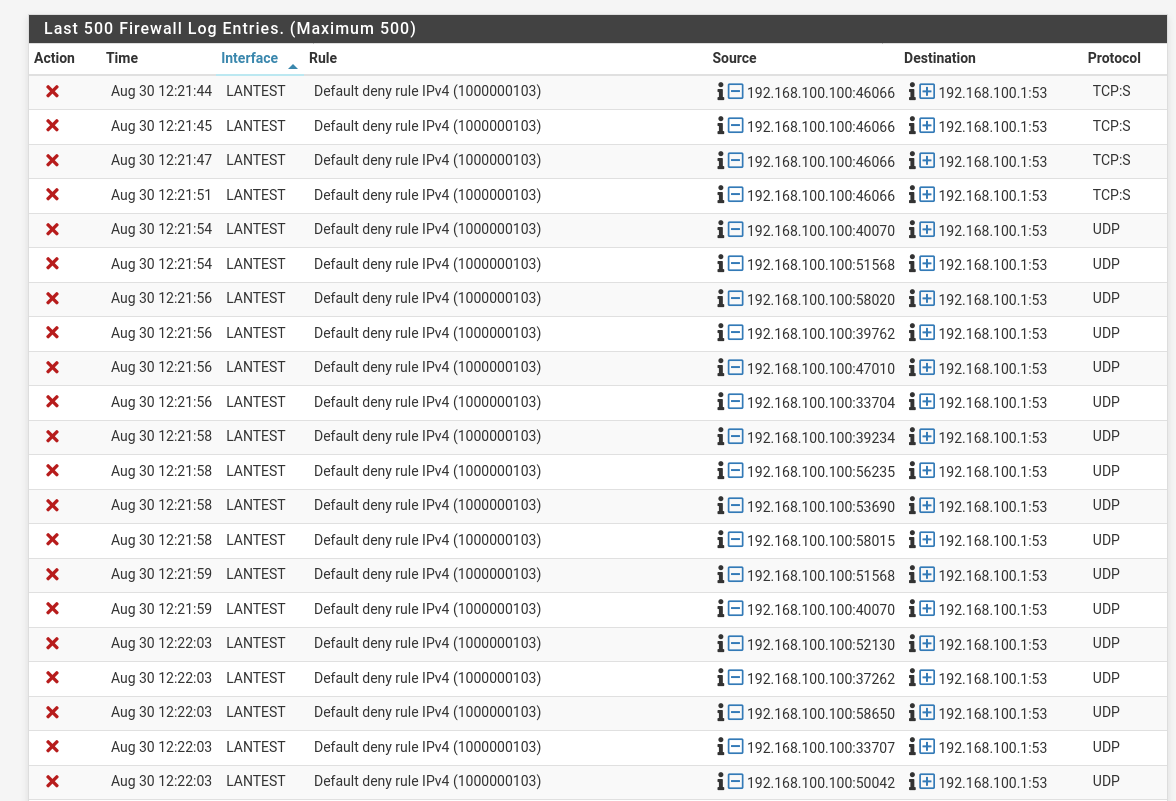
pfSense Firewall Logs
All the traffic is being blocked by the Default Deny Rule - however I thought my firewall rules were configured to allow traffic?? (Please note the source ip for my testing laptop is 192.168.130.10. The device 192.168.130.100 is my phone which is also not working on the VLAN)

Any possible ideas as to what I have configured wrong?? Thanks

 ).
).