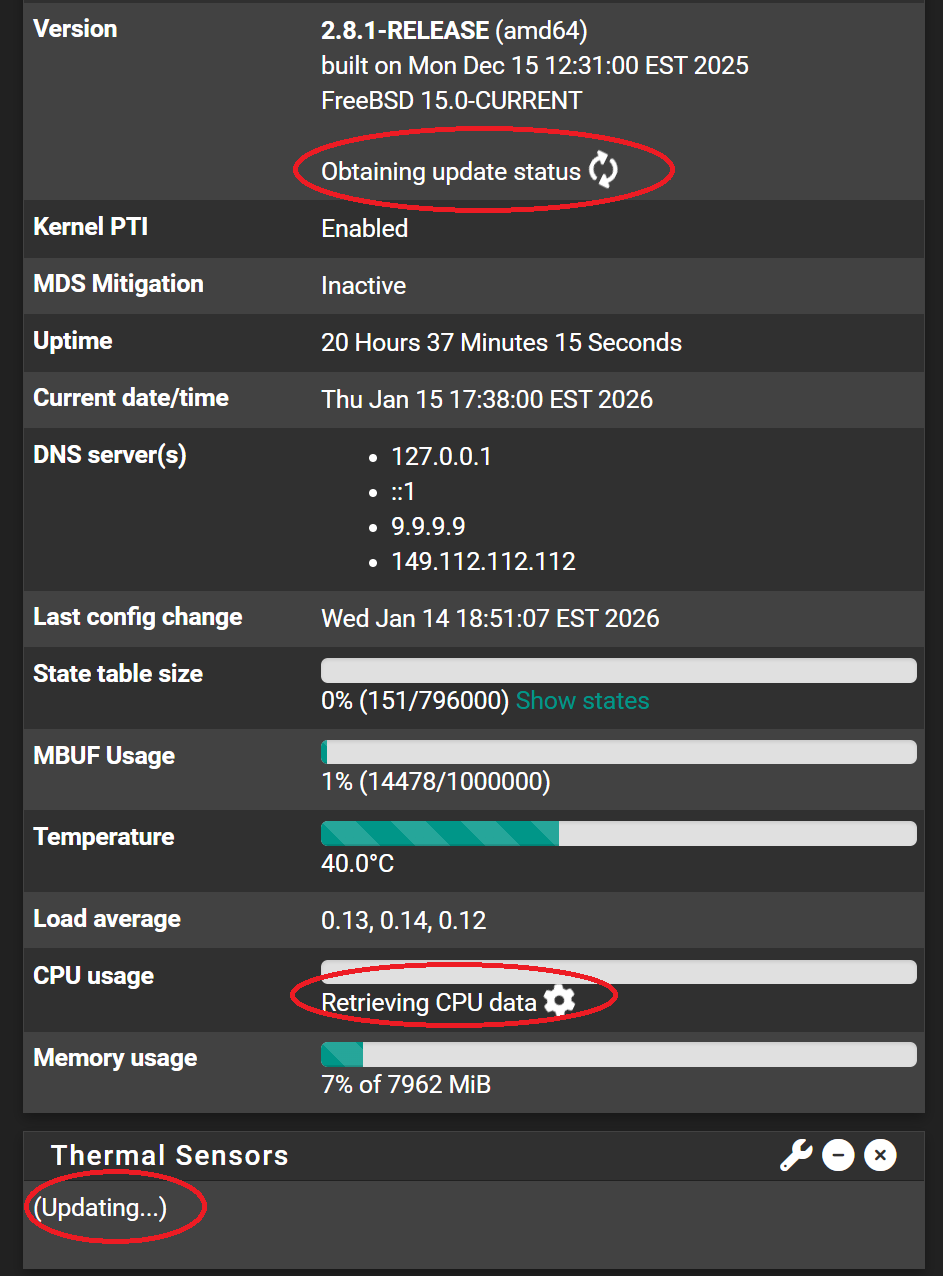
I’ve been having this issue for a bit and wanted to pick the forum brain.
Under the System Information widget, both the Version : Obtaining update status and CPU usage : Retrieving CPU data just sit there and spin never actually updating with any information. I’m also no longer getting any information under the “Thermal Sensors” widget like i used to.
My understanding is these are the only browsers negate officially supports
Google Chrome (current stable release)
Mozilla Firefox (current stable release)
Apple Safari (current stable release on macOS / iOS)
Microsoft Edge (Chromium‑based, current stable release)
Users have reported difficulties accessing the pfSense web interface through the Brave browser, even after a full reset of the pfSense system. The issue often arises when the browser times out or fails to retrieve the requested URL. This can be due to various factors, including network configuration, browser settings, or the presence of certain extensions or plugins.
To troubleshoot this problem, users are advised to:
Clear the browser’s cache to eliminate any cached data that might be causing the issue.
Try using a different browser to see if the problem persists, as different browsers may have varying compatibility with pfSense.
Check the network settings to ensure that the pfSense interface is accessible and not blocked by any network security measures.
Use SSH to access the pfSense console if the web interface is not accessible, allowing for direct configuration changes.
If the problem continues to persist, it may be necessary to seek further assistance from the pfSense community or the Netgate Forum for more specific guidance.
I use brave and do not have this issue. My guess is that you have restricted scripting or something that the site needs to run. Try disabling the shield and see if that fixes the issue.
Apologies i didn’t mention before but, Already did.
Brave Shield = off
UBO = off
NoScript = All trusted (its only the one IP)
Additionally, it did work previously within Brave. That said..
Clear the browser’s cache to eliminate any cached data that might be causing the issue.
No data for router ip & used private window
Try using a different browser to see if the problem persists, as different browsers may have varying compatibility with pfSense.
Tested in Firefox, Same result
Check the network settings to ensure that the pfSense interface is accessible and not blocked by any network security measures.
Is it too much to assume that the fact that i can log in to the web interface dashboard means this isnt the case? Also, when i go to the Update section it can find the latest version and allows me to install it.
Use SSH to access the pfSense console if the web interface is not accessible, allowing for direct configuration changes.