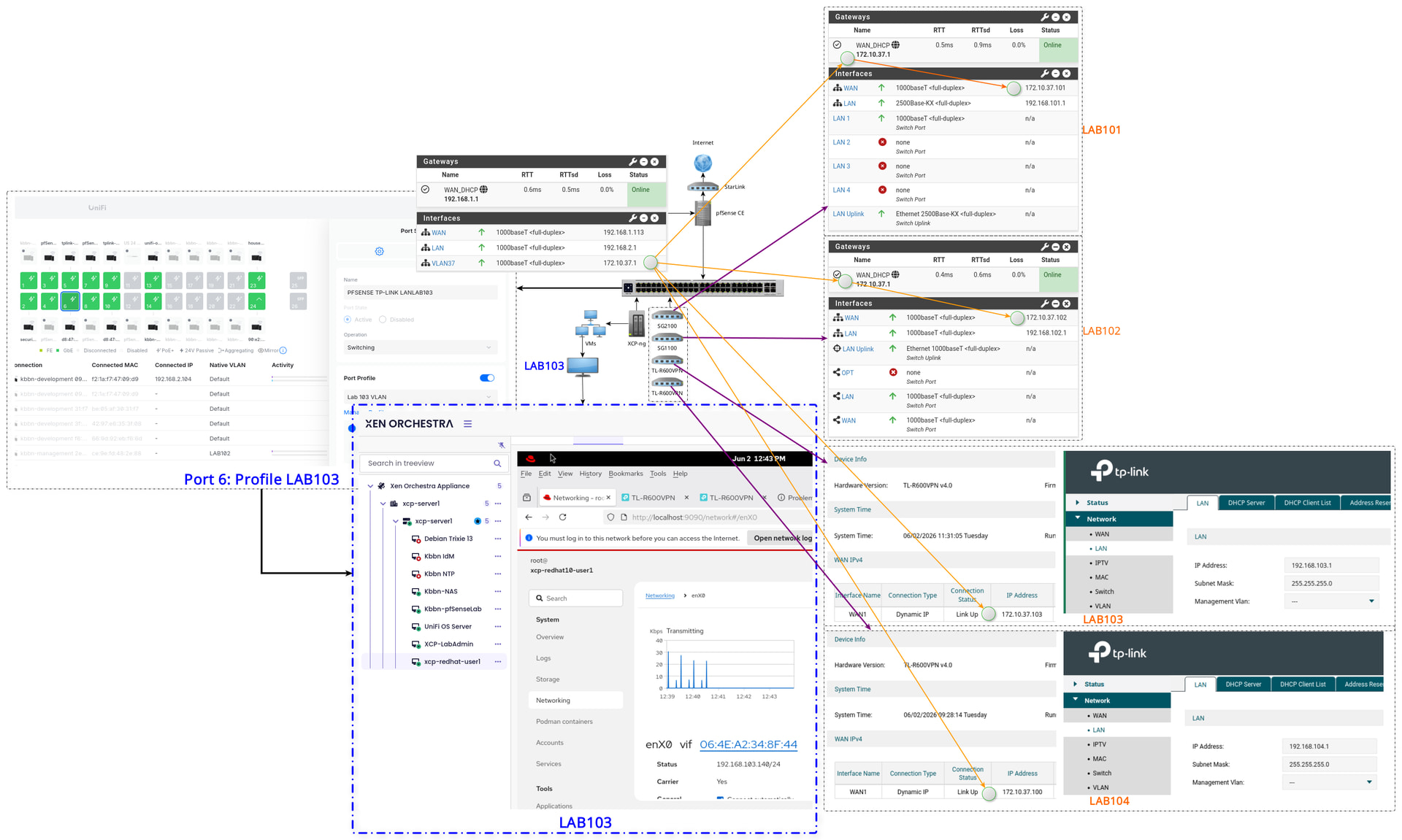
They have instructions here on how to add them to pfsense.
1 Like


 I finally figured it out by your Getting Started Tutorial_ Building An Open Source XCP-NG & Xen Orchestra Virtualization Lab to get the VM LAN access to the internet. This is brilliant! Now I need to know how your rule is set to allow access to the pfSense’s WebGUI from the Native LAN side (Not the VM LAN side)?
Still have another network setup to solve. It has to do with the Consoles connections and how to manage them the same way. Been working all night until 6AM just to understand how to get the VMs LAN working. I will still put a detailed diagram together just to make sure I do understand what your doing and you can show me any corrections needed.
Whilere there is a way to get the VLAN’s workin in the virtual pfsense setup, I prefer to have XCP-ng handle the VLANs.
1 Like
Oh yes, I’m doing it the same way you are… This is excellent! I removed all the VLANs, Interfaces and Rules (For those VLANs) from my Main pfSense and define VLANS in XCP-ng and Unifi, and handle the IPs in the VM pfSense correct?
Yes. that is the way to do that.
1 Like
Another clarity question, do you still define your CGNAT and LAB Default at your Top pfSense that is facing the internet?
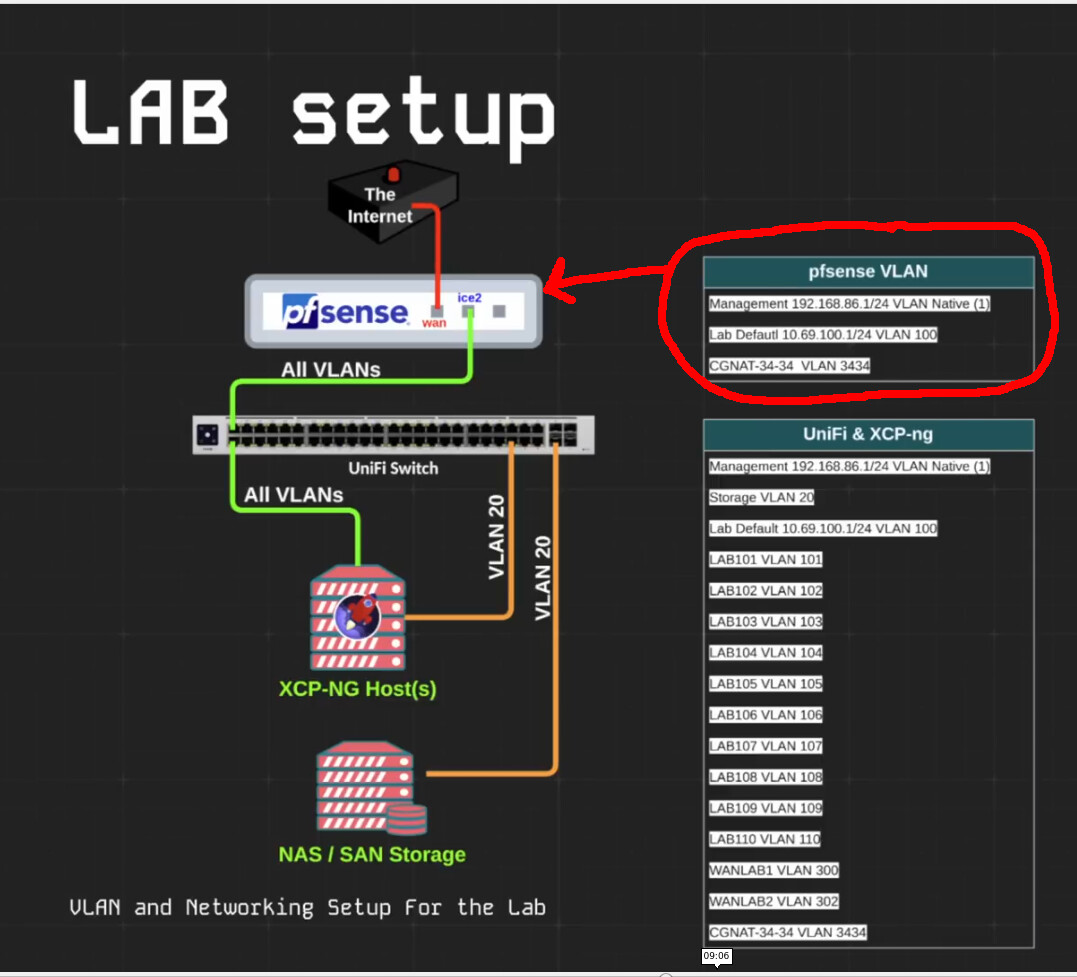
and if so, do you also use the CGNAT as the WAN on all the downstream pfSense?
Top pfsense for that video was connected to the internet, it handed out IP’s using DCHP that were in the CGNAT range.
1 Like
Yes, I understand that, I have not seen your latest videos (being so busy learning from your earliest ones), and wanted to know if your still using the CGNAT for all your down stream pfSense(s) in your lastest vidoes and Default Lab100 (or has the LAB100 been removed from the Head pfSense and define only in Unifi, XCP-ng and down stream pfSense(s))?
Yes, I still use the CGNAT IP ranges just so they look cool when I do demos and don’t ever overlap with RFC 1918, but really any RFC 1918 ranges could be used as well in place of that.
1 Like
Also what about your LAB Default (LAB100), is it still define from the Head pfSense?
Just like I show in the diagram and in the video, yes.
1 Like
When you defined your LAB100, did you use the whole Pool range as:
Subnet: 10.69.100.0/24
Subnet Range: 10.69.100.1 - 10.69.100.254
Address Pool Range: 10.69.100.1 - 10.69.100.254
or did you leave room for static IPs as:
Address Pool Range: 10.69.100.100 - 10.69.100.200
I used 100.68.69.33/27 but word of warning, some overlay networks use CGNAT ranges and since you are new to this you might want to just stick with RFC1918 until you have a better understanding.
1 Like
In this video Virtualization Lab Network Setup _ Demo using XCP-NG, UniFi, pfsense and Xen Orchestra, where are you defining the IP Range for the 69, because you state VLAN for 69 is only defined at the Head, but you did not explain if you assigned it to a Interface for the IP Range.
Head pfSense:
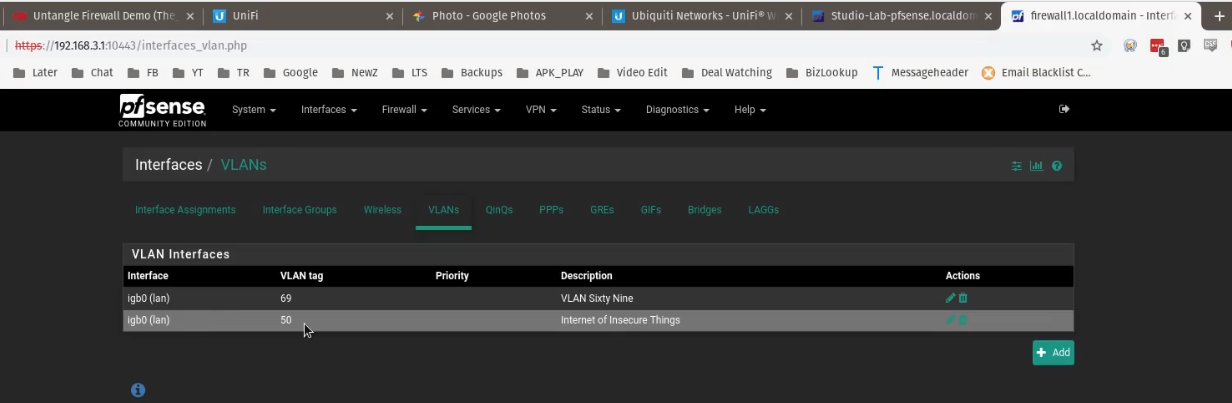
I assuming at the Second pfSense you manually assigned the WAN IP 172.16.69.144 and the IP Ranges via Console?
Second pfSense:
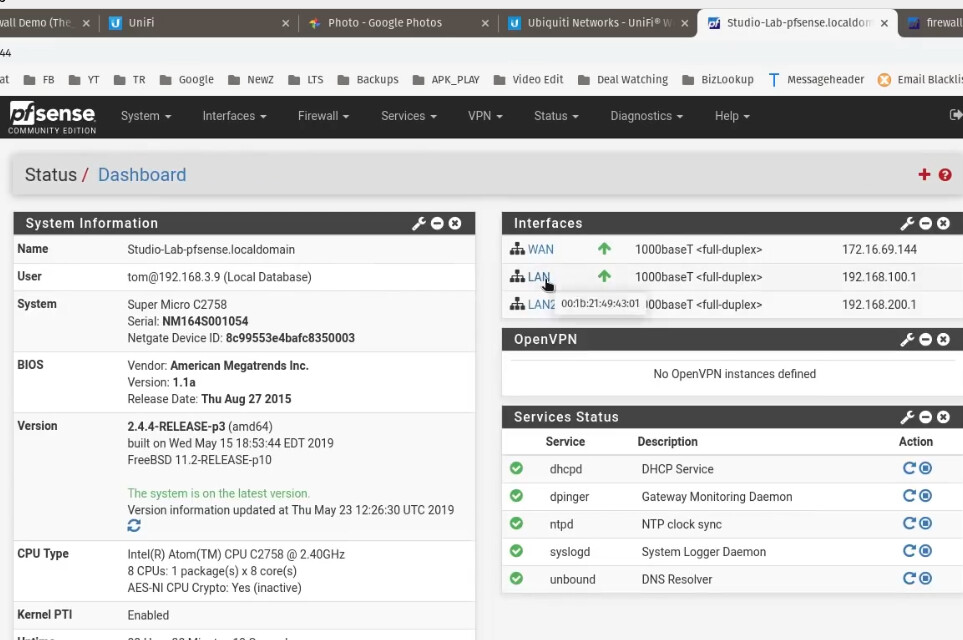

But you did not show where the WAN IP came from nor the Ranges for the 69 are defined?
UPDATE: You do define the IP Ranges and Interface at the Head correct"?

Same answer as when you asked about CGNAT, upstream pfsense hasd out IP’s to downstream pfsense.
1 Like
I finally got it working, been up all night, going to get some sleep now and later I will put up a diagram to show you what I did… 
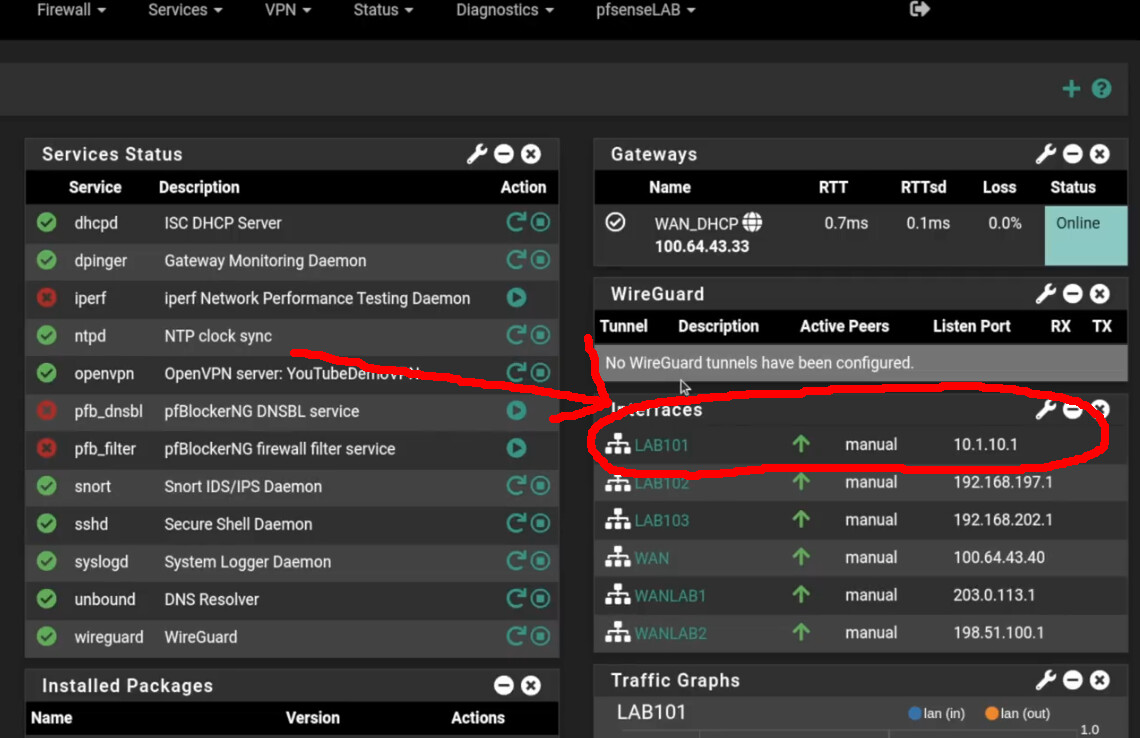
Question, how did you assign the VLAN ID 101 to this LAB101, did you create another interface for this one, and if so, what did you do with the Default LAN? Do you have the video when you created this pfSense VM Lab and showing how you created each and/or modified the interfaces?
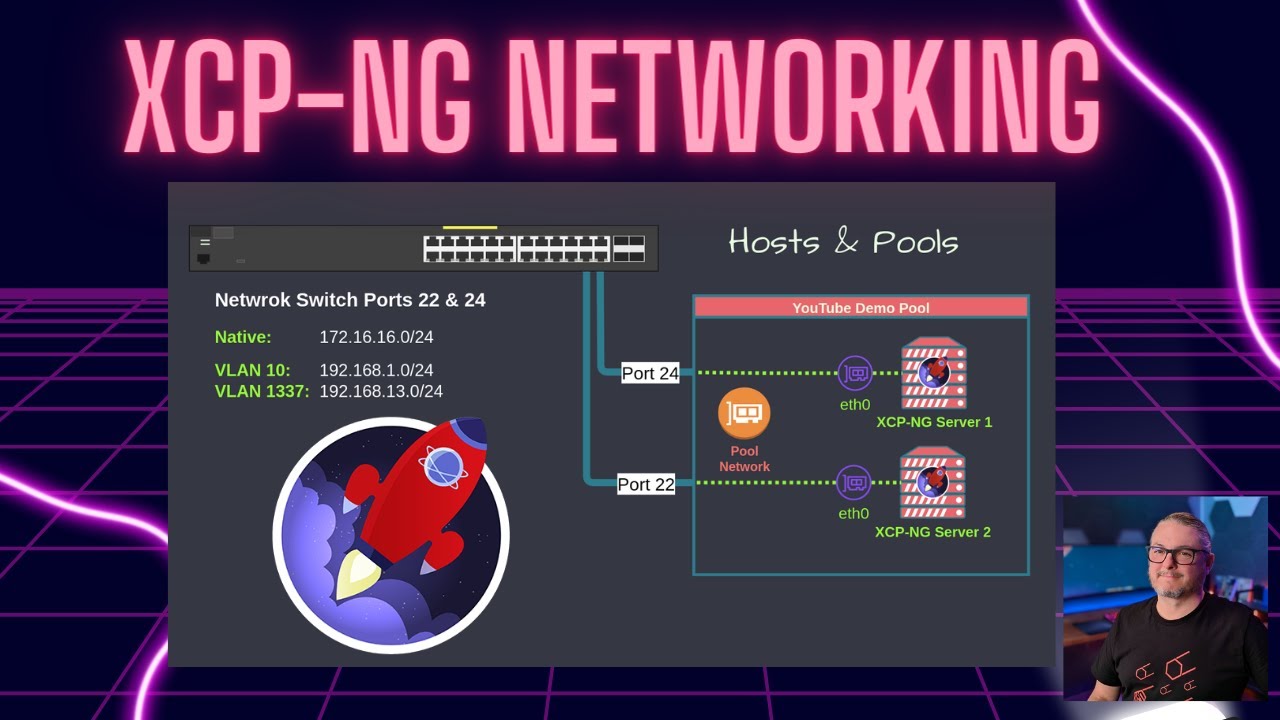
LAB 101 and VLAN 101 are the same, all the UniFi devices are on native. No VLANs settings are used in the virtual pfsense, just interfaces in XCP-ng that are assigned those VLAN id’s.
1 Like