I want to try and run pfSense as a VM in XCP-ng. Is Tom’s 2019 youtube video still current or is there a more current video or documention for the howto install ???
I’m not sure which video you are referring to but if you have the official (not built from source) XOA then you can easily install using the hub.
I don’t think there are any changes from 2019, also their documentation is current:
Thanks Tom for the current info…much appreciated.
Evening, where is your 2019 video for installing pfSense on XCP-ng? I need see how you did the WAN and LAN NICs. Is the LAN NIC a isolated network and can the LAN access the internet via WAN, because this is my goal.
Also for testing from my main network (simulated internet) of connecting to the web server inside the isolated network, among other security testing using Kali OS.
Thanks!.
In XCP-ng I would use a dedicated network just for the WAN of pfsense (or any other firewalls) for simulated internet. I prefer to use the CGNAT for that but make sure you don’t have anything you are testing that overlaps with that range such as your own ISP or some overlay VPN. I avoid that issue by having a more limited scoped range.
For LAN I did the same, just created a dedicated network.
1 Like
Question,
First, do you have a video other than Hosting Behind CGNAT With Wireguard for how to use CGNAT or does it need the VPN?
Second, the use of the CGNAT has to be on the primary pfSense correct, not a VM or secondary. If you have a another pfSense as a VM and/or other console, it has to reference/forward to the primary pfSense machine/console that is connected to the internet via modem correct?
I just choose to use the CGNAT range, but you can use any range you prefer for your lab.
Yes, then that primary pfsense would have internet access.
1 Like
I’m assuming the pfSense+ Menu is one of the Consoles, is the VM defining the IP ranges for both the WAN and LAN for the Consoles?
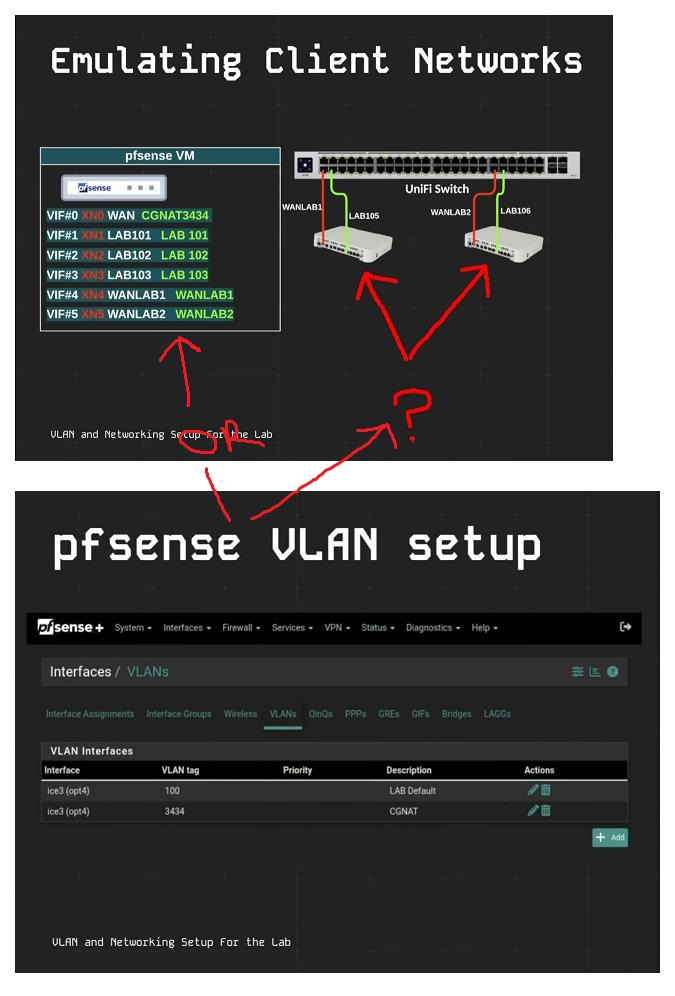
The upstream pfsense defines the WAN ranges for the downstream pfsense systems define their own LAN ranges.
1 Like
Are all the VLANs created on VLAN Interface (lan) or as:
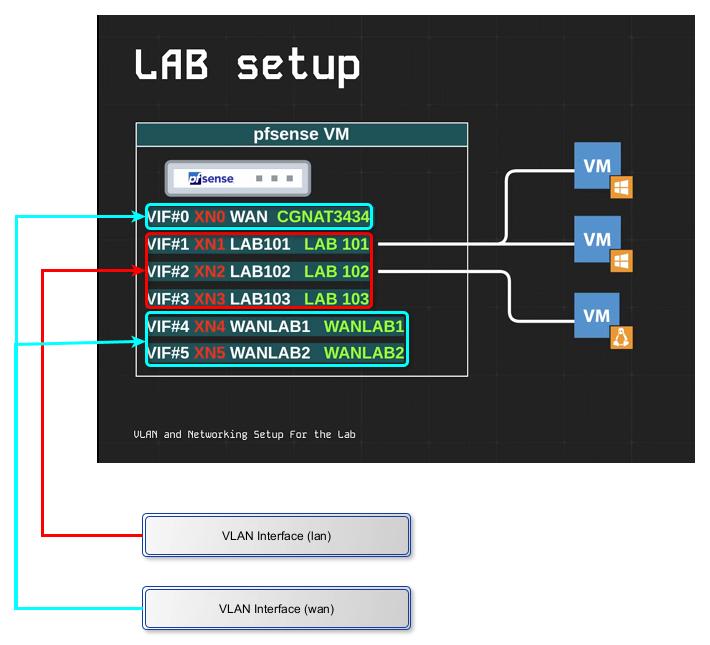
because I’m assuming the WAN(CGNAT3434, LAB1&2) are used to connect to the internet or outside the LAN somewhere being that the 3 VMs are connected to the LAN?
Also, are the ports connected to the pfSense Consoles set as All/Default(1) or VLAN ID?
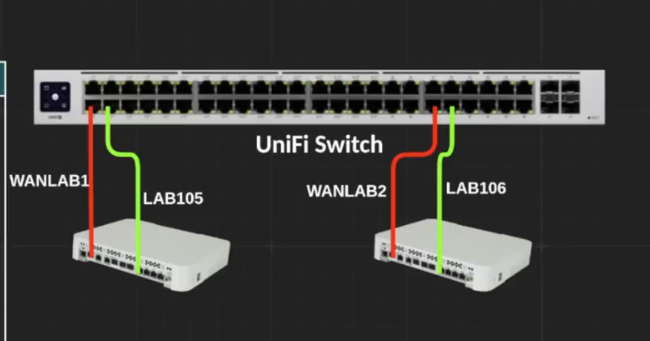
Each port is set to only the VLAN that I want on that port and then I choose the “Block All” so other VLANs are not available.
1 Like
Just to be clear - So the WAN and LAN of the Consoles side only work for the devices that are plugged into it and/or any VM on the XCP-ng side that is connected to Network VLAN?
Console LAN - Therefore on the XCP-ng Network side as a VM, I should be able to connect to pfSense Web GUI correct?
When you connect a pfsense to an interface in XCP-ng all other VM’s have access to that interface as if it was a network switch.
1 Like
Clarification for the WAN on the Console’s IP Range source - I know any VLAN ID from the pfSense VM will do, but for clarity: is the pfSense VM’s WAN(CGNAT3434, WANLAB1&2) VLAN Interfaces assigned to (wan) has diagram here? I assuming the (lan)…
The LAB 101, LAB 102… & WANLAB1, WANLAB2… etc are all LAN on the upstream pfsense.
1 Like
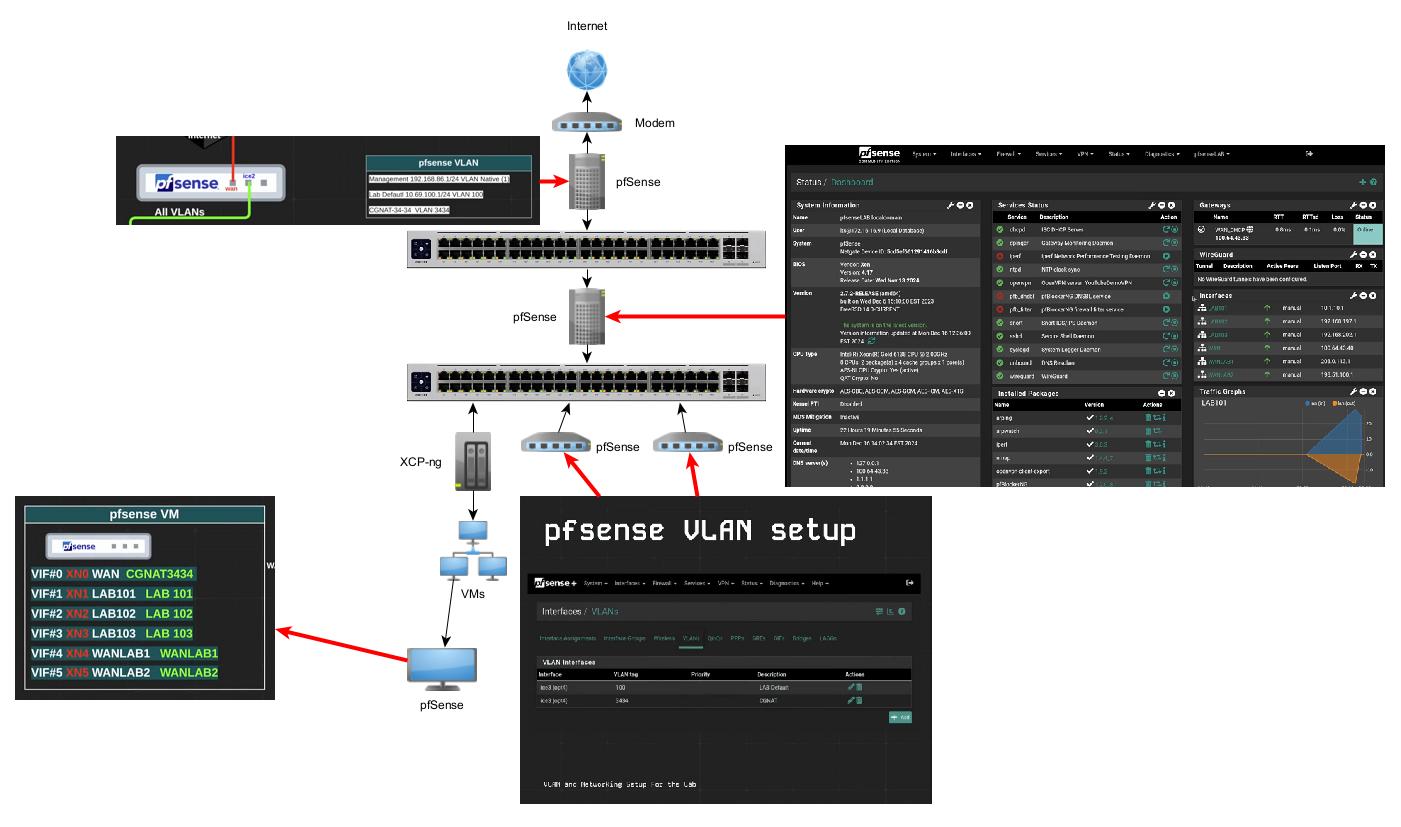
Is this the upstream somewhat of how your Network is setup to get the same Lab results, rather if the two top upstream pfSense are Consoles or not (hand build)?
That numbers are too small to read but that looks similar to the video I did. I need to make a new version as I have UniFi at the head end of my lab now and pfsense downstream.
Yes, all the screen shots came from the video you supplied me above in the post: How to Build A Powerful Networking Learning Lab
Here are the photos used for the diagram from left to right:
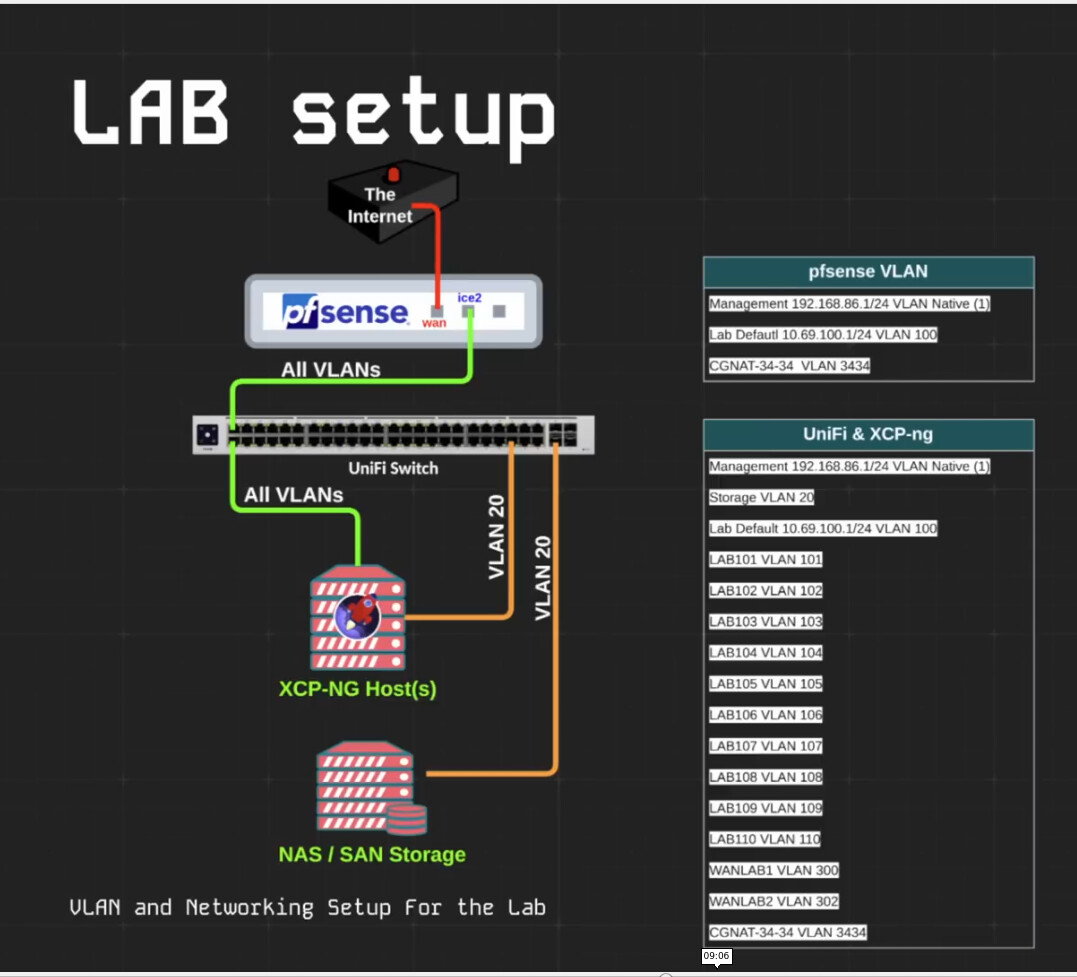
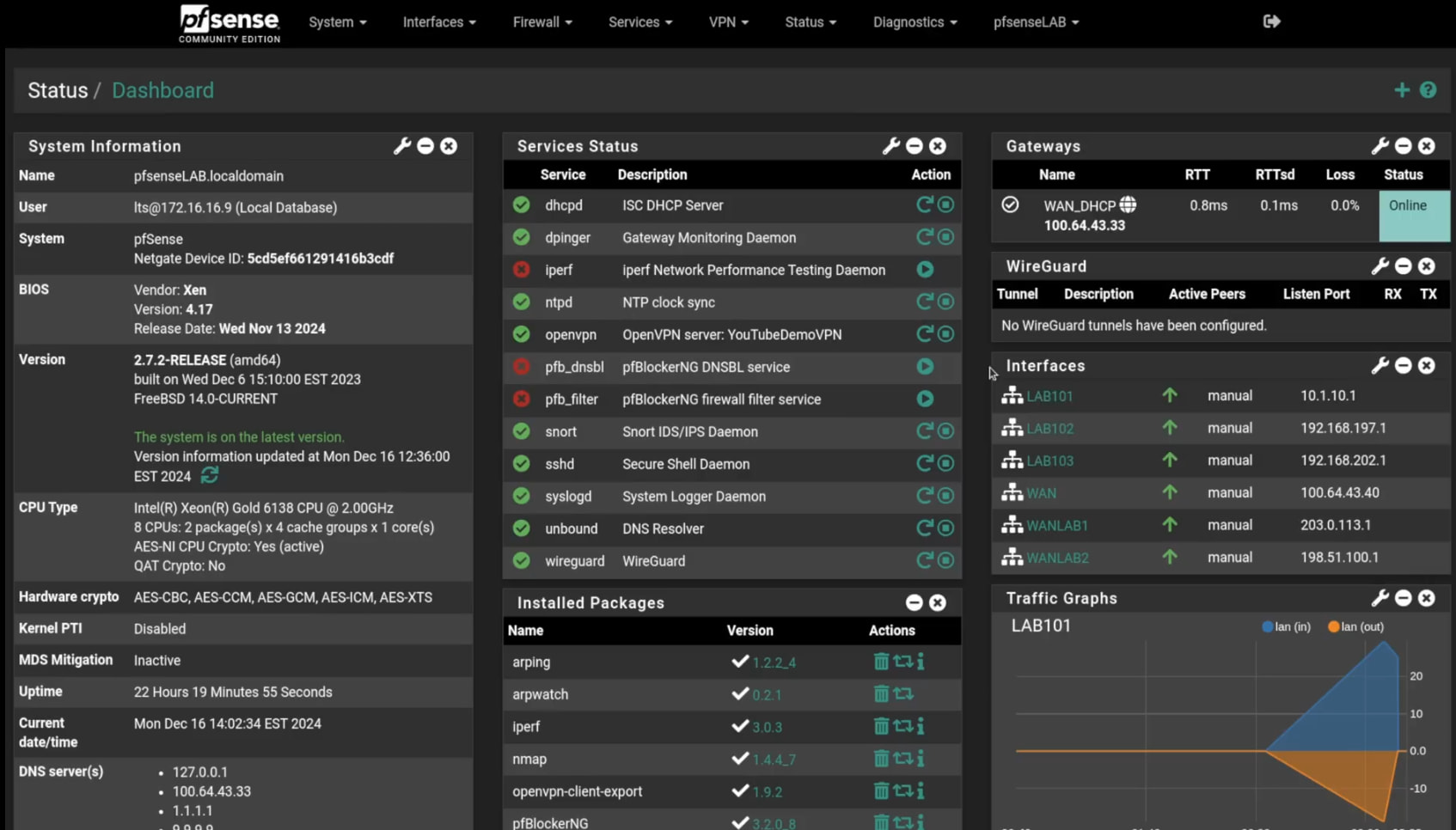
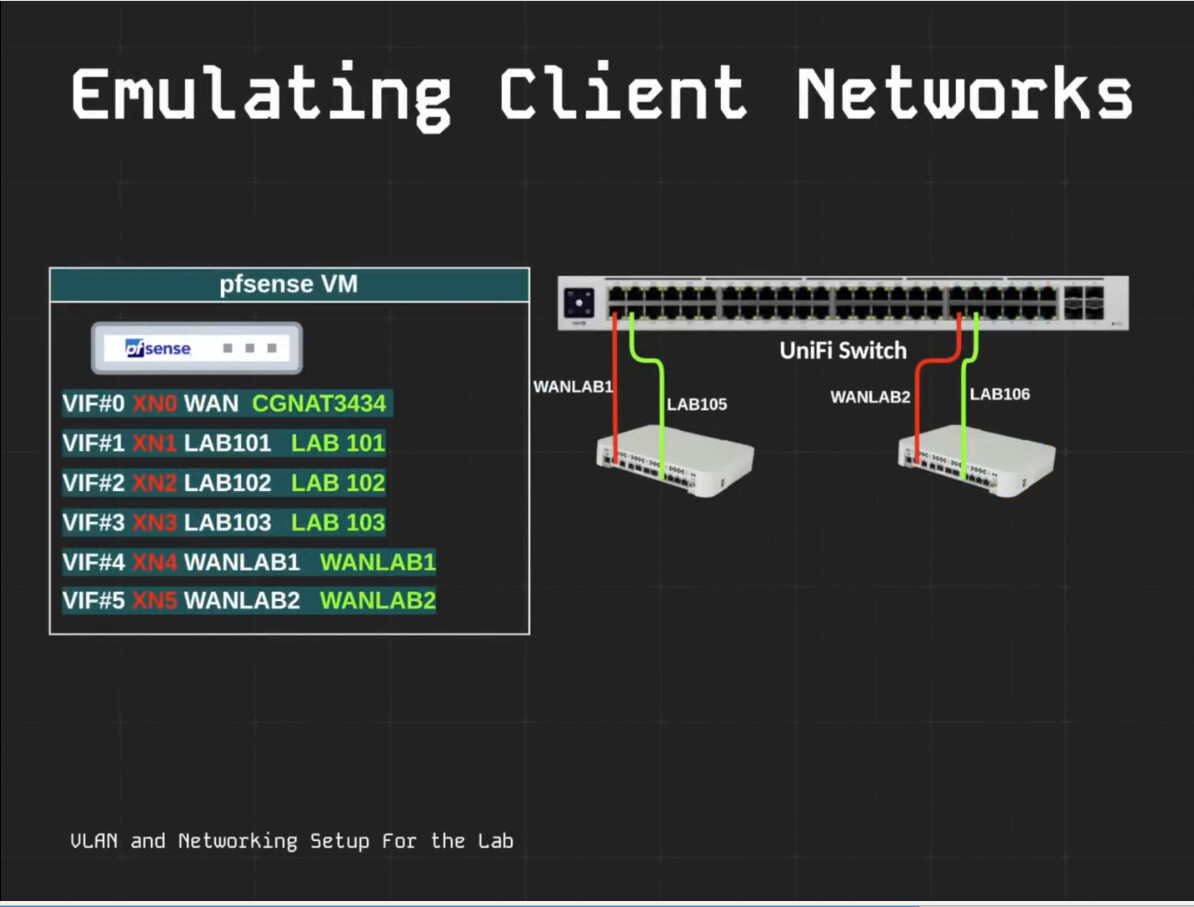
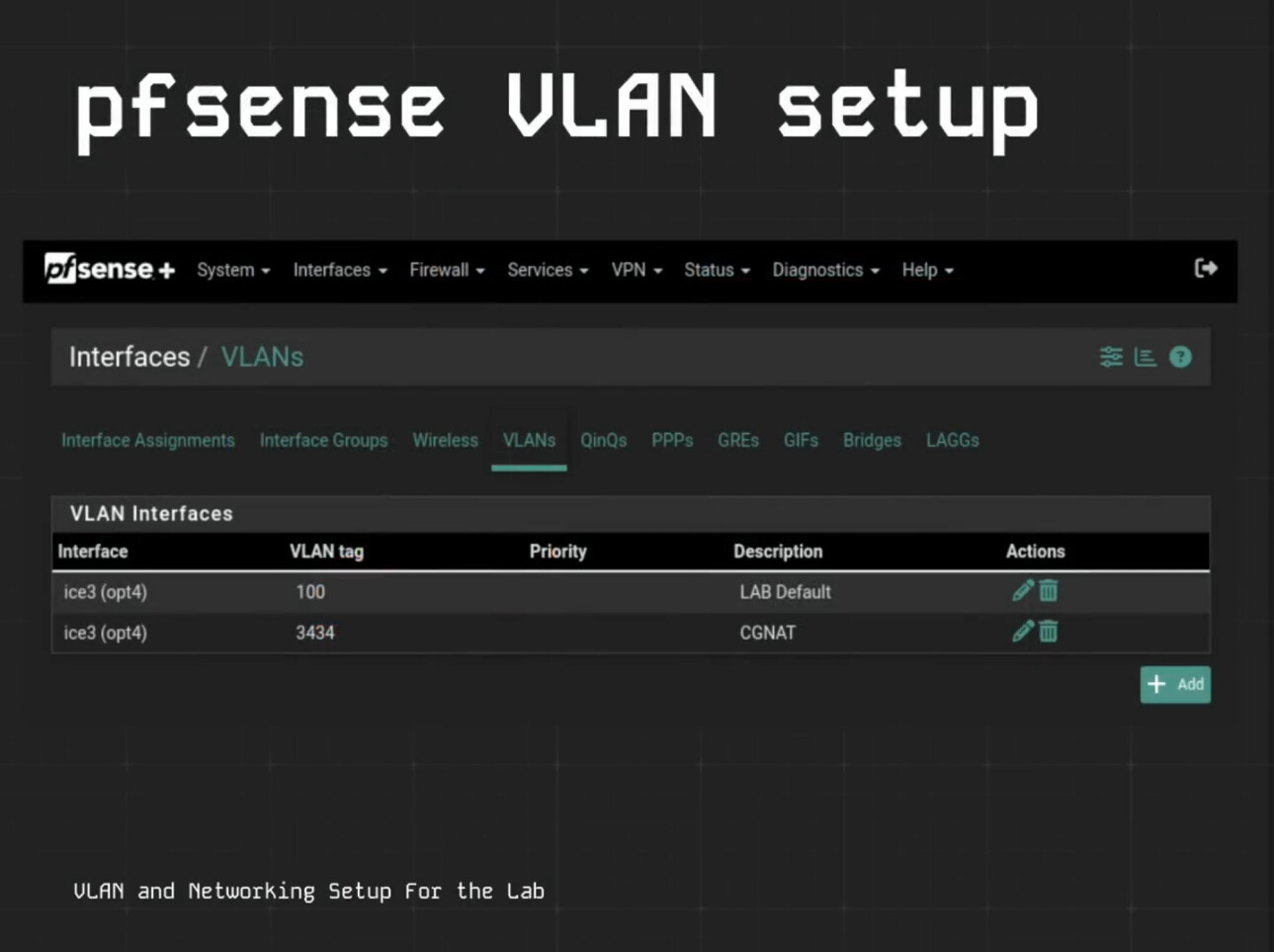
Please inform me when you complete it.
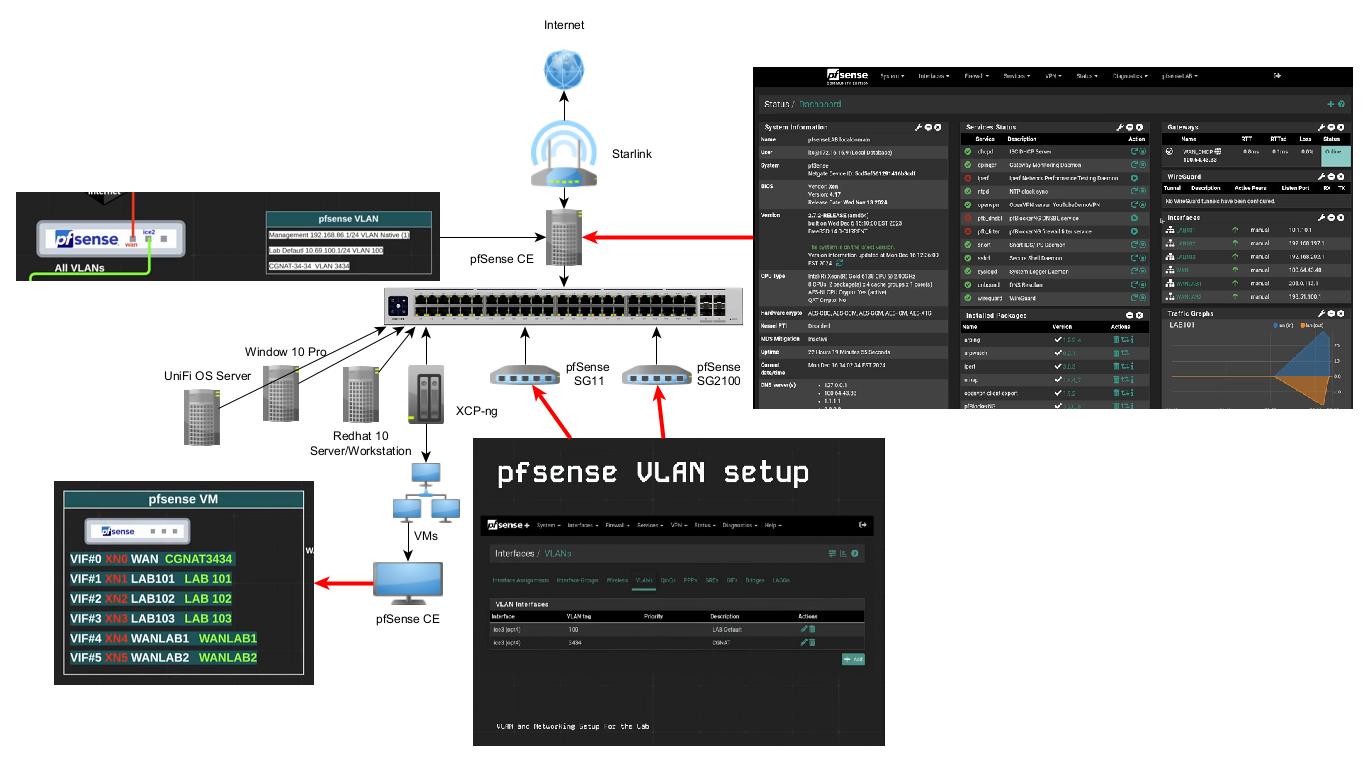
This is my home lab and the only equipment I have in an attempt to setup a lab like yours. But having difficulty. The current version of pfSense
2.8.1-RELEASE (amd64)
built on Tue Sep 9 10:29:00 MDT 2025
FreeBSD 15.0-CURRENT
does not have an updated xe-guest-utilities and therefore I can not get the IPs to show in XCP-ng. In attempting to create a isolated network using the VM pfSense, the LAN can not access the internet. Only pfSense. I will put together a detailed diagram what I’ve done so far and hopefully you will be able to see were I"m going wrong.