I recently deployed pfBlockerNG on my firewall and it does such a good job, my local now only digital newspaper will not allow me to login unless I disable it! One option would be to just cancel my account at the paper, but that’s not really desired by others on my LAN….so I’m curious if there’s a simple way to allow a certain device (with a static IP on my LAN which can be named in an alias group) to bypass the pfBlockerNG service? Thanks for any assistance on this.
Yes. Just define custom DNS under DHCP static mapping, and that client will go around pfblockerng.
Thanks. That seems too simple 
So pfBlockingNG only interrupts outgoing to the DNS servers listed in setup?
Simple or not, thats how it works.
Thanks for the help!
So it turns out that changing the DNS server setting in the pfSense+ DHCP static lease settings for a given device causes some sort of conflict because once I modified it’s static mapping to use the 1.1.1.1 DNS server, and then rebooted everything, the device was unable to connect to my wifi access node until I removed that setting. That is, it could connect to the wifi access point, but it couldn’t resolve IP addresses with that setting until I removed that setting. I guess I’m going to have to create some LAN rule(s) to somehow allow that specific device to resolve addresses via a public DNS site (like 1.1.1.1). Thanks
First time i hear about such issue. I have several devices with exact same configuration, and they are all working without any issues for 10 years now. Wireless android devices, wired smart TVs and several wifi and wired iot devices. Something is wrong with your pfsense configuration or client.
Well, I currently have it set to encrypt my requests out to the DNS resolver servers setup in my System>General Setup. I believe the encryption is causing the problem when I redirect the device (in question) to resolve out to a straight up Cloudflare DNServer @1.1.1.1
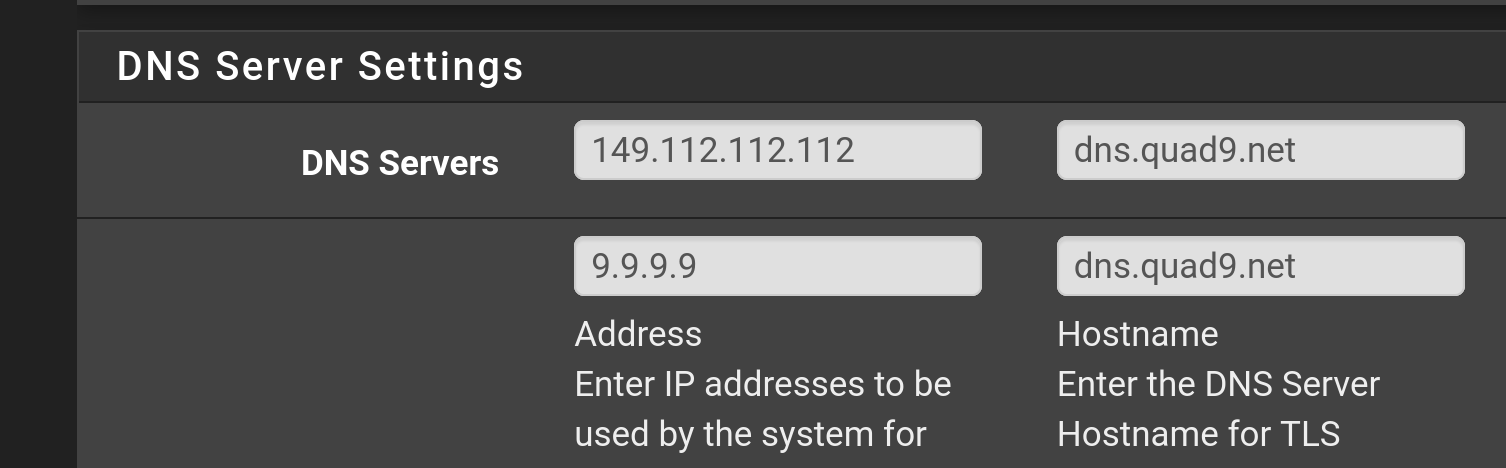
I use encryption too. The only difference is, i use Quad9 instead of CF. These are my DNS resolver settings.
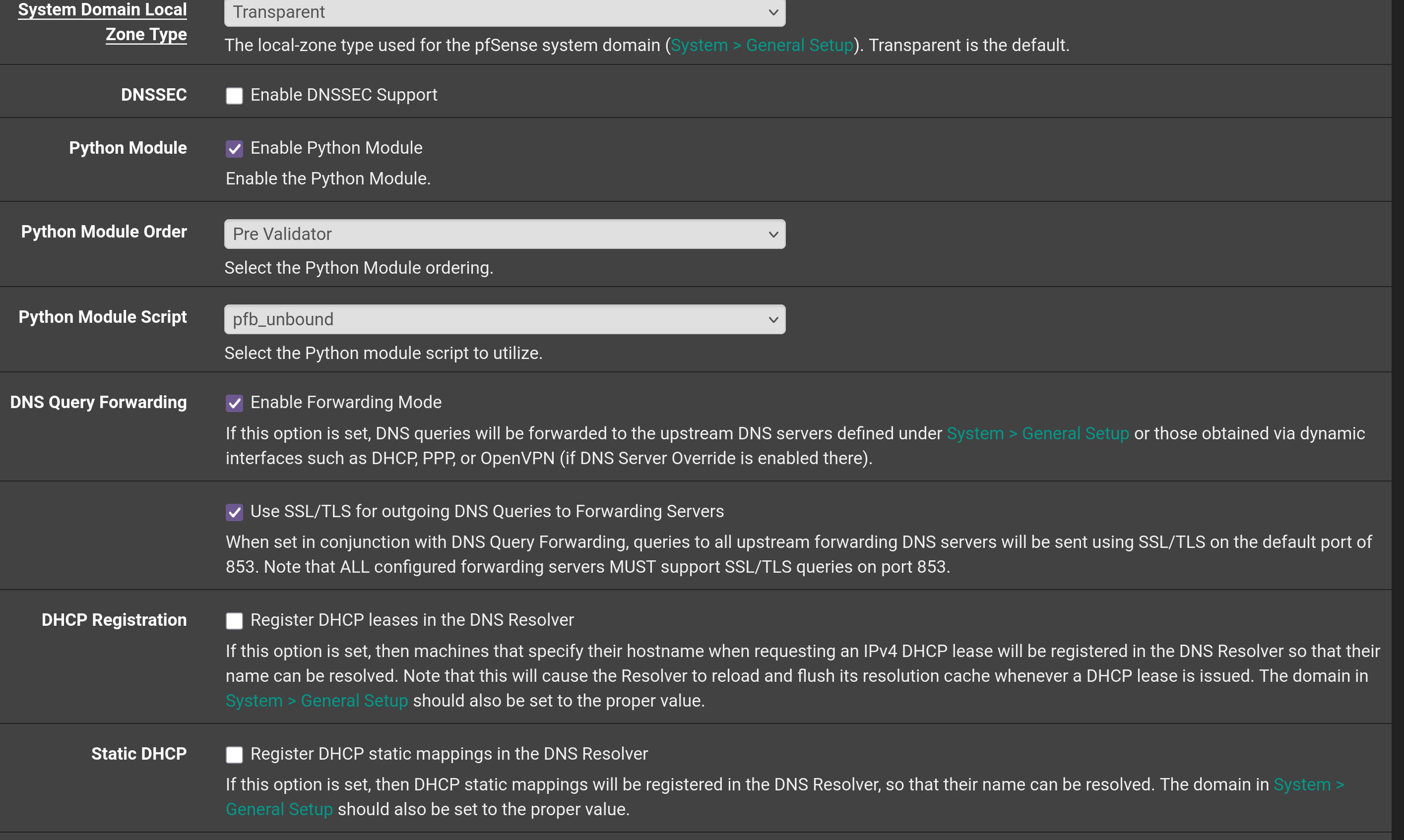
These are my settings in System / General setup.
And this is one of my TVs connected over wifi and its static mapping setting under Services / DHCP Server.
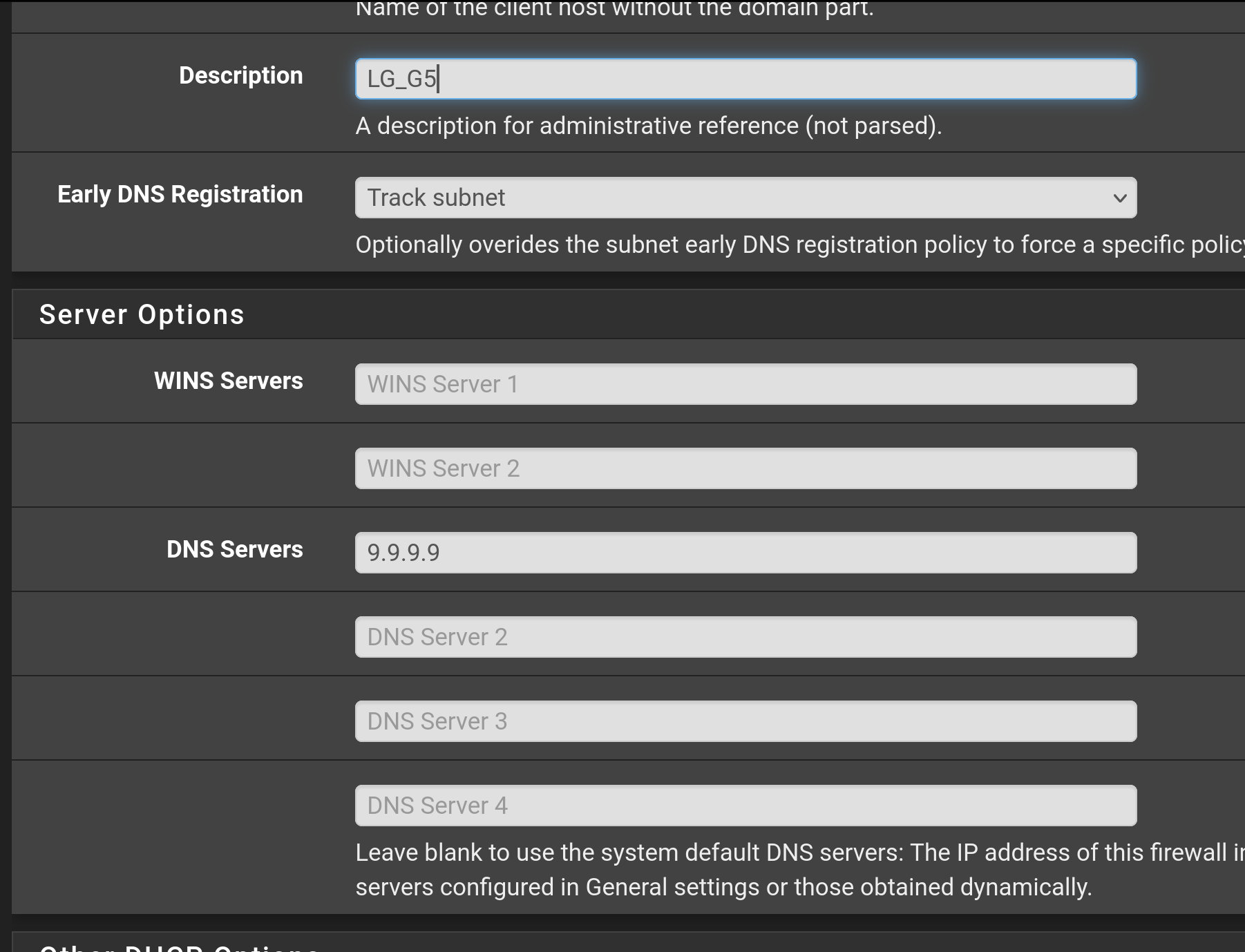
Clients without static mappings are getting sinkholed by pfblockerng and they use encrypted DNS over TLS. Clients with DNS setting defined in DHCP static mapping are going around pfblockerng and they go unencrypted to Quad9. No issues at all on pfSense CE 2.8.1. I dont have any clients that randomize or spoof their MAC addresses. So check that at your end.
Thanks for that info- I too use Quad9 for my DNS resolver but elected to use Cloudflare’s 1.1.1.1 for this particular device’s DNS in the static mapping settings… I wonder if using a different DNS address for that device is causing the problem?
Also- it looks like you’re using unbound and have a script for it there- I don’t use unbound- just pfBlockerNG
No scripts. I just switched pfblocker from unbound to python mode for efficiency because i use dnsbl lists that have more than 3M entries in them.
Really strange b/c as soon as I identify a separate DNS address on my single device’s static mapping, it stops getting DNS resolutions and as a result- has no ability to browse to any site. There has to be a way to modify a specific device to resolve addresses through a separate channel…but just changing the DNS address on the static mapping settings page doesn’t do it.