so it is indeed blocking 1.1.1.1, but when I download Snort_ipblocklist, that address is nowhere in the list. What am I missing? And who or why would they block cloudflare dns?
Definitely use pfBlockerNG devel. As I understand it the non-devel version is no longer maintained. But I guess the bigger question for me is how did Snort get involved? Snort is an intrusion detection/prevention system, separate and apart from pfBlocker. When I check my pfBlocker feeds, Snort is not an option, but I don’t use Snort, I use Crowdsec. Do you have snort somehow feeding pfBlockerNG?
I would do two things. First, I would ditch Snort. Snort can’t work on encrypted packets, and with >90% of your traffic being TLS encrypted, Snort isn’t going to be very effective unless you do SSL/TLS interception (which is complex, breaks things, and has its own security implications). If you want an IDS/IPS, I would advise you look at Crowdsec instead.
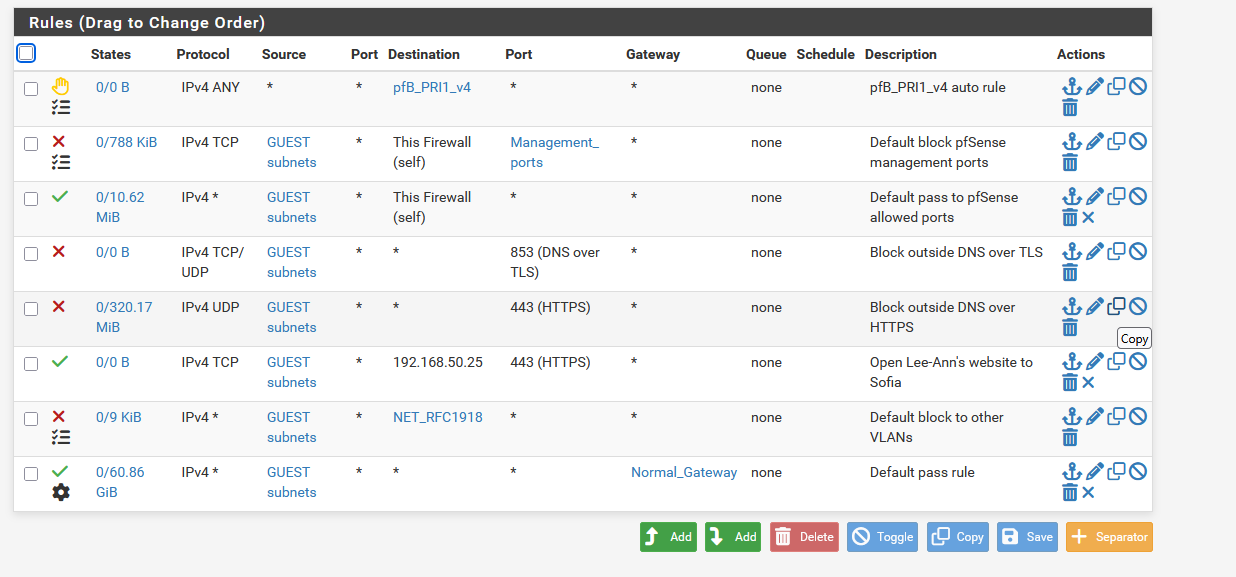
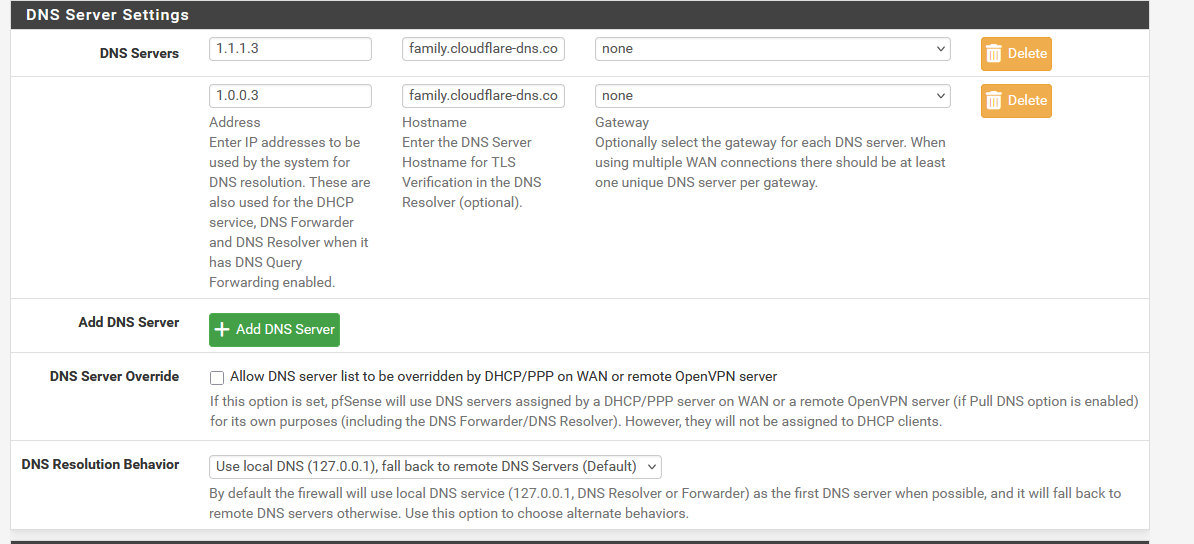
Second, you probably don’t want to send un-encrypted DNS traffic to Cloudflare. I force everything out to cloudflare encrypted. I also have firewall rules to block all external DNS, and I did a sink hole for the Firefox canary domain (DNS Host override to point use-application-dns.net to 0.0.0.0)