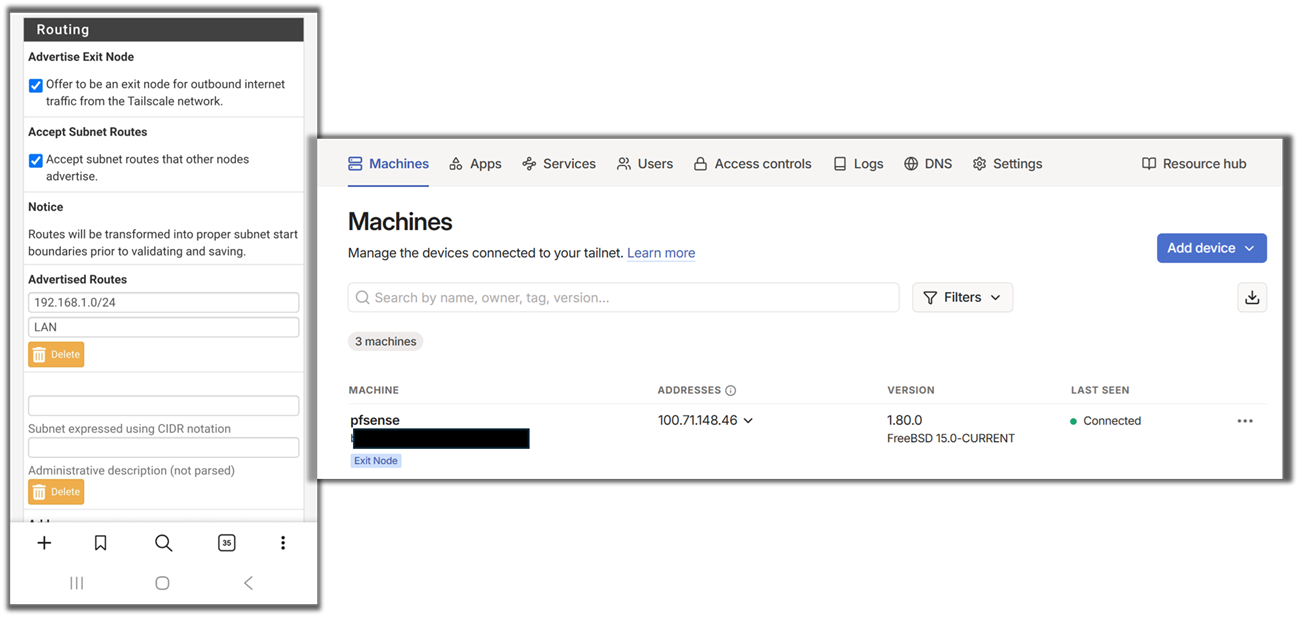
I am moving from Wireguard to Tailscale. I have been able to get the exit node function to work, but I am not able to get my PF Sense router to advertise subnets. I have watched various videos and from I can tell it just works when you put in your subnet into the routing section. I am at a loss as to why my PF Sense is not showing its subnets. I am attaching some pictures to show my settings and admin console.
We need more intformation on how you setup tailscale on pfsense. but to enable subnet routing, go to VPN > Tailscale > Settings > Routing in pfSense. Under Advertised Routes, add the subnet CIDR range (e.g., 192.168.0.0/24) that you want to expose to the tailnet. In the Tailscale admin console, click the three dots next to the pfSense device and select Edit route settings. Under Subnet routes, check the newly added subnet to approve it.
For proper routing, configure the pfSense firewall to allow outbound NAT for traffic from the subnet. Set the outbound NAT rule to Hybrid Outbound NAT, with the interface set to Tailscale, and the source network set to the subnet (e.g., 192.168.0.0/24). If using a newer version of pfSense where NAT aliases are missing, manually configure the translation with the Tailscale IP address (e.g., 100.xx.xx.xx/32).
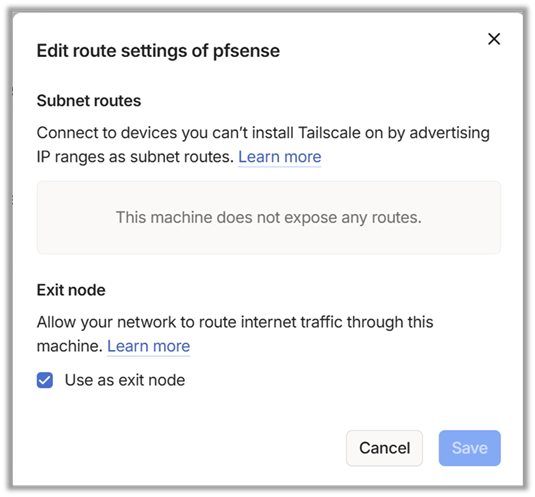
Thanks for the reply. Your first paragraph is where I am having the issue. I have added my subnet (see screenshot) but Tailscale says the machine is not passing any routes. See the below screenshot.
Is it possible my subnet address in TailScale wrong? Here are my two settings in PF Sense:
Interfaces→LAN→IPv4 Address: 192.168.1.1/24
VPN→Tailscale→ Settings→192.168.1.0/24 (I do press Save and Apply in PFSense).
I haven’t done the NAT yet but I am glad you mentioned it as I am on PFSense CE 2.8.1 and the videos were confusing me on that part. But right now it is a moot point since I can’t even get Tailscale to acknowledge the subnets in the admin console.
Okay. I deleted everything to start over and now it works. Subnets are showing as options and I am able to approve in the admin console.
I added the following to the NAT rules (pic below). This seems to work but is different than adding the 100.XXX tailscale address in translation section. Is the rule I have in place okay or would it cause some issue I cannot think of?