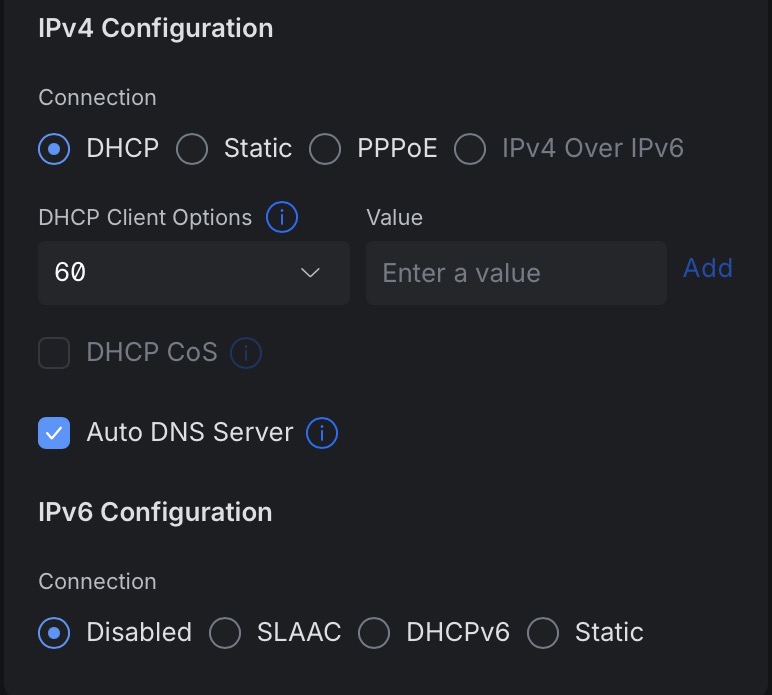
What is it?
I fight with DNS settings as along with my ISP servers also Cloudflare is permanently involved.
I didn’t set Cloudflare and I dont want it. DNS setting is on AUTO
What is it?
I fight with DNS settings as along with my ISP servers also Cloudflare is permanently involved.
I didn’t set Cloudflare and I dont want it. DNS setting is on AUTO
I’m not entirely sure what you are talking about. Can you go more into detail about your setup?
I just want to know what is option 60. It is enabled since I initiated the router (UDR7) and everything is working fine. Well except the unwanted Cloudflare DNS servers.
The Ubiquiti AI don’t know what option 60 is 
Option 60 is the vendor class identifier (VCI). Some ISPs require it for DHCP. Has nothing to do with DNS.
I don’t know of such a thing in DNS, however there is a DHCP Option 60. It’s set on a client device to tell a server about the type of equipment it is.
I don’t think it will have anything to do with using Cloudflare DNS unless you set a specific pool of DHCP-assigned IP addresses to use different settings based on the vendor identifier.
Unrelated. You can send DNS settings to a client via DHCP, though. The way you have it set, the DHCP server will automatically choose the DNS settings to send. I bet if you hover your mouse over that “i” in the circle next to it, you’ll get more information.