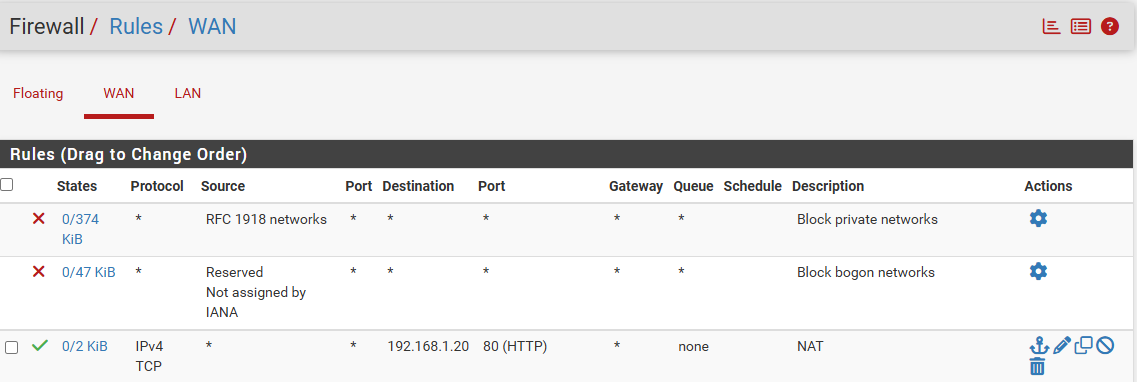
I recently got my pfsense working thanks to the help found here.
now next issue:
I am trying to portforward to my Domain that is assigned a Static IP issued by Cox,
when I enter the domain name it takes me to the pfsense Dashboard but shows nothing but the red background and the message Potential DNS Rebind attack detected
I tell you I am SOOO uneducated in this, wish I could just sit down with someone and run me through the setup and then into port forwarding, That said.
I am trying to forward port 80 to an application trying to host from home
I have a Static IP from Cox Business
I wonder if it is wise in my case to disable the error message I was getting and just configure the system correctly
In a previous post, you gave us your public ip. Somehow, your domain name (eg. keith.com) should point to that ip. There are Dynamic DNS services that can do so. When I go to http://keith.com, it will go to your public ip, then hit pfsense on the WAN side, then it will point to the server 192.168.5.10 port 80, and serve the website.
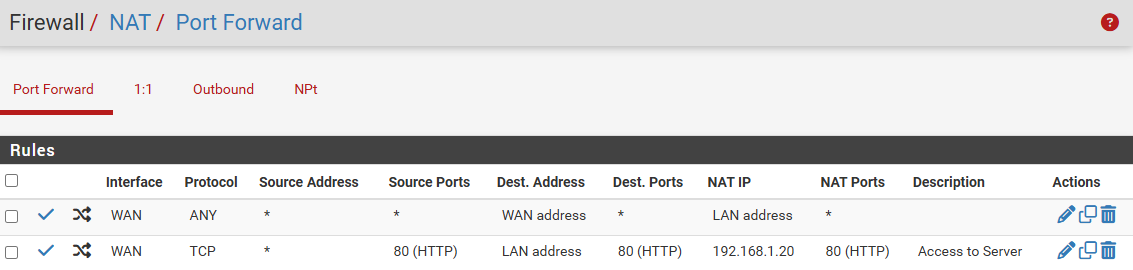
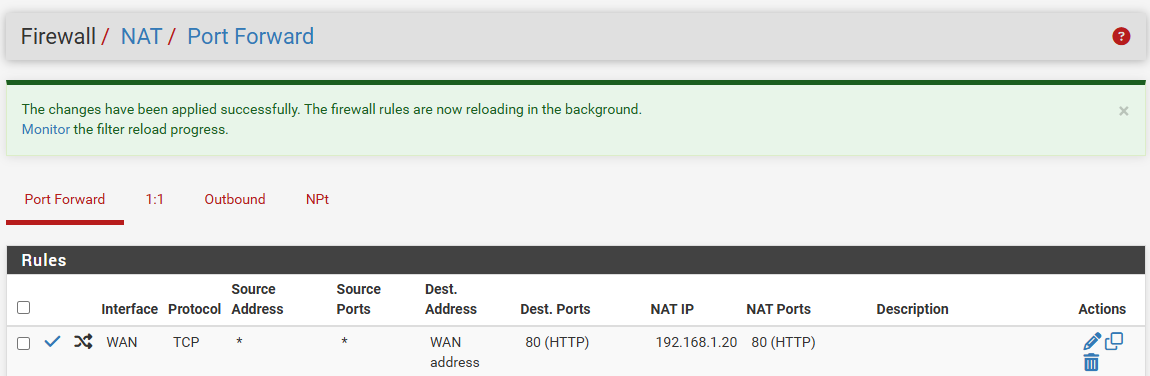
Firewall > NAT > Port Forward > new rule
Interface = WAN
Address Family = IPV4
Protocol = TCP
Source = ANY
Source Port Range = HTTP
Destination = WAN Address
Destination Port Range = HTTP
Redirect Target IP = 192.168.5.10
Redirect Target Port = HTTP
Description = Keith Website
just trying to forward port 80 with a Static IP from cox, my network is working using it right now.
but forwarding port 80 is not working, what information do you need from me to help me.
I can ping my domain from a workstation on the network, from the pfsense console, from the server and from a external website that checks open ports it show open but Diagnostics/Test Port fails
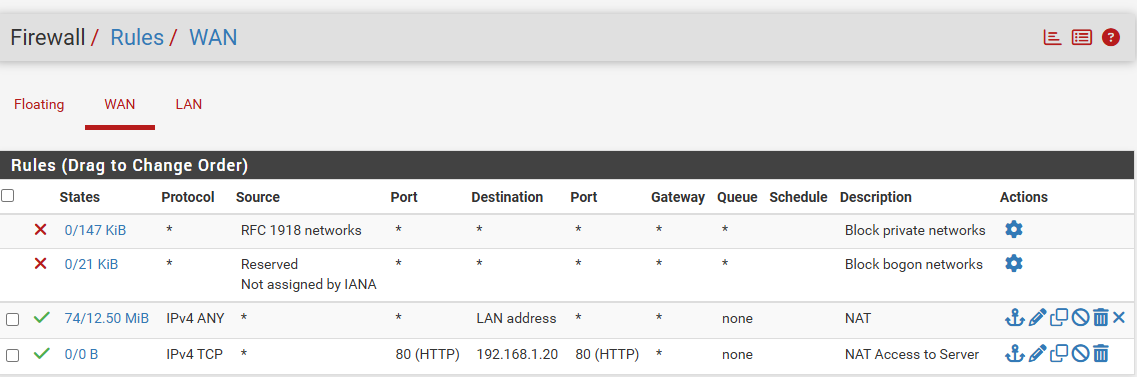
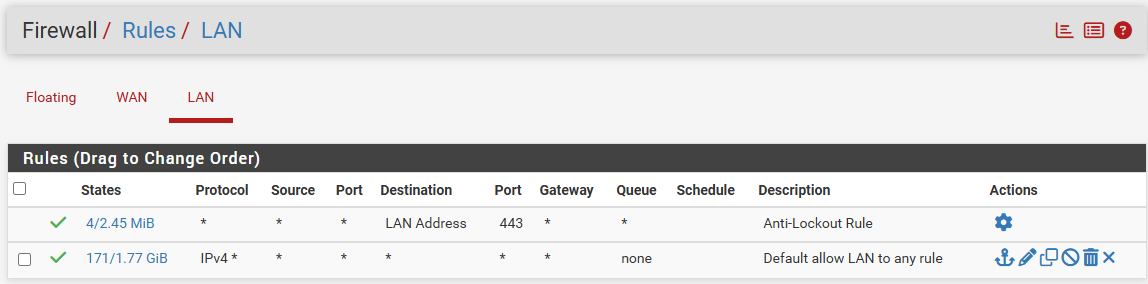
I tested the LAN settings … the last two boxes either checked or unchecked allow me to see my website from outside. Only if I change the WAN settings and check [private, bogon] I cannot see my website. I assume you corrected the NAT rule to use WAN address as Dest.
You might ask COX, verify that business accounts do NOT have port 80 blocked.
Jumping in here a bit late, but what are your trying to accomplish by forwarding your domain name to your static ip from public internet? Just a thought, if you are wanting access to your internal web resources from the internet, a better solution might be using Cloudflare service