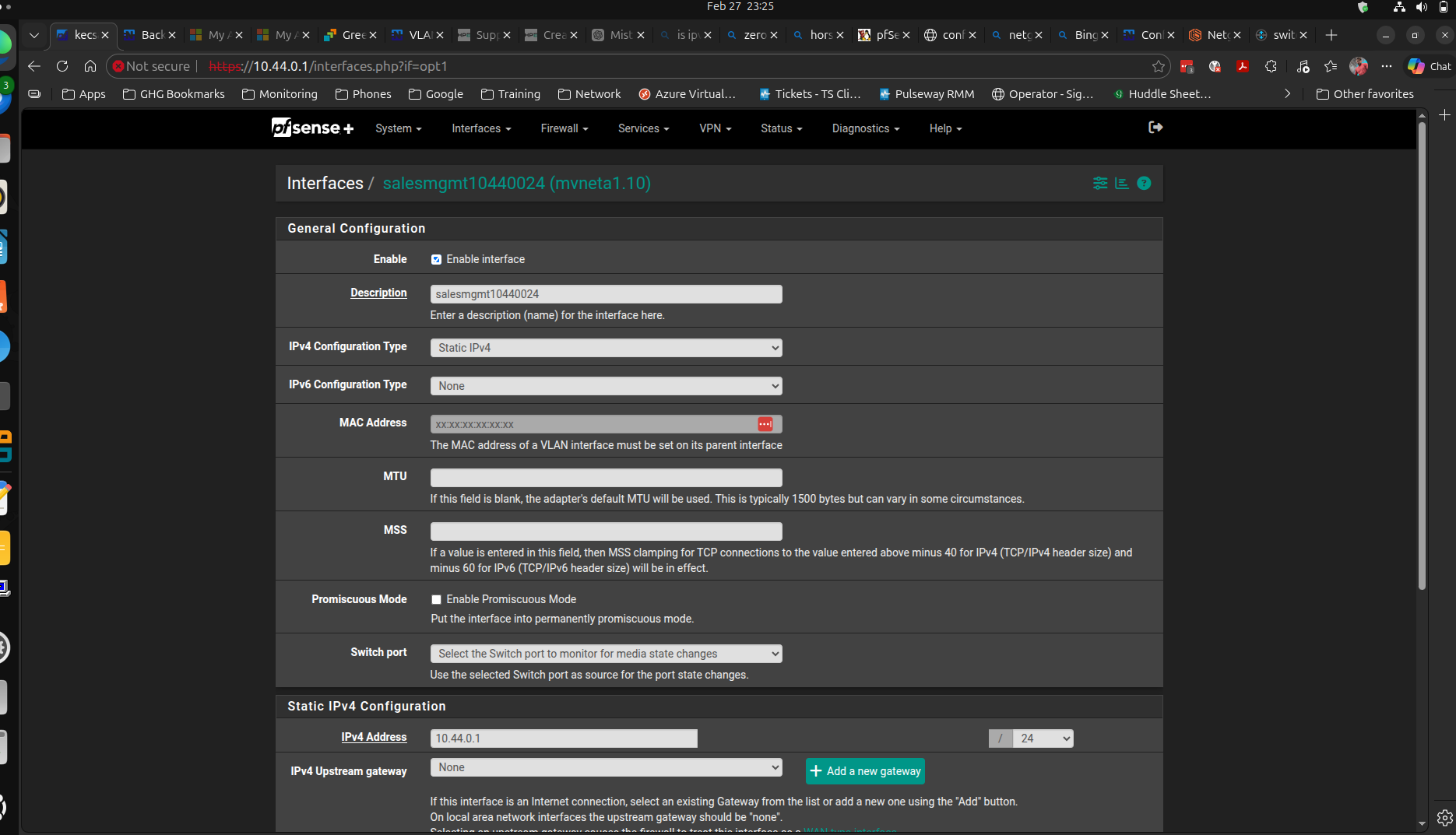
I’m at a total loss here.
I’ve been troubleshooting this issue for like 16 hours today.
I picked up a couple of netgate 2100’s for some new sites recently, I really want to push my org to use netgate because I love the products, however, I can’t for the life of me get a basic downstream mist joined juniper switch online.
I’m sitting here, typing this connected to this firewall, on my intended MGMT vlan however, when I plug my switch in and it starts the ZTP process, I can see it pull an IP for about 30 seconds, at which point it takes the config and then loses connection.
This is likely because, of the wonkiness of the marvell switch situation on the firewall.
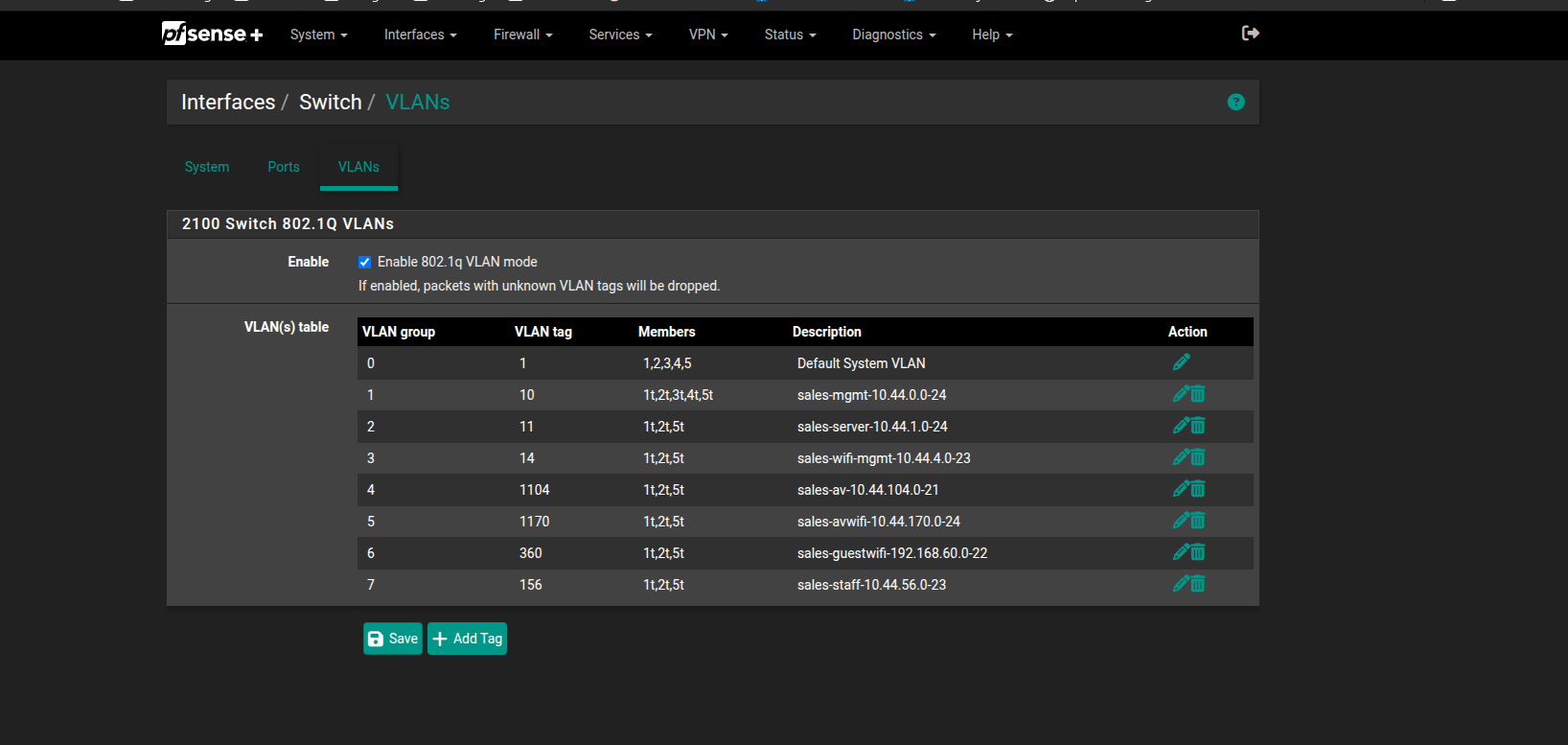
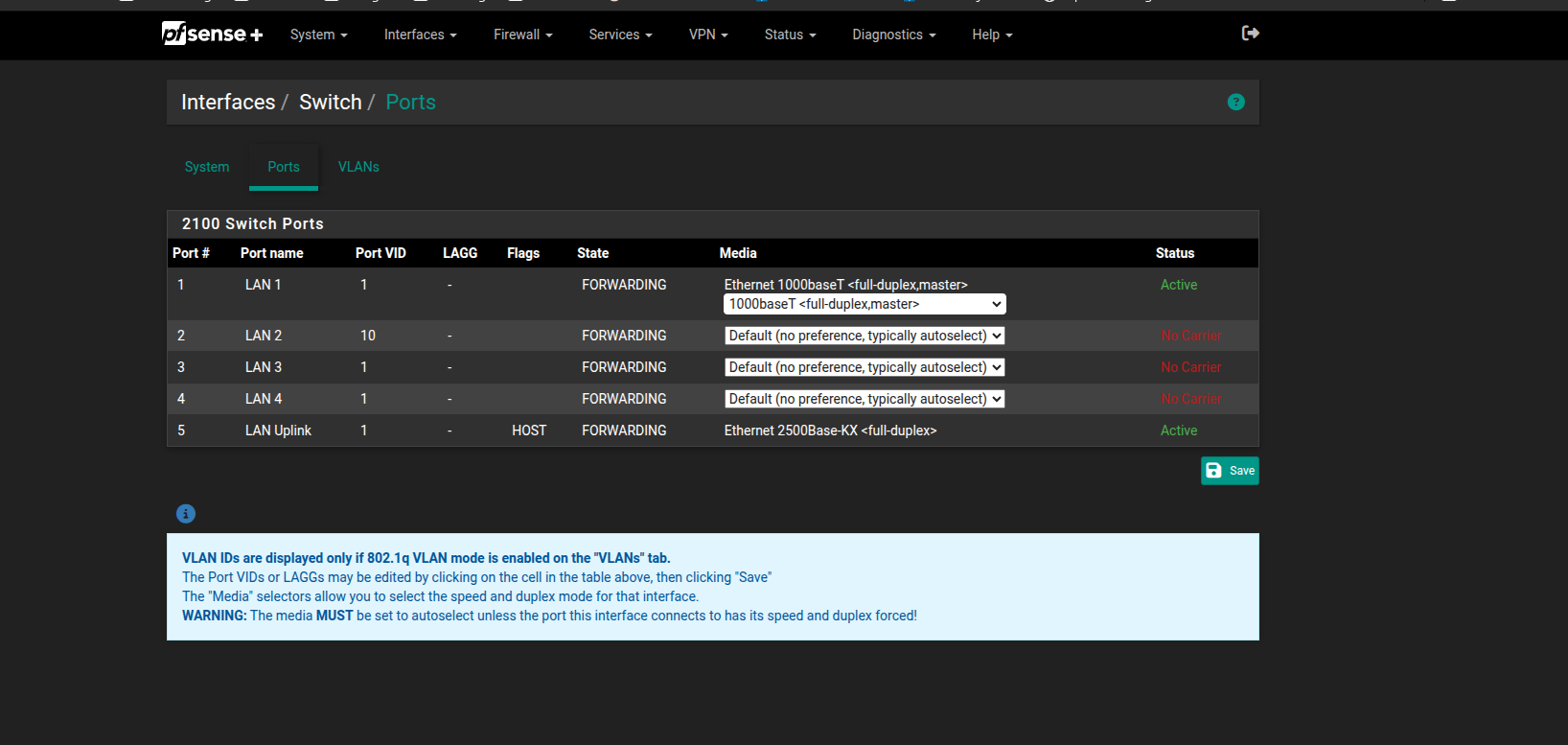
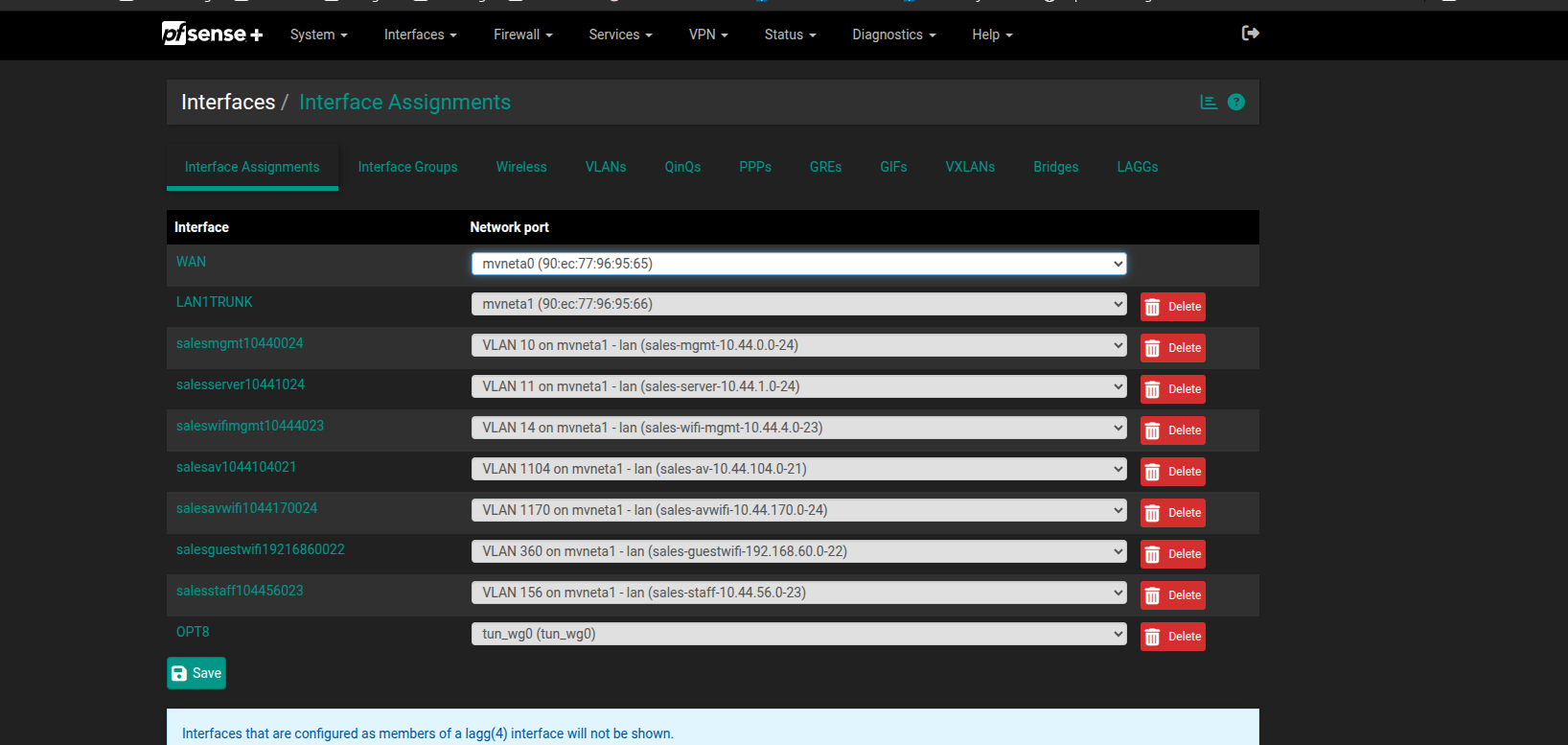
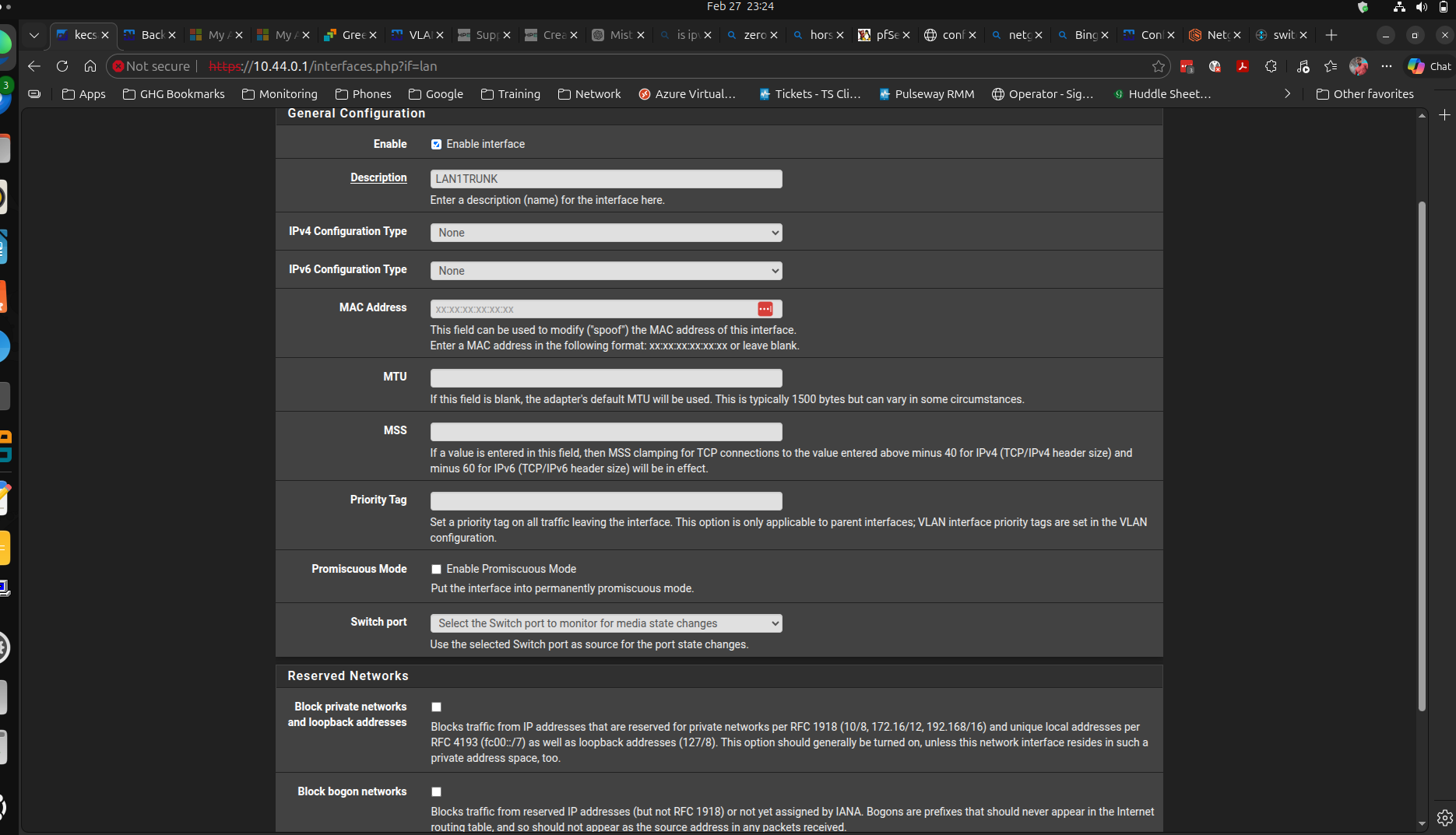
When juniper switches pass traffic over a port profile, you generally set a vlan, the category is titled “Untagged/Native Vlan” regardless of the profile type itself, the challenge being that I can’t change the native vlan on the marvel switch thing. (at least that’s what it feels like.) I’m going to attach some screenshots, but if anyone has time to explain this to me it would be helpful.
VLAN 10 is my intended MGMT vlan for this switch to live on and I’ve tried everything from changing the port VID, tagging and untagging all member interfaces on that vlan, etc… but it just won’t work. meanwhile I can assign any of these vlans on the netgear switch and voila it just works without any problem lol am I basically required to use vlan 1 as my default vlan for this switch? it doesn’t match any of our other sites and will look like a workaround to the rest of the team, and therefore not a great look for the netgates.
I’ve read all of their docs on the subject and frankly they aren’t clear at all. I’ve also watched tom’s vids and they don’t seem to cover this kind of scenario, unless I’m misunderstanding things.