I’m trying to host a server on an OpenVPN client, due to CG-NAT / another network I’m unable to manage myself. (the latter even blocks WireGuard; I can transmit packets, but not receive them)
This is what I’m trying to achieve:
Server (Minecraft/otherwise), running on port 12345 on OpenVPN Client (Windows), local IP = 172.27.222.2 -> OpenVPN Server, IP = 108.0.0.2 (fictional) -> People connect to server running on client by entering 108.0.0.2:12345
The OpenVPN server is a DigitalOcean Droplet running Debian.
How do I forward ports the right way within OpenVPN/iptables? I’ve tried some commands, but they don’t seem to work…
Netbird? The only problem I’ve had with this is moving “big” files from one place to another. And this files issue might be my connections and how I’m sneaking things through both a CGNAT and multi step NAT on the other end. Using the free Netbird reflector that they offer through their webhost.
I’m also only using it to manage things with a webhost on the far end (Windows Admin Center, Xen Orchestra, XO-Lite, etc.), or RDP into Windows hosts if WAC doesn’t do what I need or how I need to see it. It goes to my lab so if something breaks, it’s not a big deal.
After some more digging/brainstorming, I finally got it working!
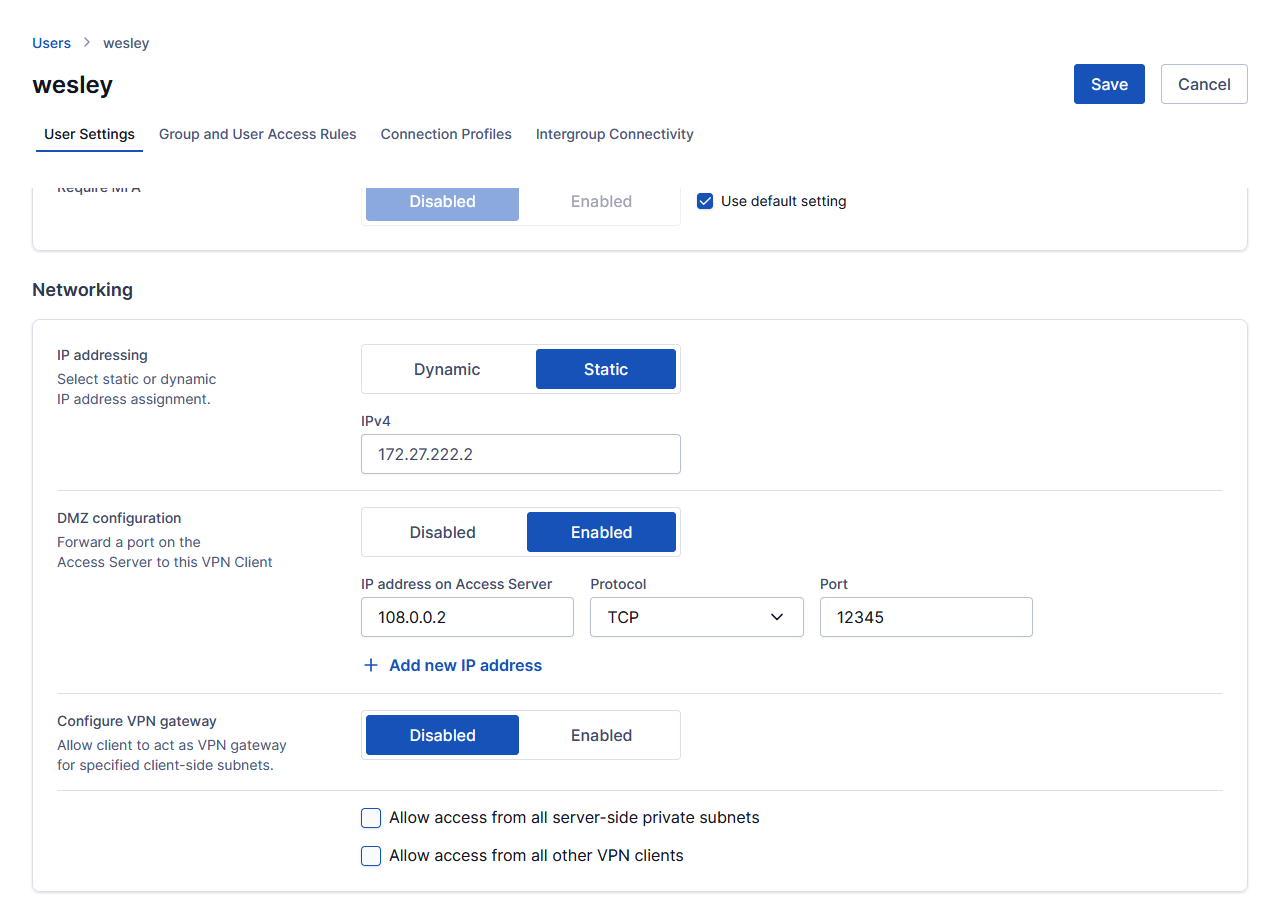
On the user settings, scroll down to Networking, set “IP addressing“ to “Static“, enter an address from your static subnet. Then, enable DMZ, type the server’s local LAN IP (or, in case of a hosted one, the WAN IP) in the “IP address on Access Server“ field, then enter the port you want and then hit Save, followed by Restart.
If you have an antivirus with a built-in software firewall, like Norton, make sure that it trusts the virtual network that OpenVPN Connect (Windows) puts up. (should be on “Home“, not on “Public“)