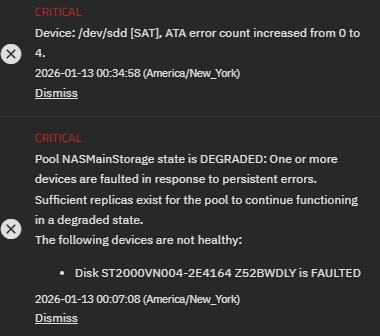
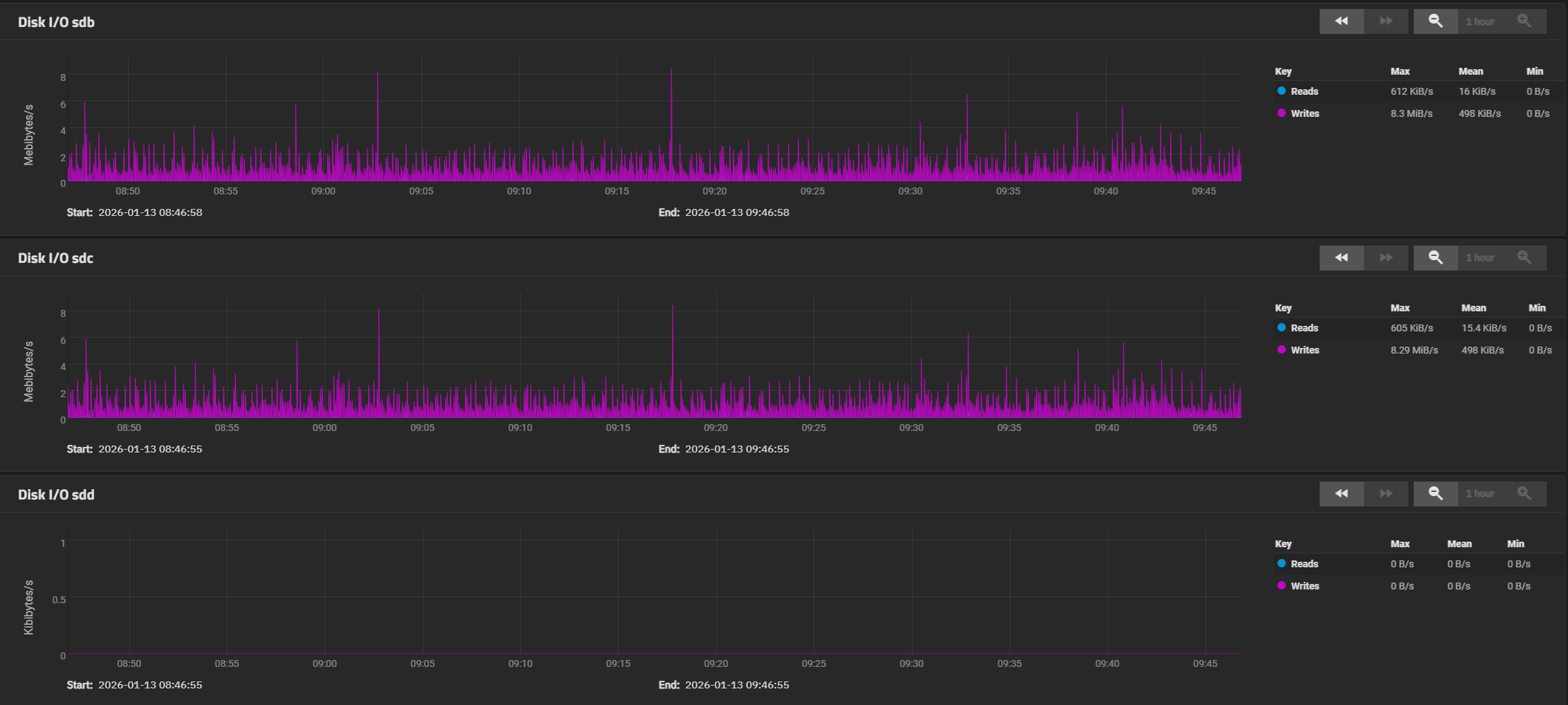
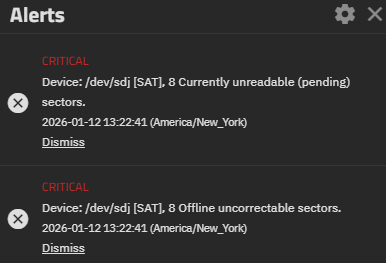
Hello everyone. I received my first error from truenas scale. I been looking around on the net and I was not able to find any usefully information about this error, only that the disk might be dying. I reboot the truenas VM in hope that it might just self resolve something.. While that was rebooting I found a command I could need to check status of the disk and status from smartctl. It looks like im not getting any errors anymore but I want to make sure im looking at this correctly.
I have added a screenshot of the log and results of the two commands i used.
root@home-nas[~]# sudo zpool status -v
  pool: LargeNASPool
 state: ONLINE
config:

        NAME                                      STATE     READ WRITE CKSUM
        LargeNASPool                              ONLINE       0     0     0
          raidz1-0                                ONLINE       0     0     0
            3074bf13-301c-4ea8-ac1b-7d6a9d442cae  ONLINE       0     0     0
            f4e462cb-ab9e-49a1-9219-42dbffff6c12  ONLINE       0     0     0
            26942678-970a-41ec-9d9f-68e26553cdc5  ONLINE       0     0     0
        logs
          5bbc06e0-f085-482d-b4ed-7b427e7e5cc4    ONLINE       0     0     0

errors: No known data errors

  pool: NASMainStorage
 state: ONLINE
  scan: scrub repaired 0B in 02:09:21 with 0 errors on Sun Jan  4 02:09:27 2026
config:

        NAME            STATE     READ WRITE CKSUM
        NASMainStorage  ONLINE       0     0     0
          raidz1-0      ONLINE       0     0     0
            sdb2        ONLINE       0     0     0
            sdc2        ONLINE       0     0     0
            sde2        ONLINE       0     0     0
            sdd2        ONLINE       0     0     0
        logs
          sdj1          ONLINE       0     0     0

errors: No known data errors

  pool: boot-pool
 state: ONLINE
  scan: scrub repaired 0B in 00:00:36 with 0 errors on Mon Jan 12 03:45:37 2026
config:

        NAME        STATE     READ WRITE CKSUM
        boot-pool   ONLINE       0     0     0
          sda3      ONLINE       0     0     0

errors: No known data errors
root@home-nas[~]# sudo smartctl -a /dev/sdj
smartctl 7.4 2023-08-01 r5530 [x86_64-linux-6.6.44-production+truenas] (local build)
Copyright (C) 2002-23, Bruce Allen, Christian Franke, www.smartmontools.org

=== START OF INFORMATION SECTION ===
Model Family:     Samsung based SSDs
Device Model:     Samsung SSD 850 EVO 250GB
Serial Number:    S2R5NB0HA56373R
LU WWN Device Id: 5 002538 d41552100
Firmware Version: EMT02B6Q
User Capacity:    250,059,350,016 bytes [250 GB]
Sector Size:      512 bytes logical/physical
Rotation Rate:    Solid State Device
Form Factor:      2.5 inches
TRIM Command:     Available
Device is:        In smartctl database 7.3/6061
ATA Version is:   ACS-2, ATA8-ACS T13/1699-D revision 4c
SATA Version is:  SATA 3.1, 6.0 Gb/s (current: 6.0 Gb/s)
Local Time is:    Mon Jan 12 15:13:16 2026 EST
SMART support is: Available - device has SMART capability.
SMART support is: Enabled

=== START OF READ SMART DATA SECTION ===
SMART overall-health self-assessment test result: PASSED

General SMART Values:
Offline data collection status:  (0x00) Offline data collection activity
                                        was never started.
                                        Auto Offline Data Collection: Disabled.
Self-test execution status:      (   0) The previous self-test routine completed
                                        without error or no self-test has ever
                                        been run.
Total time to complete Offline
data collection:                (    0) seconds.
Offline data collection
capabilities:                    (0x53) SMART execute Offline immediate.
                                        Auto Offline data collection on/off support.
                                        Suspend Offline collection upon new
                                        command.
                                        No Offline surface scan supported.
                                        Self-test supported.
                                        No Conveyance Self-test supported.
                                        Selective Self-test supported.
SMART capabilities:            (0x0003) Saves SMART data before entering
                                        power-saving mode.
                                        Supports SMART auto save timer.
Error logging capability:        (0x01) Error logging supported.
                                        General Purpose Logging supported.
Short self-test routine
recommended polling time:        (   2) minutes.
Extended self-test routine
recommended polling time:        ( 133) minutes.
SCT capabilities:              (0x003d) SCT Status supported.
                                        SCT Error Recovery Control supported.
                                        SCT Feature Control supported.
                                        SCT Data Table supported.

SMART Attributes Data Structure revision number: 1
Vendor Specific SMART Attributes with Thresholds:
ID# ATTRIBUTE_NAME          FLAG     VALUE WORST THRESH TYPE      UPDATED  WHEN_FAILED RAW_VALUE
  5 Reallocated_Sector_Ct   0x0033   100   100   010    Pre-fail  Always       -       0
  9 Power_On_Hours          0x0032   093   093   000    Old_age   Always       -       34841
 12 Power_Cycle_Count       0x0032   097   097   000    Old_age   Always       -       2132
177 Wear_Leveling_Count     0x0013   098   098   000    Pre-fail  Always       -       40
179 Used_Rsvd_Blk_Cnt_Tot   0x0013   100   100   010    Pre-fail  Always       -       0
181 Program_Fail_Cnt_Total  0x0032   100   100   010    Old_age   Always       -       0
182 Erase_Fail_Count_Total  0x0032   100   100   010    Old_age   Always       -       0
183 Runtime_Bad_Block       0x0013   100   100   010    Pre-fail  Always       -       0
187 Uncorrectable_Error_Cnt 0x0032   100   100   000    Old_age   Always       -       0
190 Airflow_Temperature_Cel 0x0032   070   039   000    Old_age   Always       -       30
195 ECC_Error_Rate          0x001a   200   200   000    Old_age   Always       -       0
199 CRC_Error_Count         0x003e   096   096   000    Old_age   Always       -       3174
235 POR_Recovery_Count      0x0012   099   099   000    Old_age   Always       -       552
241 Total_LBAs_Written      0x0032   099   099   000    Old_age   Always       -       20319037698

SMART Error Log Version: 1
No Errors Logged

SMART Self-test log structure revision number 1
Num  Test_Description    Status                  Remaining  LifeTime(hours)  LBA_of_first_error
# 1  Short offline       Completed without error       00%     34802         -
# 2  Short offline       Completed without error       00%     34634         -
# 3  Short offline       Completed without error       00%     34466         -
# 4  Short offline       Completed without error       00%     34298         -
# 5  Short offline       Completed without error       00%     34249         -
# 6  Short offline       Completed without error       00%     34081         -
# 7  Short offline       Completed without error       00%     33913         -
# 8  Short offline       Completed without error       00%     33746         -
# 9  Short offline       Completed without error       00%     33578         -
#10  Short offline       Completed without error       00%     33410         -
#11  Short offline       Completed without error       00%     33241         -
#12  Short offline       Completed without error       00%     33073         -
#13  Short offline       Completed without error       00%     32905         -
#14  Short offline       Completed without error       00%     32737         -
#15  Short offline       Completed without error       00%     32569         -
#16  Short offline       Completed without error       00%     32401         -
#17  Short offline       Completed without error       00%     32233         -
#18  Short offline       Completed without error       00%     32078         -
#19  Short offline       Completed without error       00%     31910         -
#20  Short offline       Completed without error       00%     31742         -
#21  Short offline       Completed without error       00%     31574         -

SMART Selective self-test log data structure revision number 1
 SPAN  MIN_LBA  MAX_LBA  CURRENT_TEST_STATUS
    1        0        0  Not_testing
    2        0        0  Not_testing
    3        0        0  Not_testing
    4        0        0  Not_testing
    5        0        0  Not_testing
  255        0    65535  Read_scanning was never started
Selective self-test flags (0x0):
  After scanning selected spans, do NOT read-scan remainder of disk.
If Selective self-test is pending on power-up, resume after 0 minute delay.

The above only provides legacy SMART information - try 'smartctl -x' for more
Thank you for your help and time.