Hi, Earlier this year I setup a dell Optiplex with pfSense then added a Unifi 8 port PoE lite switch with a flex mini and U6 Pro AP attached to it. All working fine with the Unifi controller hosted on another Optiplex running Ubuntu.
This past weekend I purchased a new Unifi Cloud Key Gen 2 Plus and a second flex mini switch. It adopted the PoE 8 port lite and U6 Pro AP without issue but is stuck adopting both flex minis and is not issuing ipv4 addresses without multiple resets.
I’m hoping I’m missing something on the configuration of the new controller. Thanks in advance for any help on a solution.
Configuration:
pfSense 3 VLANs → Unifi 8 Port PoE.
Ports sending and receiving to the flex mini are set to default vlan 1 allow all
The new cloud key is hosted on the same network.
Testing:
When I plug a client into the flex mini what is interesting is it receives an ipv6 address but not ipv4. pfSense default configuration had ipv6 on LAN dhcp, I did not configure on vlans.
Setup option 43 on pfSense with no resolution.
After multiple days of resetting both flex minis and parent switch I now have three clients receiving traffic, but add a new client and no ipv4 address is issued.
FlexMinis are constantly cycling with adoption.
pfSense DHCP is setup to issue static ip addresses to all switches based on mac address, though the flex minis keep defaulting to 192.168.1.20. No changes to pfSense configuration outside of option 43.
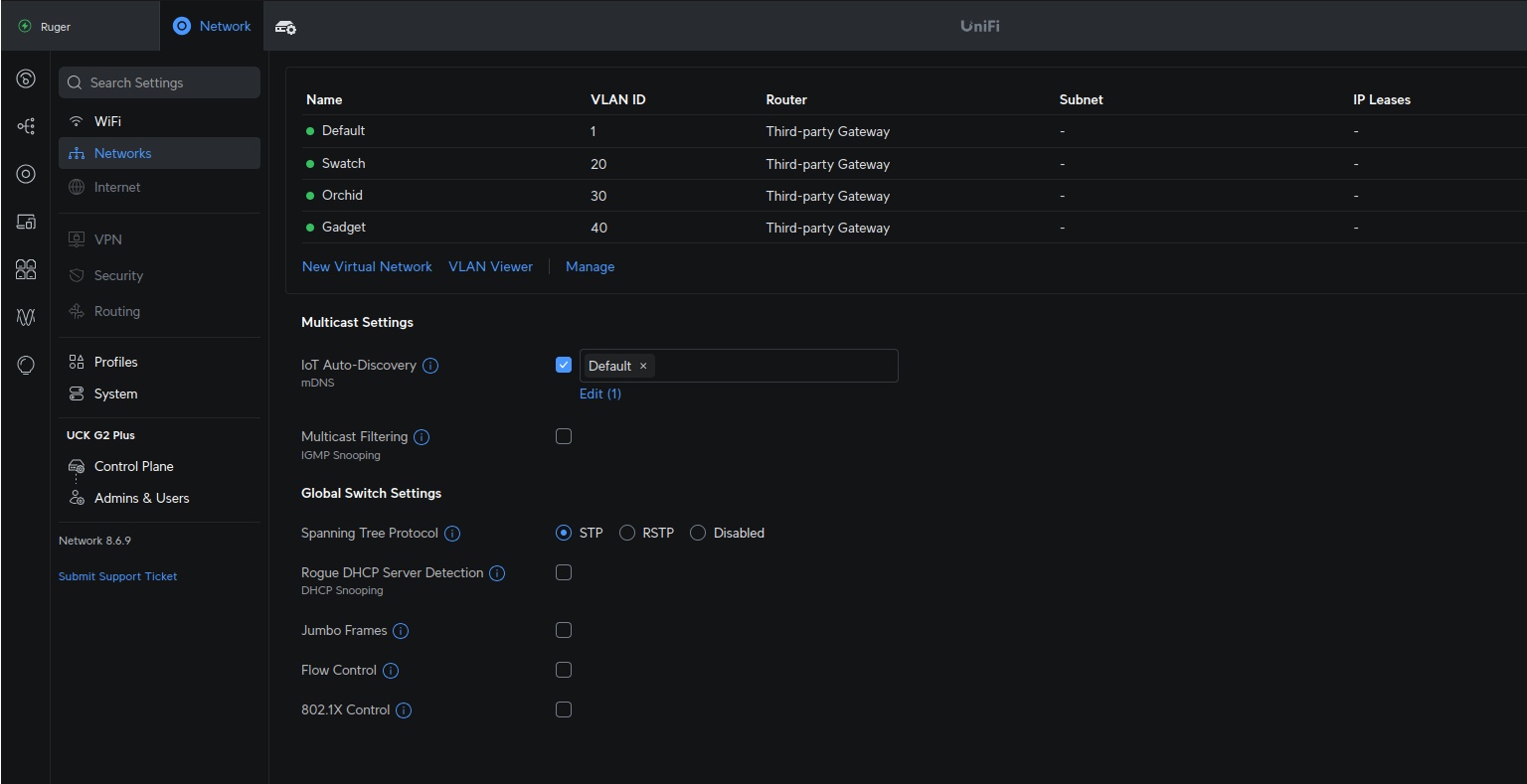
In the Unifi Controller network configuration maybe I have something incorrectly configured? see images below.
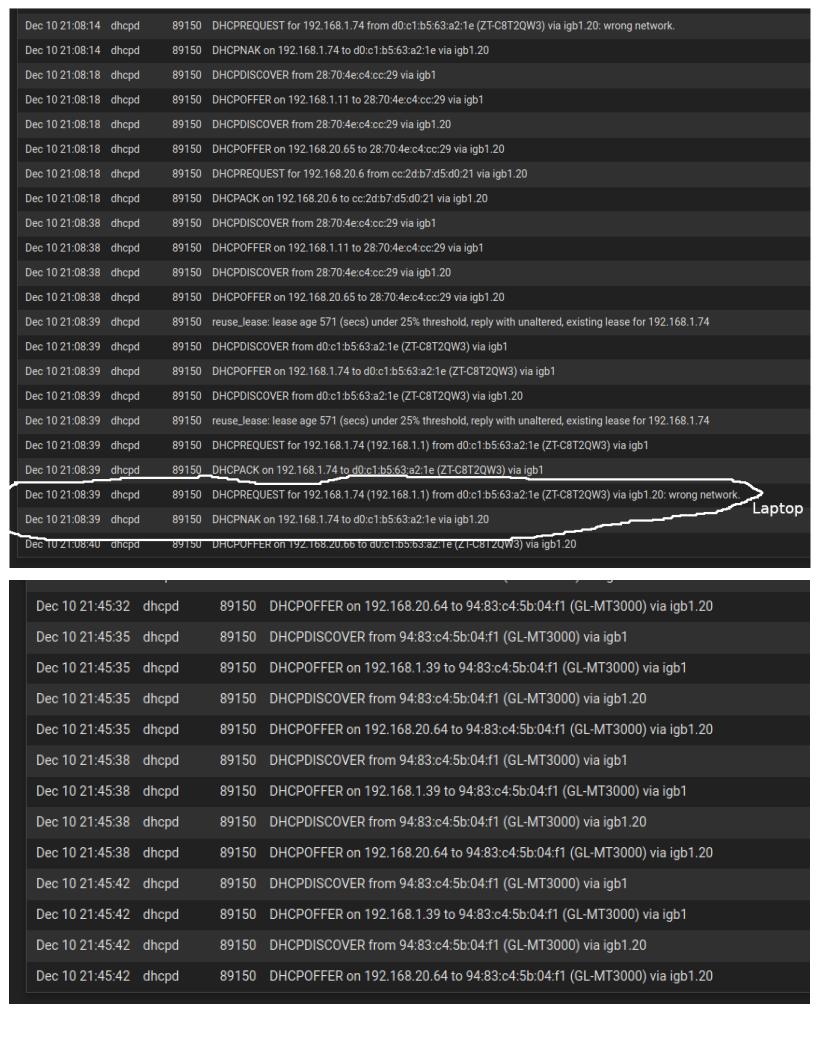
Hi Tom, Thank you for your response. From the logs, DHCP is responding to a mac address on more than one network. My laptop receives an ip address from the LAN network and VLAN 20 but not my other VLANs. Is this correct behavior?
On the Unifi switch in the old controller I selected ALL for the port profile in the new controller I have Allow All selected on the uplink port and port to device as I want the LAN networkl. My travel router receives two ip addresses one from LAN and one from VLAN20 and fails to connect. When I connect it to the parent switch it connects.
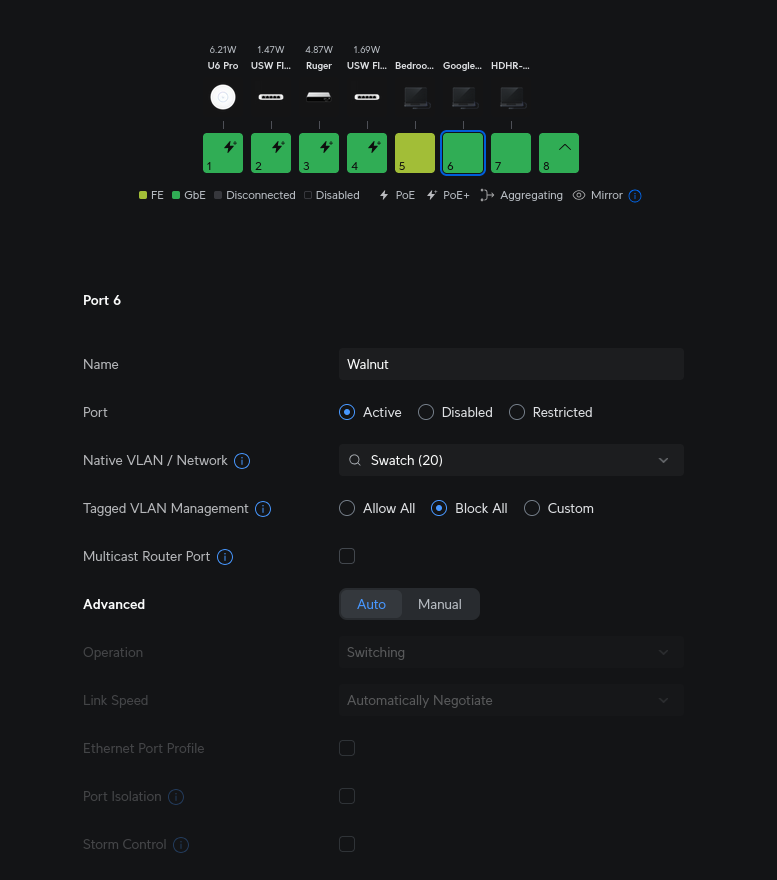
In the below unifi port configuration for igb1.20 connected to a non vlan capable wifi I changed from “Allow All” to “Block All” and do not see multiple networks /vlans responding to a dhcp request anymore. I also changed ports set to default igb1 native to “block all” with exception to uplink ports connecting switches to the pfSense trunk. This I’m lacking understanding as I thought a port receiving all tagged and untagged traffic would always default to the native igb1 interface?