CRITICAL Device: /dev/ada0, Read SMART Error Log Failed

Hello,

I booted up my NAS server this evening and got the following error

CRITICAL

Device: /dev/ada0, Read SMART Error Log Failed.

2025-11-17 21:46:29 (Europe/London)

Is this ada0 which is my TrueNAS boot drive failing? and is it time to swap it out?

If yes, how would i swap it out with a new one SSD?

my idea is to take the drive out put it into my Drive bay which is plugged in via USB 3 along with a new SSD and use some software to replicate the drive to the new drive.

Would this work? or would TureNAS give me errors knowing its a new drive? even with it be replicated.
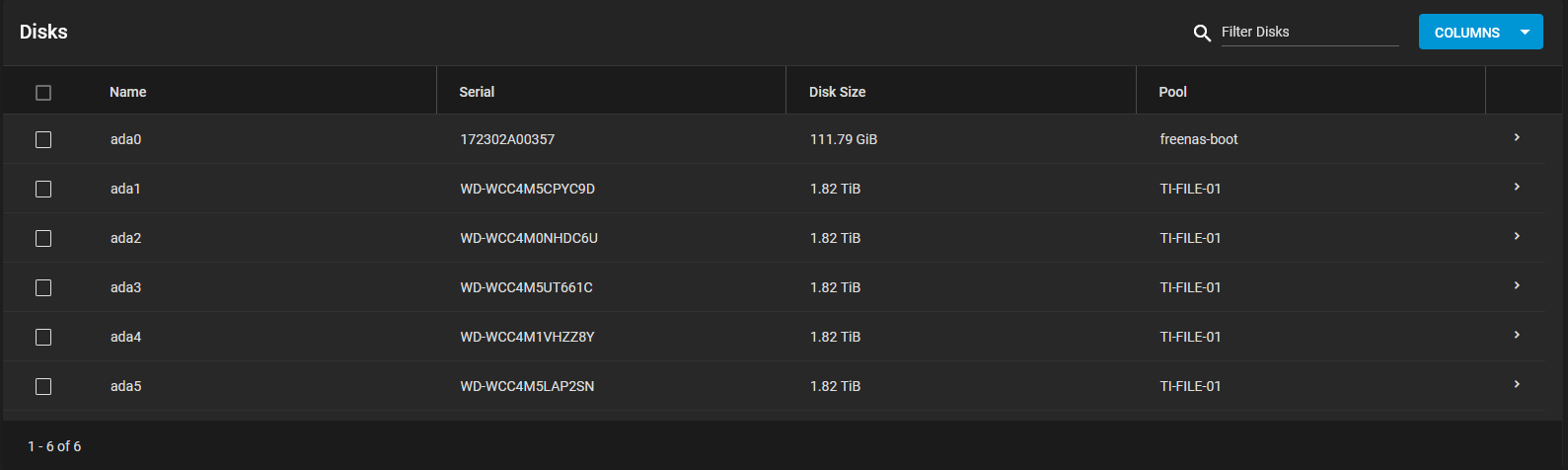
Thanks
James

If this is a boot drive then you simply do the following.

  1. Download your current config
  2. Replace SSD with a new one.
  3. Reinstall truenas
  4. Upload your config.
1 Like

As Maximus say yes, replace.

Here is the video I followed and worked for me. I did it as a proof of concept with a working drive but should work for you

2 Likes

Thank you for the quick reply new SSD on its way will backup config and install TrueNAS then upload config.

Very easy simple steps for failing drives, like it says in the video for HomeLab, not everyone has 2 slots free for mirror raid for the Boot drive.

Thanks