How can I block games on my network at specific times? pfBlockerNG with the UT1 list works perfectly for what I need but I cannot set time schedules.
Pfblocker-ng can’t do this. You’re better off using something like adguard so you can schedule access with DNS.
Using DNS blocking for games is not good idea anyway. Just find what games are being played, and what servers do they reach out and create a classic firewall rule with schedule that will activate/deactivate when needed.
The challenge is that I have to configure this for a friend. While she has some basic IT knowledge, she doesn’t have enough experience to analyze network traffic and determine what should be blocked.
The problem is that it should be either free, open-source, or require only a one-time payment.
Then it’s not a problem at all.
This seems to work. I have a few questions. If I say that games are allowed during certain hours and the time slot expires, how long does it take before the client can no longer play games? Is this until the TTL expires? Do daylight saving time changes (summer and winter time) work with the schedules?
It all depends on the TTL, and the cache of the OS. And yes it follows daylight savings time.
If someone is already gaming, will the game stop when the time slot ends?
Short answer is no. Depends how long the DNS is cached on the system and last time it was queried. Once the cache is flushed then eventually the game will stop working.
Are there other ways to block games at certain times, or to force a device to flush its DNS cache without configuring anything on the device?
Kill the connection completely. No internet.
The problem is that he needs to work for school and everything is online, so blocking the whole internet isn’t an option.
With AdGuard Home, you can block services on a schedule. Most games/game services are available in the interface to be blocked (Battle.net, EA, Epic Games [Fortnite], Minecraft, Riot Games, Valorant, Roblox, etc.). You can also override DNS TTL’s.
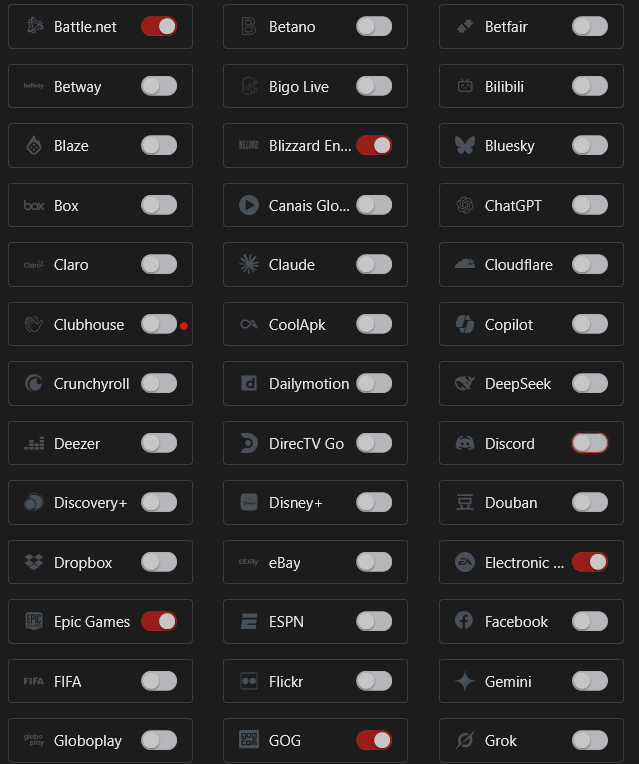
So if I block Epic Games and set up a schedule, and override the TTL, will Fortnite stop playing immediately when the schedule ends?
I wouldn’t override the TTL to zero. That could cause other issues. But you can set it pretty low, like 10-30 seconds even. Note that the client will also likely cache the DNS record with the same TTL, so 30+30 would be 60 seconds from the last time the record was queried. Add that to the schedule time.
Hard to say if Fortnite would stop immediately. My guess is it would hang shortly after before giving a lost connection error/warning. It really depends on how frequently the client needs to query the Fortnite service.
Best way to know would be to test. I don’t play Fortnite, so I can’t help you there.
Then AdGuard is your best solution as @xMAXIMUSx already suggested.
It works perfectly for games, but how can I ensure that a long DNS cache on the client doesn’t cause games to still work?
Just flush the cache before you are done.
So I need to create something that prevents someone’s son from playing games at specific times. If the schedule ends, how long will it take before he can no longer play games?